
Excerpted from the blog
The Painter in the Mist — Understanding Diffusion Models Through a Fable
Selected paragraphs with the AI-placed illustrations. Read the full post for the complete article.
He took a sheet of white paper — and instead of putting brush to it, he covered the whole sheet in chaotic dark grey paint. The onlookers were puzzled: "You're ruining it." Wu Sheng replied: "A real painting must first learn to hide."

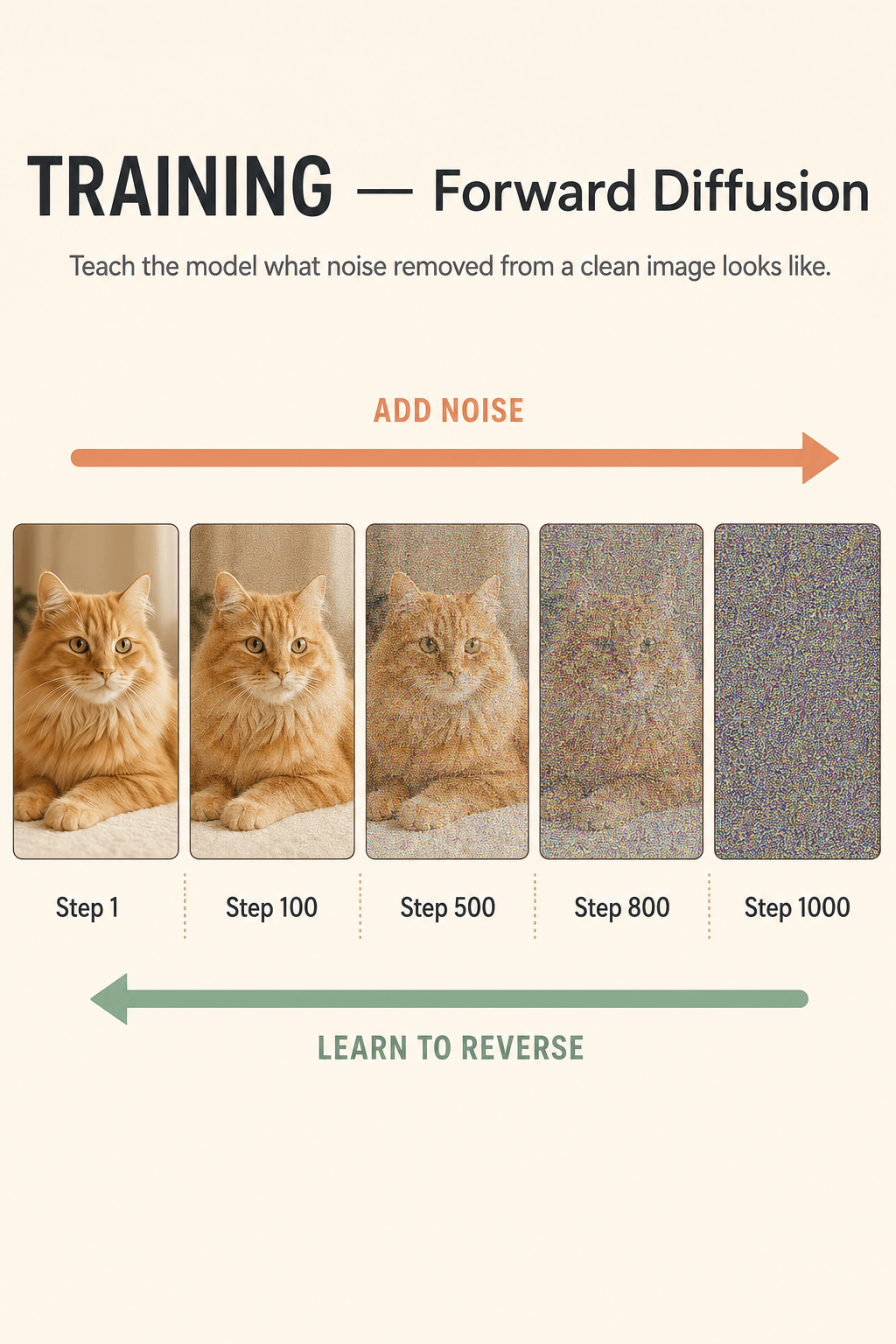
In training, the model learns this way: take a real photo of a cat and add noise repeatedly — at step 1 it's still clear, at step 100 starting to blur, at step 1000 pure random TV static. Then train the AI to answer the reverse: "If it looks this messy now, what did the original probably look like?"
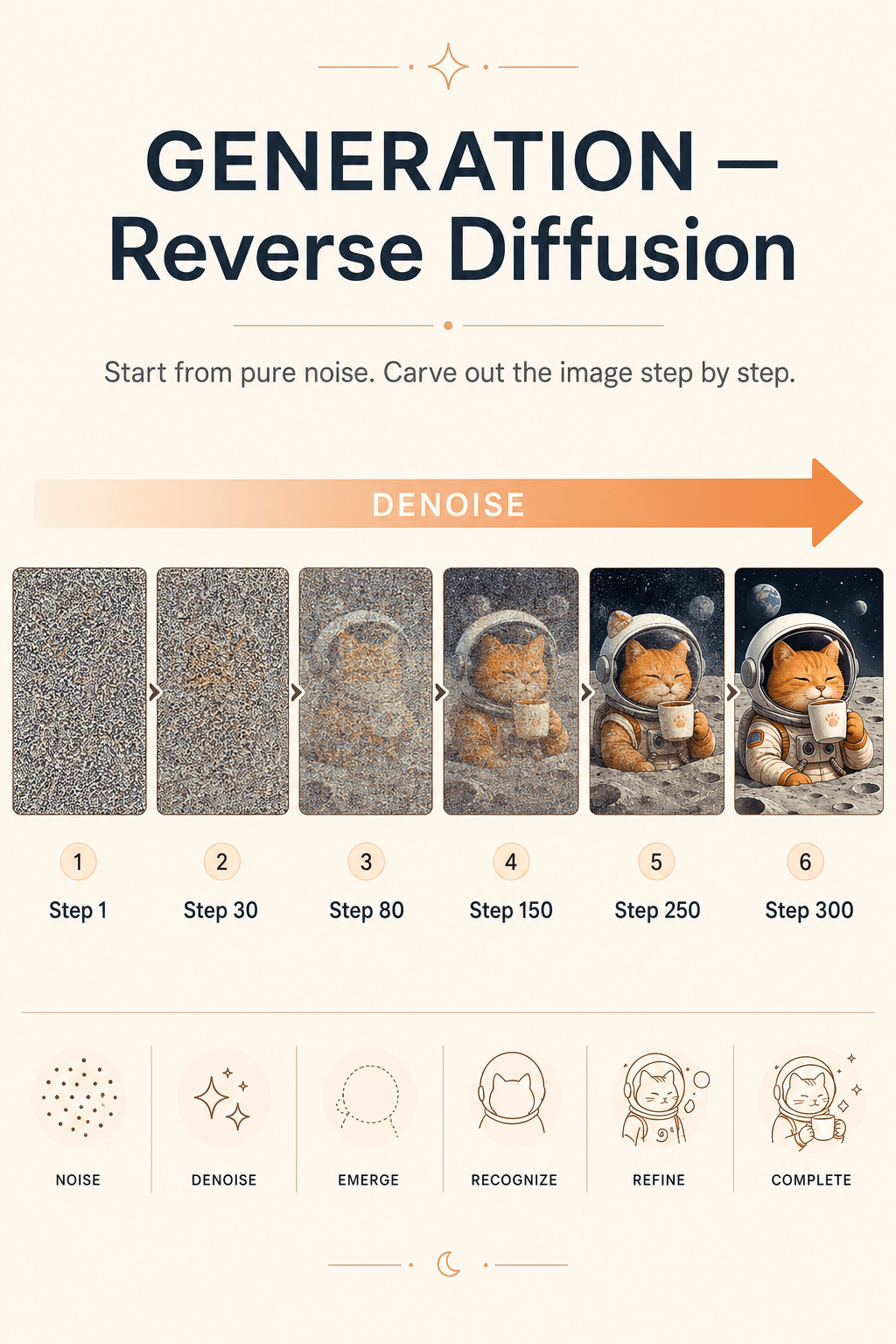
When generating for real, the model has no picture — only a blob of random noise and a prompt. Step 1: tiny denoise. Step 30: a cat silhouette appears. Step 80: the helmet shows up. Step 150: the lunar background takes shape. Step 300: details settle in. The image is born.
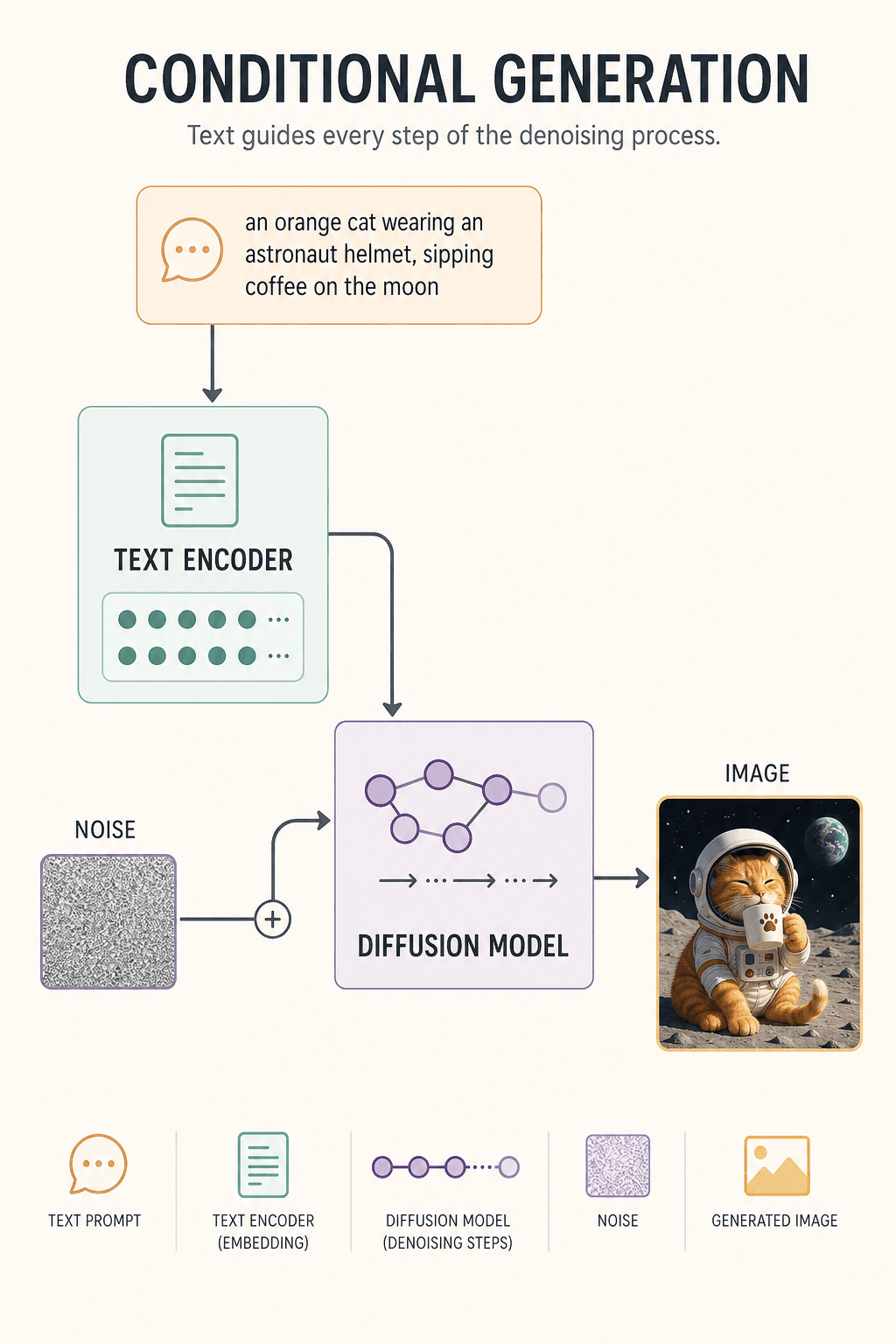
Why can text steer the image? Because of the Text Encoder. It turns "orange cat + astronaut + moon + coffee" into a vector of numbers, and during each denoising step keeps reminding the model: "Orange cat, not black cat. On the moon, not in a kitchen."
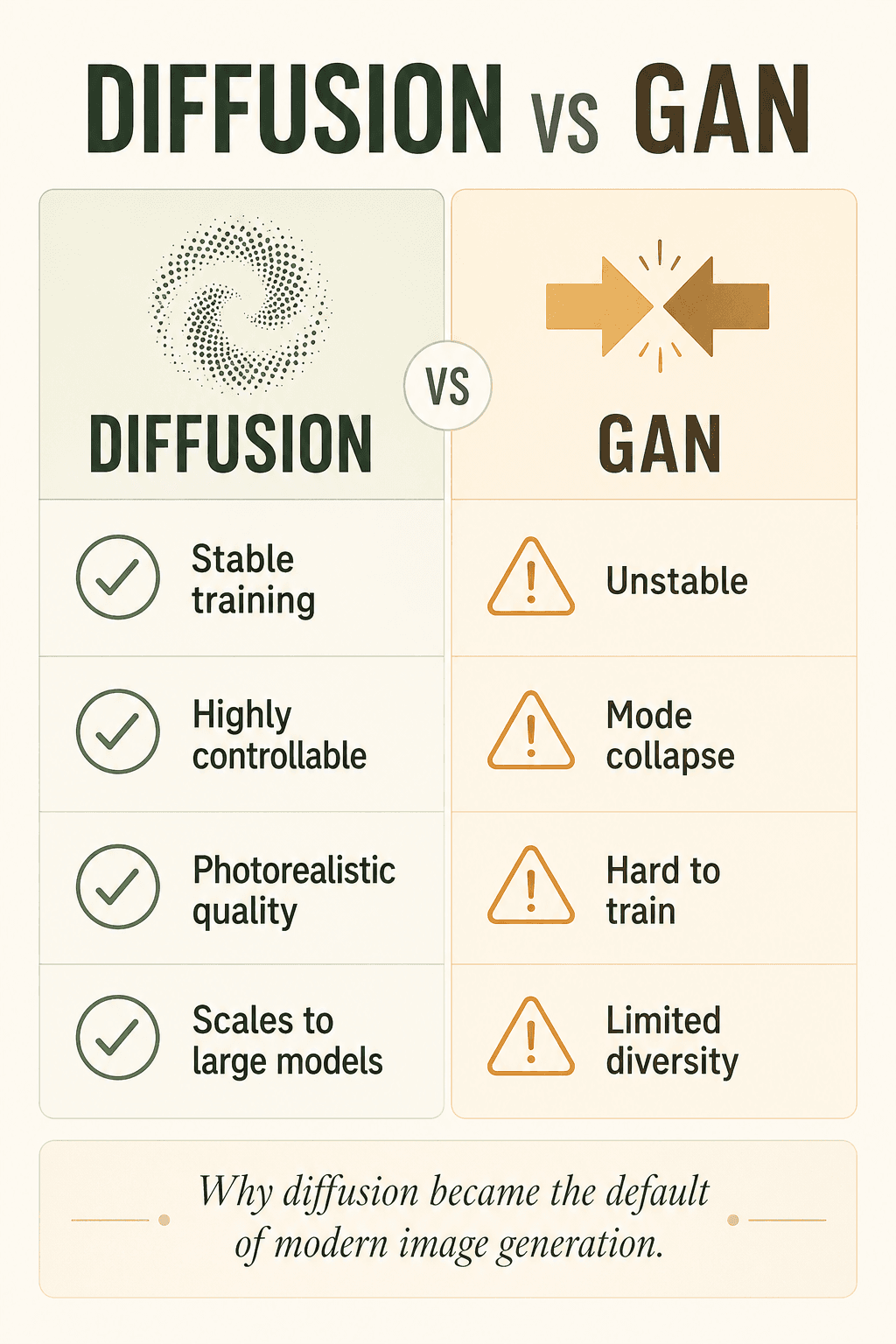
Earlier AI image generators relied on GANs, but GANs were notoriously unstable, prone to mode collapse, hard to train, and limited in diversity. Diffusion is more stable, more controllable, higher quality, and scales better — which is why it has quietly become the default of the modern era.
—— ~1,500 words omitted here ——