
GPT Image 2 Poster Generator — One Prompt, a Finished Poster
Tell it the band name, the launch date, or the sale headline — the GPT Image 2 Poster Generator lays out the whole design for you, from the headline down to the footer.
Every poster comes back as a crisp PNG, ready to post online, send to print, or drop into your design tool.
Not sure where to start? Tap a quick-start example right under the prompt box and swap in your own words.
Free credits for new users — no credit card required
What the GPT Image 2 Poster Generator Does for You
Designing a poster usually means juggling layout, typography, and colour before you ever see a result. The GPT Image 2 Poster Generator skips that whole step: you describe the poster in plain words, and it comes back composed — title, supporting line, and footer already placed, with a colour palette that holds together. Start from one of the five quick examples, change the words to yours, and generate again until it feels right.
One prompt becomes a full poster
Write a sentence or two about the event and the GPT Image 2 Poster Generator returns a complete composition — no layers to arrange, no template to fight with.
Your words land where they belong
Headline, subhead, and footer line each get their own clear band, so the most important text reads first and nothing fights for attention.
Five poster styles to start from
Gig night, product launch, gallery show, seasonal sale, or film festival — pick the closest quick-start example and the structure is already there for you.
Downloads as a print-ready PNG
Posters come back as a clean PNG in portrait shape — the right format to share on social, send to a print shop, or open in any design app.
See What the GPT Image 2 Poster Generator Makes
Five posters, five prompts — no templates, no layout work. Each one started as a couple of sentences describing the event. Tap any example under the prompt box to load the exact brief, swap in your own words, and generate your version.
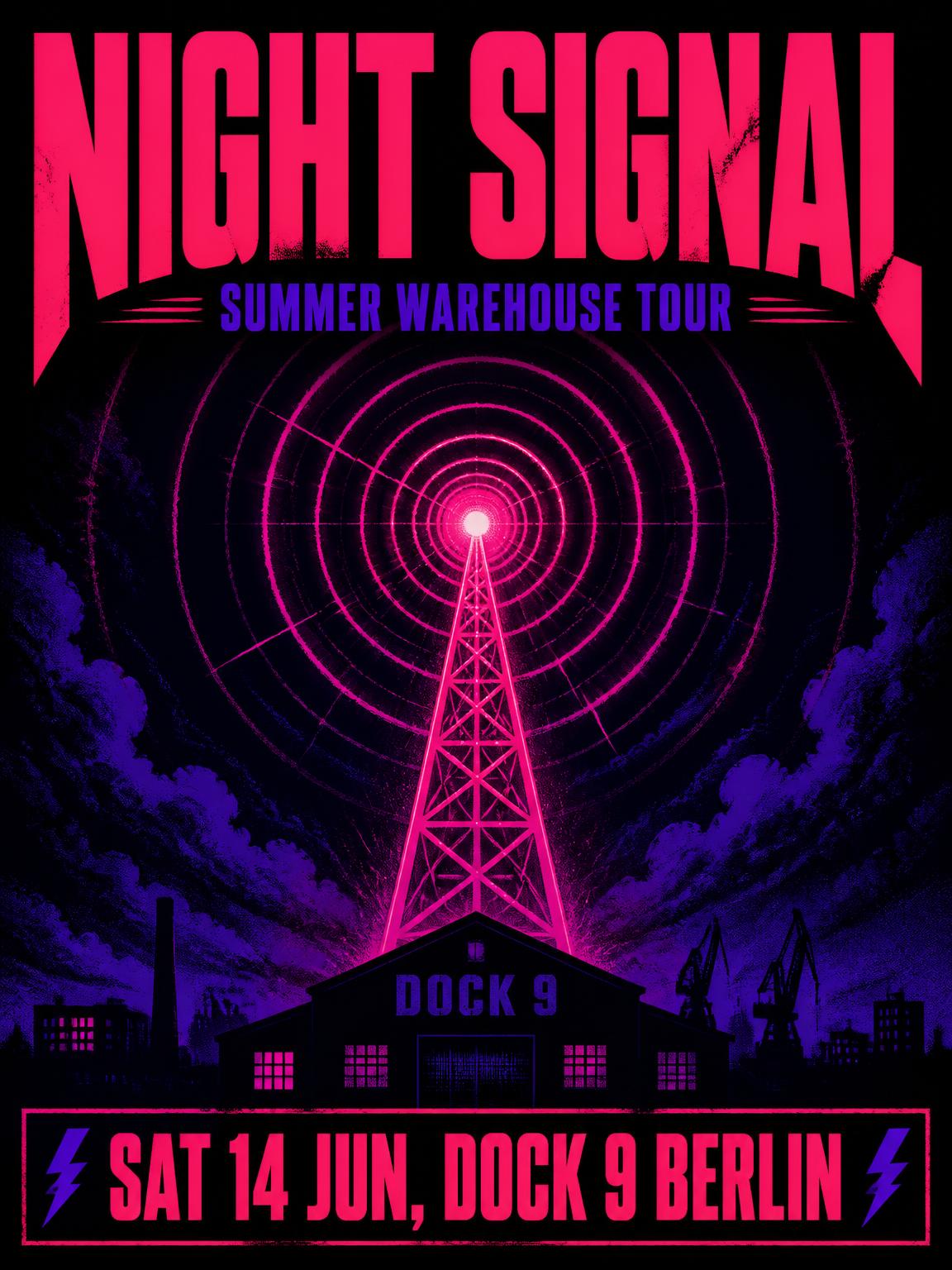
Gig and concert posters
Got a show to fill? Describe the band name, the tour line, and the date — you get back a loud, high-contrast poster with the headline up top and the venue details in a clean footer band, ready for the door and the feed.
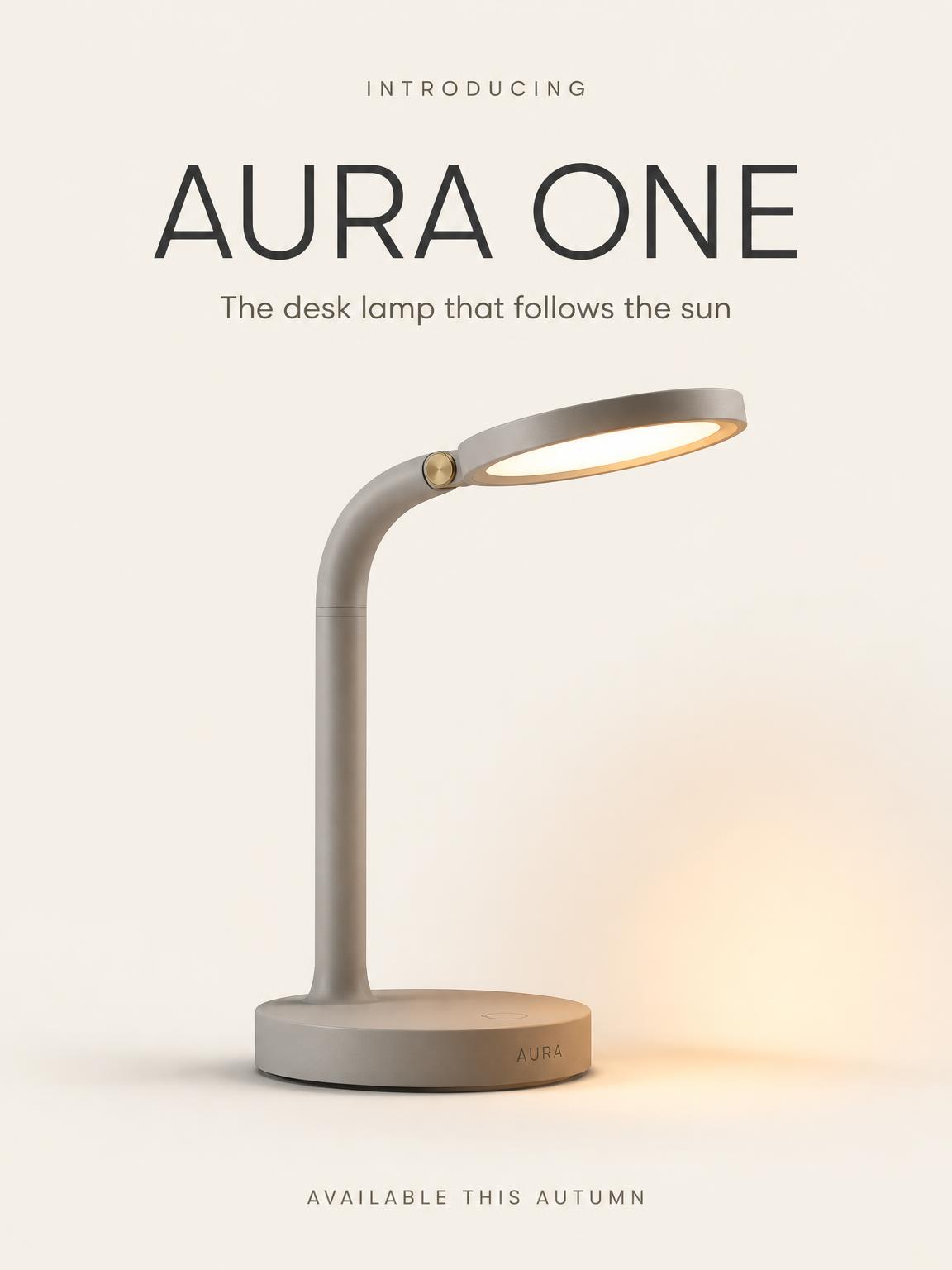
Product launch announcements
Launching something? Name the product and its one-line promise, and the generator returns a calm, premium layout with generous whitespace and a clean product render — the kind of poster that makes a new thing feel like an event.
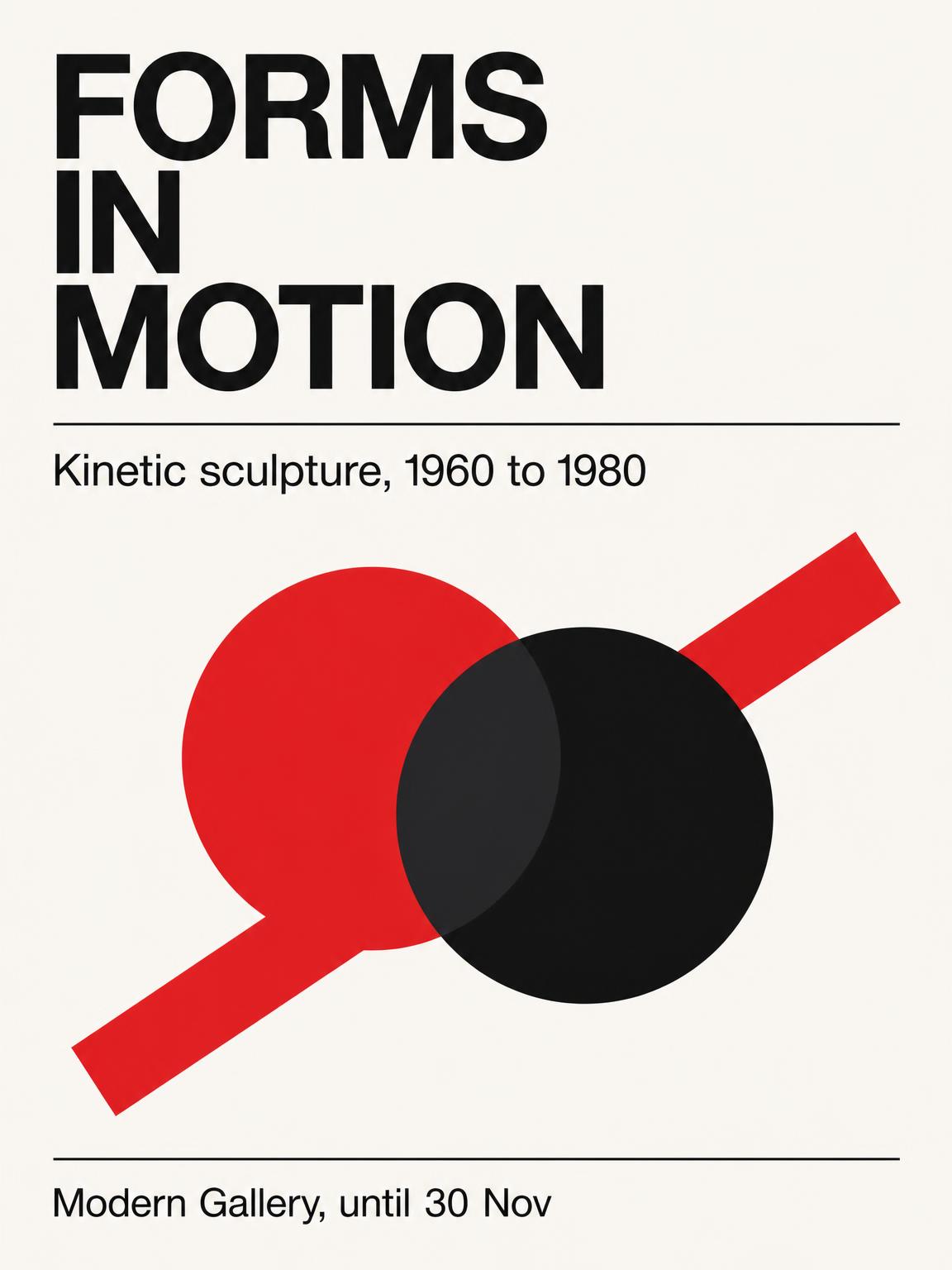
Exhibition and gallery posters
For a show or an opening, describe the title and the dates and you get a disciplined, grid-driven design with a single accent colour — strong typographic hierarchy that looks at home on a gallery wall.

Sale and promotion posters
Running a sale? Give it the discount, the dates, and a promo code — back comes a bright, cheerful poster with a giant headline and a call-to-action footer, built to stop the scroll and drive clicks.

Film and event posters
For a screening, a festival, or a club night, describe the mood and the title — the generator delivers an atmospheric, cinematic poster with dramatic title type over a photographic backdrop and the dates in their own band.
Everything Inside the GPT Image 2 Poster Generator
Built for one job — getting you from an idea to a poster you would actually put on a wall.
A poster for any moment
Concerts, launches, exhibitions, weekend sales, film nights — describe the occasion and the GPT Image 2 Poster Generator matches the mood, type weight, and colour to it.
Quick-start prompt examples
Five ready-made prompts sit right under the input box. Tap one, see how a strong poster brief reads, then rewrite it with your own event in seconds.
Portrait layout, print quality
Posters generate in a tall portrait shape with crisp edges and clean type — the proportions people expect on a noticeboard or a feed, not a stretched square.
PNG by default
The output format is set to PNG out of the box, so the file you download is ready to use immediately without an extra export step.
Tweak the words and regenerate
Change the headline, swap the date, try a different colour mood, and run it again. Each pass costs only a few credits, so iterating to the right poster is cheap.
GPT Image 2 Poster Generator — FAQ
Common questions about the GPT Image 2 Poster Generator. Still stuck? Email support@imagesv2.ai.
It is an online tool that turns a text description into a finished poster. You type what the poster is for — the headline, the supporting line, the date or call to action — and it returns a composed design with the text placed and a colour palette chosen for you. There is no canvas to lay out and no template to wrestle with.
Anything built around a headline and a few supporting lines: concert and gig posters, product launches, art exhibitions, retail and seasonal sales, film festival announcements, club events, and more. The five quick-start examples cover the most common cases, and you can rewrite any of them for your own occasion.
PNG. The output format is pre-set to PNG, so the poster you generate downloads as a crisp image you can post online, send to a print shop, or open in a design app right away. No extra export step is needed.
The generated poster is a flat image, so the words are part of the picture rather than an editable text box. The fastest way to change a headline or a date is to edit your prompt and generate again — each run takes only a few seconds. If you need fully editable layers, our Poster to PSD tool exports a layered Photoshop file instead.
No. The whole point is that you describe the poster in plain language and the layout, type hierarchy, and colour are handled for you. Starting from a quick-start example also shows you how a clear, specific brief reads, which makes your own prompts stronger.
Below the prompt box you will see a row of one-click examples — a gig poster, a product launch, an exhibition, a sale, and a film festival. Tapping one fills the input with a complete, well-structured prompt. From there you simply replace the band name, dates, and headline with your own and generate.
New users get free credits to start with, and no credit card is required to try it. Each poster uses a small number of credits, so you can experiment with different headlines and styles before deciding to top up.
Make Your First Poster with the GPT Image 2 Poster Generator
Pick a quick-start example, change the words to yours, and download a print-ready PNG. Free credits for new users — no credit card required.
