
The Clumsy, Scribbly, Pathetic MS Paint PromptViral GPT Image 2 Scribble Prompt
The full viral GPT Image 2 prompt, word for word, free to copy — it is right below, no signup and no paywall.
Or skip the copy-paste: upload a photo here and we run it for you.
Free credits for new users — no credit card required
The Clumsy, Scribbly, Pathetic MS Paint Prompt
Here is the exact viral GPT Image 2 prompt, word for word: "Redraw the attached image in the most clumsy, scribbly, and utterly pathetic way possible. Use a white background, and make it look like it was drawn in MS Paint with a mouse. It should be vaguely similar but also not really, kind of matching but also off in a confusing, awkward way, with that low-quality pixel-by-pixel feel that really emphasizes how ridiculously bad it is. Actually, you know what, whatever, just draw it however you want." It is already pre-filled in the generator at the top of this page — no copy-paste needed. Or grab the wording above to run the clumsy MS Paint style image redraw anywhere.
Why "clumsy, scribbly, pathetic" matters
Those three words are the whole trick. They give GPT Image 2 permission to abandon polish and lean into the badly drawn, mouse-in-MS-Paint look instead of cleaning the image up like it normally would.
Why the white background
"Use a white background" strips out lighting and depth, so the result reads as a flat MS Paint doodle rather than a rendered illustration — exactly the scribbly aesthetic the trend is known for.
Why the giving-up last line
"Whatever, just draw it however you want" loosens the model's grip on accuracy — that's what produces the off, confusing, ridiculously bad redraw people screenshot and share.
What is the MS Paint Redraw prompt?
Spotted while surfing the web one night: a GPT Image 2 prompt that asks the model to redraw any attached image "in the most clumsy, scribbly, and utterly pathetic way possible." It went viral fast. The output is hilariously, deliberately bad — vaguely similar to the original but unmistakably a child-with-a-mouse rendition. This page wires that exact prompt to GPT Image 2 in image-to-image mode so you can run it on your own photos in one click.
The Exact Viral Prompt, Pre-filled
No copying, no editing. The same wording that went viral is already loaded into the editing form — upload your image and click generate.
Image-to-Image, Not Text-to-Image
The prompt redraws an *attached* image — running it in text-to-image mode would just produce random nonsense. We pre-select image-to-image so it works the way the meme works.
Powered by GPT Image 2
The model the original post used. GPT Image 2 keeps recognizable composition while delivering the deliberately awful pixel-by-pixel feel — the secret sauce that makes the joke land.
Yours to Share
Download the result, post it to X, send it to friends, use it as a profile picture. The output is a standard PNG — no watermark on paid plans.
How to Get the Clumsy MS Paint Style Image Redraw
From a normal photo to a badly drawn MS Paint scribble in three clicks. The clumsy, scribbly prompt is already loaded, so there is nothing to copy.
Upload your photo
Drop in any image — a portrait, a pet, a landscape, a screenshot. The clearer the original, the funnier the badly drawn redraw. The page is already in image-to-image mode, so your photo is what gets redrawn.
The clumsy MS Paint prompt is pre-filled
No copy-paste. The exact viral "clumsy, scribbly, and utterly pathetic" GPT Image 2 prompt is already in the box. Leave it as-is, or swap "MS Paint" for "crayon" or "a 4-year-old's drawing" for a different bad-art style.
Generate, download & share
Hit generate and GPT Image 2 hands back your photo as a clumsy MS Paint style image redraw — a clean PNG ready to drop into a tweet, an iMessage, or a Discord server.
What it actually looks like
Nine real before/after pairs run through the prompt above on GPT Image 2 — portraits, pets, food, group shots, landmarks and famous art. Same engine, same wording — your photos get the same treatment.
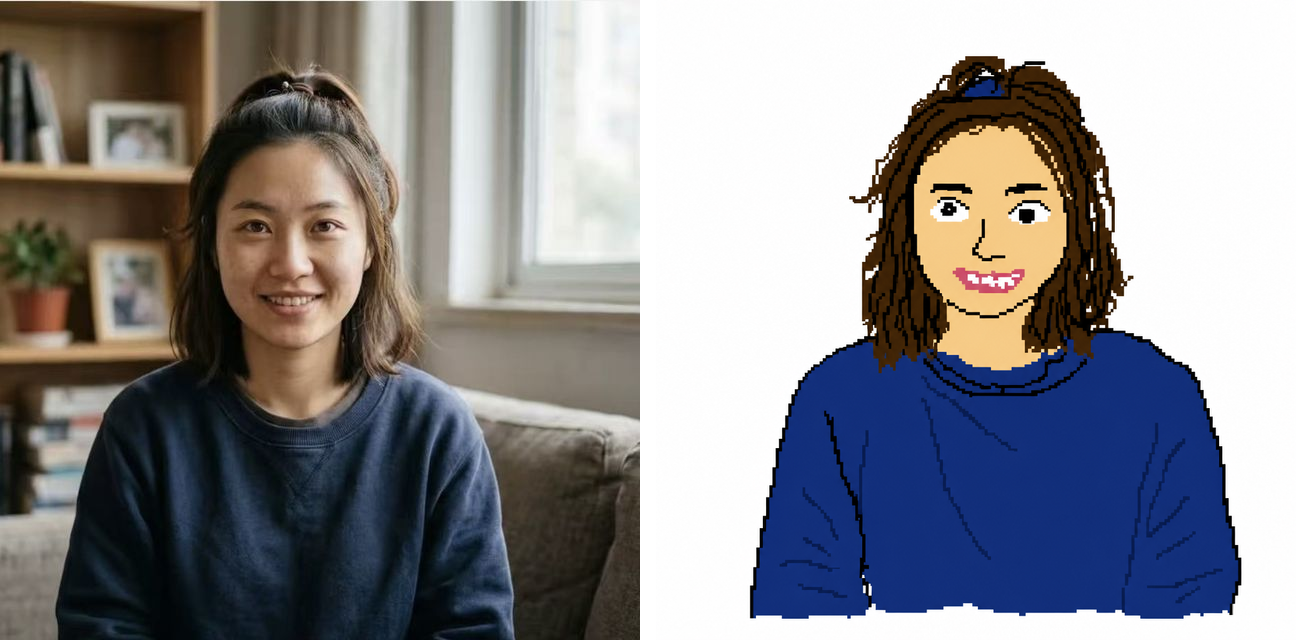
Casual portraits → toothy scribble
Studio-friendly, well-lit casual portraits give the model the most identifiable structure to wreck. Hair becomes a frizzy halo, the smile becomes weirdly toothy, the background books and plants become squiggle blobs. The face is recognizable for about half a second before the eyes lock onto the wrongness.

Action shots → rubber-limb cartoon
Sports and outdoor shots produce the funniest redraws because the prompt has no idea how to keep limbs proportional under motion. The skater's pose stays roughly correct, but the head shrinks, the shoulders inflate, and the background skatepark dissolves into vague concrete blobs. Pure cursed-cartoon energy.
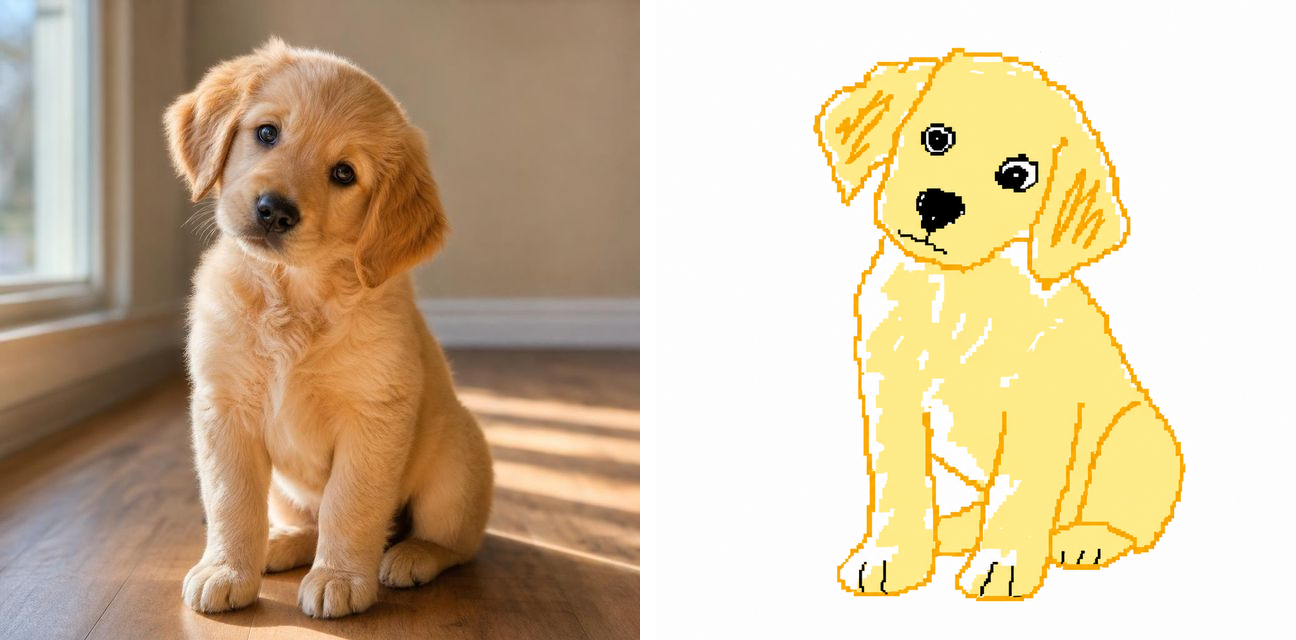
Pet photos → fourth-grader doodle
Animals come out the worst (in the best way). The model gives up on fur, paws, and proportions, and you're left with a flat blob mascot that has the energy of a margin doodle in a kid's math notebook. Send it back to the friend whose pet you redrew — instant reaction.
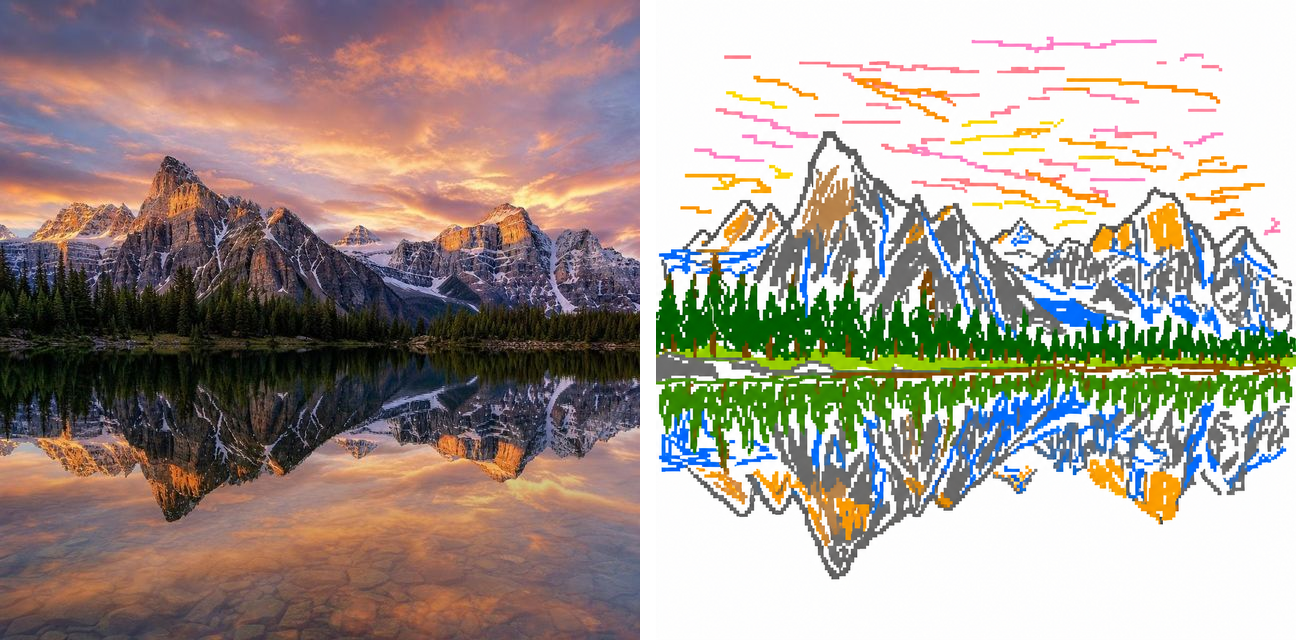
Landscapes → 8-bit pixel art
Surprise winner: scenery without a human subject produces the closest match to the original viral aesthetic. Hatch-mark clouds, scribbled water, blocky mountains, green clumps for trees. No depth, no perspective, just colors and lines — pure rendered-in-MS-Paint vibe with a faint 8-bit retro tint.
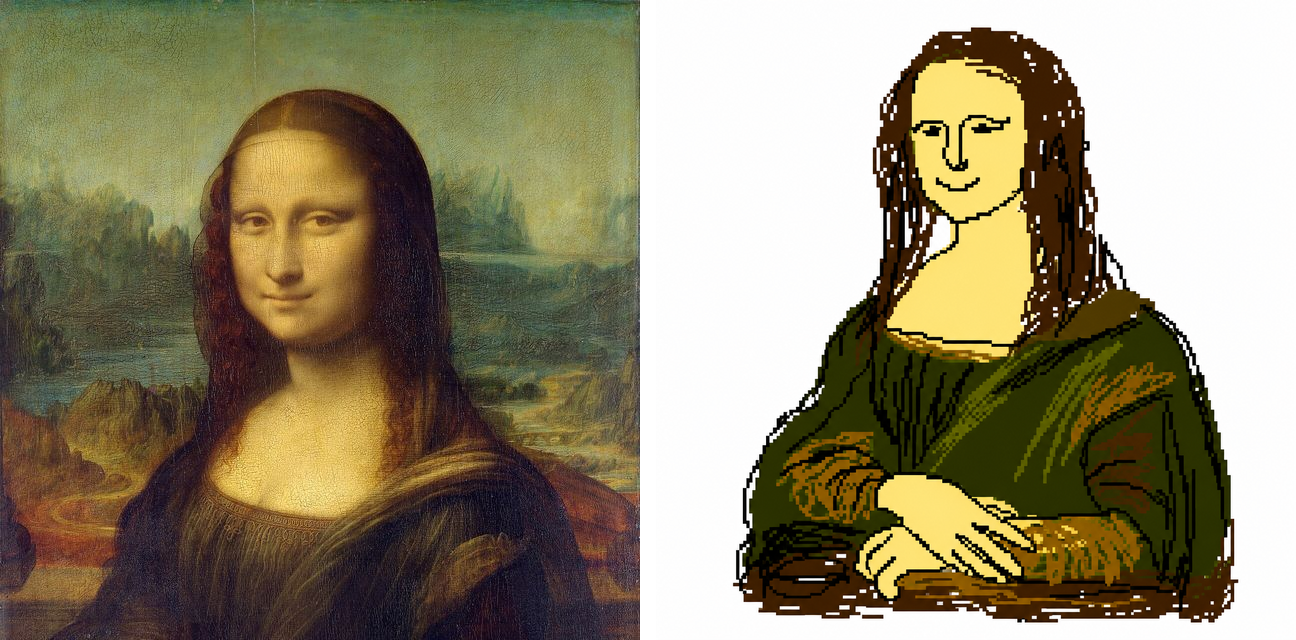
Famous art → museum-gift-shop disaster
Feed it the Mona Lisa and GPT Image 2 keeps the pose, the folded hands and the moody green, then throws away five centuries of craft. The sfumato smile turns into a flat smirk, the landscape behind her becomes a brown smear. It's instantly recognizable and instantly ruined — the kind of redraw that works on any masterpiece.
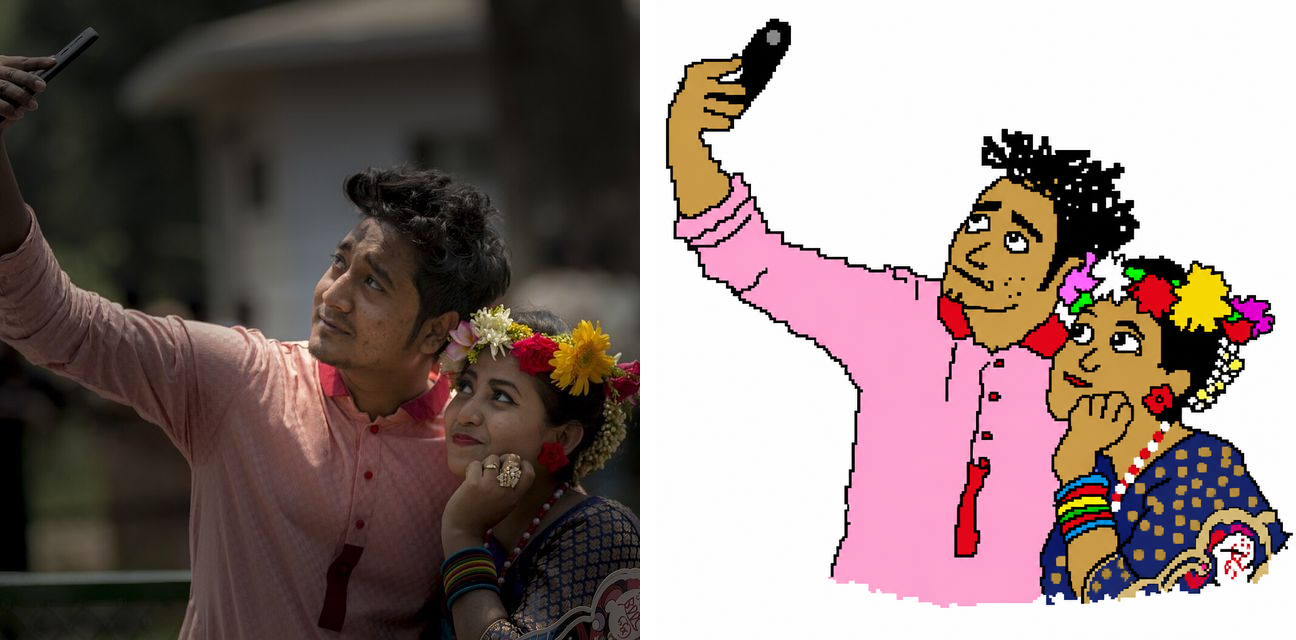
Couple selfies → wobbly cartoon duo
A real selfie of a couple — one arm up holding the phone, the other person leaning in with flowers in her hair — comes back as two lopsided cartoon blobs. The phone-holding arm goes rubbery, the flower garland turns into a cluster of scribble dots, and both faces get that off, awkward look. Perfect to send back to the person you took it with.
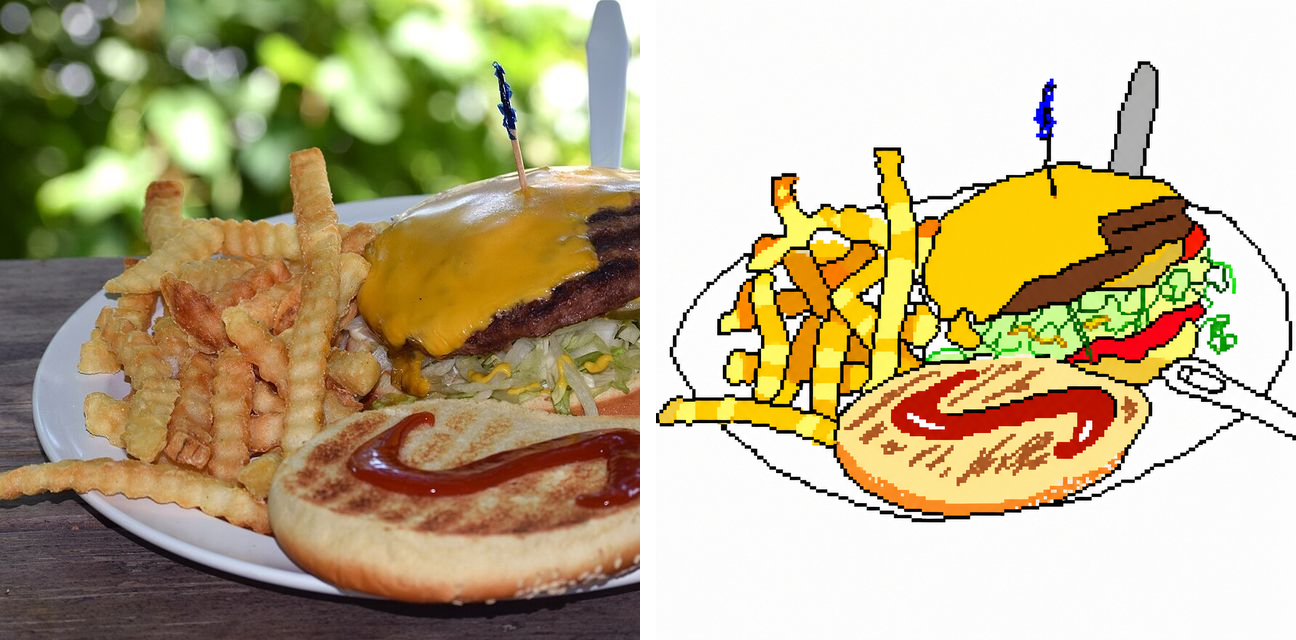
Food photos → menu drawn by a kid
A glossy cheeseburger-and-fries plate becomes the kind of food drawing you'd find taped to a lemonade stand. The bun loses its shine, the fries turn into yellow sticks, the ketchup is a red puddle. Somehow it still reads as 'burger and fries' — that gap between intent and execution is the whole joke.
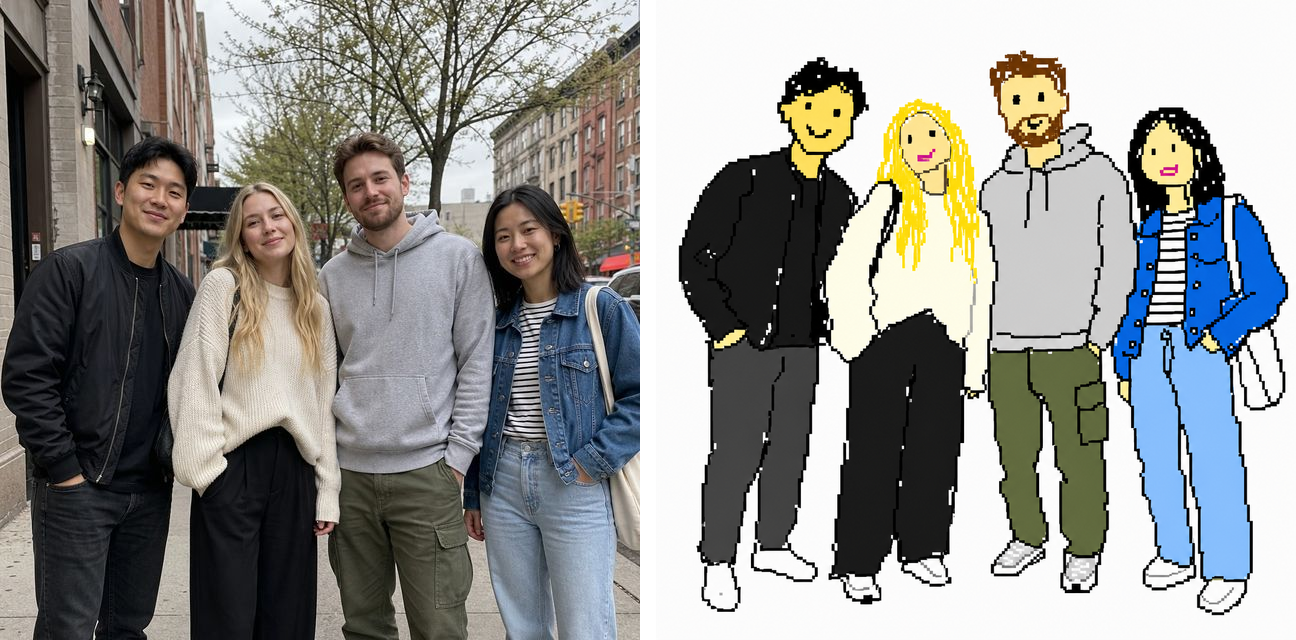
Group shots → squad of squiggle people
Four friends posing on a city street turn into a lineup of stick-ish cartoon figures, each with a different scribble haircut and a smiley-face dot for an expression. The model keeps roughly who's standing where but flattens everyone into the same goofy art style — a guaranteed group-chat reaction.
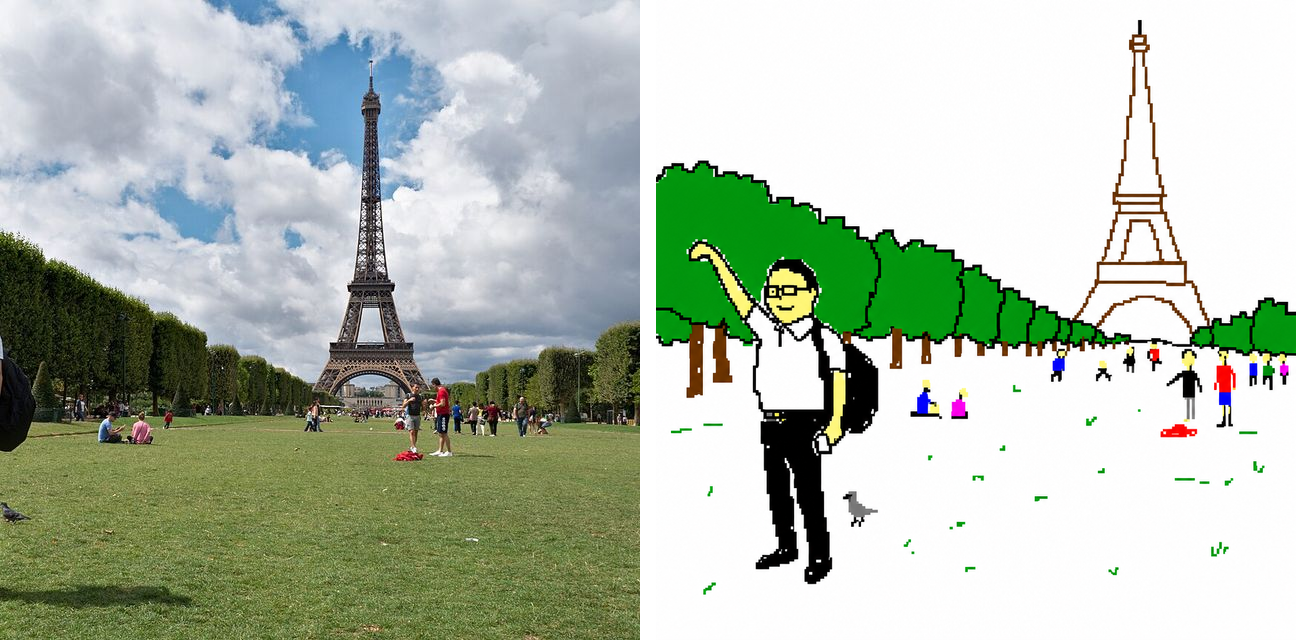
Travel landmarks → postcard you'd never send
The classic 'pinching the Eiffel Tower' tourist shot comes back as a stick tourist on a lawn of green scribbles, with a lopsided tower leaning behind him. Landmarks redraw especially well because everyone knows what they're supposed to look like — which makes the badly drawn version even funnier.
Everything you need to run the meme
Built for one job: reproducing the viral MS Paint redraw on your own images, fast.
One-Click Setup
Land on the page and the editing form is already in image-to-image mode with the viral prompt loaded. Upload your photo, hit generate — that's it.
Editable Prompt
The prompt is pre-filled but not locked. Tweak the wording, swap "MS Paint" for "crayon" or "3-year-old's drawing," or add your own twist — the form behaves like the regular generator.
GPT Image 2 Quality
Runs on the same OpenAI model the viral example used. No imitation models, no "close enough" — same engine, same wording, same look.
Multi-Image Batch
Drop in a photo of you and a photo of a friend in one go — the editor accepts multiple reference images, and you'll get redrawn versions of each.
Download Ready to Share
Output is a clean PNG sized for social media. Drop it straight into a tweet, an iMessage, a Discord server — the joke survives the upload.
MS Paint Redraw — FAQ
Common questions about the viral GPT Image 2 scribble prompt. More questions? Email support@imagesv2.ai.
"Redraw the attached image in the most clumsy, scribbly, and utterly pathetic way possible. Use a white background, and make it look like it was drawn in MS Paint with a mouse. It should be vaguely similar but also not really, kind of matching but also off in a confusing, awkward way, with that low-quality pixel-by-pixel feel that really emphasizes how ridiculously bad it is. Actually, you know what, whatever, just draw it however you want." The casual, almost-giving-up tone at the end is part of why the prompt works — it gives the model permission to lean into the bad-art aesthetic instead of trying to clean it up.
The prompt explicitly says "redraw the *attached* image" — it's an image-to-image instruction, not a text-to-image one. Without an uploaded reference, GPT Image 2 has nothing to redraw and will just generate a random scribble of something unrelated. That's why this page lands you in image-to-image mode by default.
No two outputs are identical — GPT Image 2 introduces variation each run. The *style* will be consistent (childish, scribbly, MS Paint-ish, white background) but the specific shapes and colors will differ. If the first result isn't funny enough, regenerate — the prompt's last line ("just draw it however you want") deliberately gives the model creative latitude.
Yes — the prompt is editable. Swap "MS Paint with a mouse" for "crayon on construction paper," "a 4-year-old's drawing," "a doodle in the margin of a notebook," or anything else. The structure (redraw + style instruction + permission to be bad) is what makes the prompt work; the specific style is up to you.
Same as any GPT Image 2 image-to-image generation. The exact credit cost shows above the generate button before you click. New users get free credits to try it without paying.
Yes. Outputs from GPT Image 2 are yours to use, subject to OpenAI's usage policies. Standard meme-and-share use is well within what those terms allow.
Uploads go to OpenAI's API for processing per their data policy. We don't show your uploads to other users and don't use them to train any model. If you'd rather not upload a photo of yourself, the meme is just as funny on a pet, a piece of furniture, or a screenshot.
Yes. "Badly drawn MS Paint," "clumsy scribbly pathetic prompt," and "MS Paint style image redraw" are all names people use for the same viral GPT Image 2 trend — turning a normal photo into a deliberately awful, mouse-drawn scribble. This page runs that exact prompt, so whichever name you searched, you're in the right place.
It's the GPT Image 2 instruction shown in the prompt section above — it tells the model to redraw your attached image in the most clumsy, scribbly, and pathetic MS Paint way possible on a white background. We've pre-filled it into the generator, so you can run the redraw without copying anything.
Run the viral GPT Image 2 prompt on your own photo
Free credits for new users. Upload an image, click generate — the prompt is already filled in.
