
Upload one photo. Get your personal color analysis.
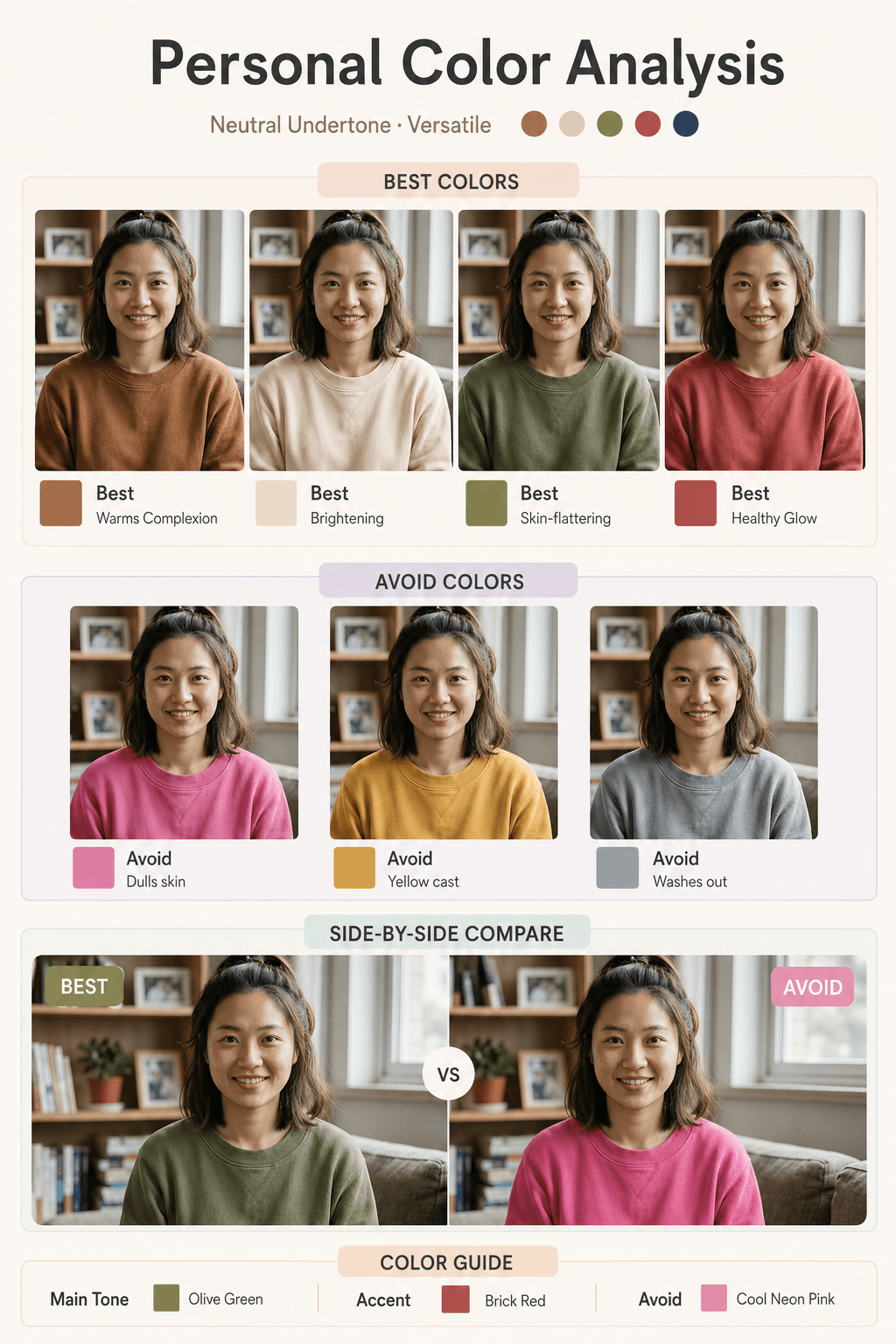
AI infers your skin undertone and renders a side-by-side card of best vs avoid clothing colors. See in one glance which colors brighten your complexion.
Upload one photo, AI builds your personal color analysis
Keeps your real face, skin tone and features. Side-by-side comparison of best vs avoid colors — clearly tagged Best / Neutral / Avoid.
Upload your portrait photo
Front-facing or 3/4 view works best. Even lighting, no sunglasses. Max 20MB · JPG / PNG.
Drop, click or paste your photo here
Your personal color analysis
Right-click or long-press to save. Free version is watermarked; paid users can download the clean original.
Three steps to your color diagnosis
From an everyday selfie to a complete color comparison — three steps.
1. Upload a portrait
Pick a clear photo with even lighting. AI uses this face as the anchor for every try-on.
2. AI infers your undertone
AI analyzes your skin's undertone (warm / cool / neutral) and selects the matching palette.
3. Side-by-side at a glance
Best and avoid colors shown side by side, clearly tagged. Save it or share it.
Why a single image beats a wall of advice
See which colors flatter you instantly — instead of reading and imagining.
Built for real shopping decisions
Not influencer filters — actual color guidance you can act on.
Undertone detection
AI analyzes your skin's undertone and labels it warm / cool / neutral, with a matching recommended palette.
Best-color try-ons
Multiple flattering colors rendered on your face, each with a swatch and a short tag like brightening or complementary.
Avoid-color callouts
Colors that wash you out or yellow your skin shown explicitly with the avoid label — so you can skip them in store.
Side-by-side compare
Large split panel — best on one side, avoid on the other. The most direct way to see the difference.
True-to-life features
AI doesn't morph you into a generic influencer face. Your real bone structure and skin tone come through.
Free trial, paid unlock
New users get free credits to try. Free output is watermarked; paid users download the clean original.
FAQ
A few things you might want to know first.
Front-facing or 3/4 view portrait, even lighting (avoid heavy yellow or blue filters that distort skin tone), no sunglasses or face coverings. Shoulders-up framing is ideal. JPG / PNG, max 20MB.
AI analyzes the underlying tone of your skin, lip color and overall light cast in the photo to classify warm / cool / neutral, then picks a palette accordingly. Treat it as a reference diagnosis — verify in natural light when shopping.
The Style Card covers four dimensions (hairstyle, makeup, color, jewelry). Color Analysis focuses entirely on color — more samples, larger try-ons, side-by-side compare. Better for quick reference while shopping.
Your upload is used for one generation call and handled per our data retention policy. We do not use it for training. Please don't upload someone else's photo without permission.
The output is one large composite image with multiple face variants and color labels — much more compute than a typical text-to-image, hence the wait.
Free users get a tiled imagesv2 watermark on the output, fine for previewing. Paying users (anyone who has bought any credit pack) can download the clean, watermark-free original.
Click "Generate again" to retry — it charges credits again at the selected quality. A photo with cleaner natural lighting usually improves the diagnosis.
Free credits — generate your first color analysis
Sign up, get free credits, upload a photo. Your personal color analysis is ready in under a minute.