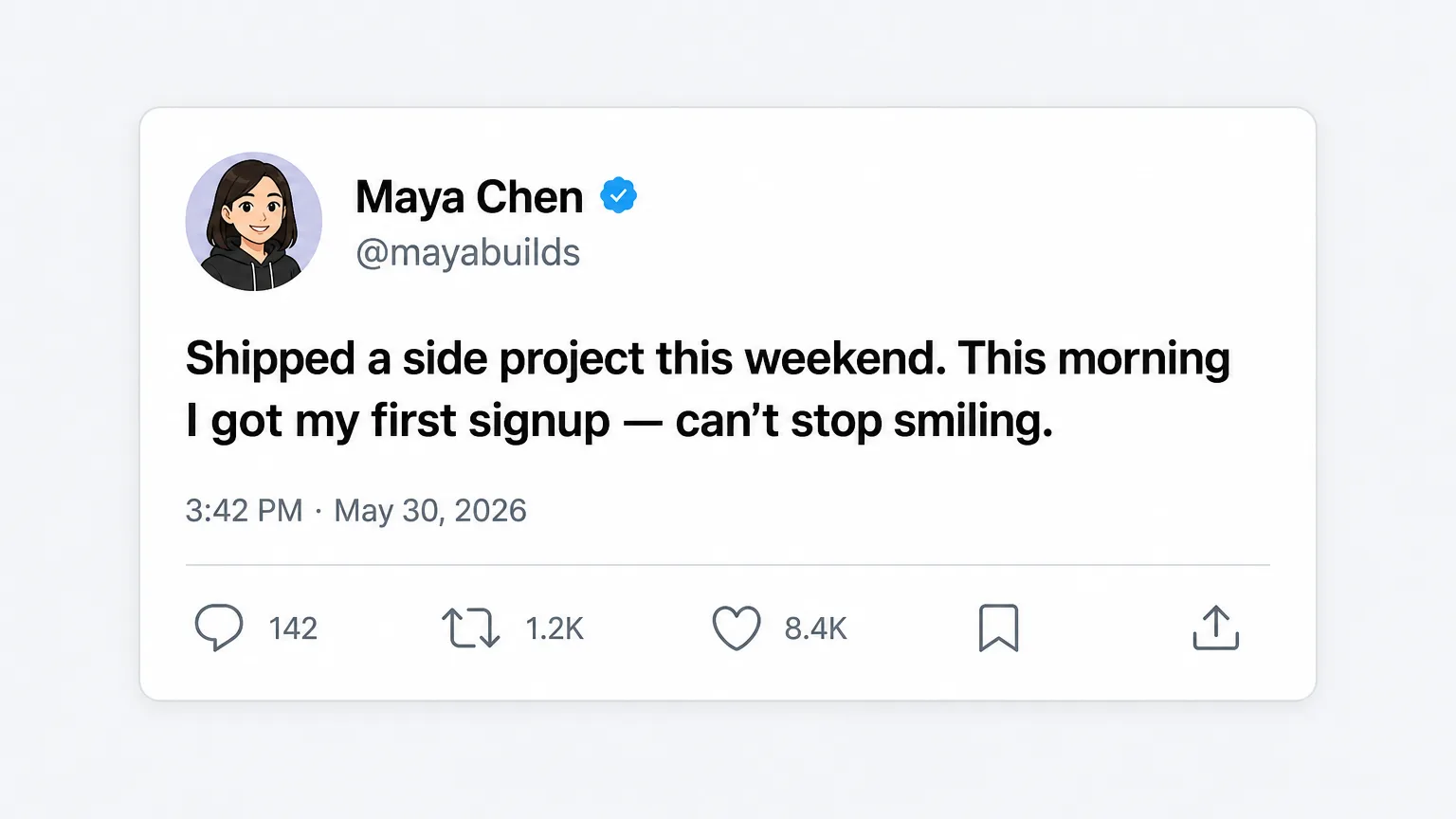
Tweet Screenshot Generator — AI Tweets + Pixel-Perfect X Screenshots
Describe a topic and AI writes a viral-style tweet, rendered as a pixel-accurate X (Twitter) single-tweet screenshot. Edit text, switch theme, customize engagement counts.
What is the Tweet Screenshot Generator?
The Tweet Screenshot Generator is an online tool that uses AI to write viral-style tweets and renders them as pixel-accurate X (formerly Twitter) single-tweet screenshots. Just enter a topic — for instance "the exact moment a developer finds a 2-week-old bug" or "why I quit my side hustle" — and AI generates a tweet with the rhythm and hook structure that actually performs on X: punchy first six words, tight sentence cadence, built-in resonance. The output is automatically wrapped in the X mobile UI (round avatar, bold name + grey handle + blue verified mark, tweet body, timestamp, view count, the five engagement icons) and exported as a 1500-px-wide PNG ready for blog posts, newsletter sections, viral clips, or any "look-what-someone-tweeted" content moment.
The core pain it solves: traditional tweet-screenshot tools only render the UI — you still have to write the tweet yourself, and writing one that genuinely sounds viral takes 30+ minutes of deliberation. This tool collapses that to seconds while letting you edit the text, engagement counts, verified badge, and theme afterwards.
Versus capturing a real screenshot: no real account exposed, no copyright tangle, you can A/B test multiple text variants until one nails the message.
8 most common use cases
These are the eight scenarios where users hit this tool hardest:
Generate a pro-quality tweet screenshot in 3 steps
Whole flow takes under a minute. No copywriting background needed.
- 1
Describe the topic in one sentence
Type your core idea into the topic box. Add an optional style hint ("Elon Musk style", "founder voice", "dev humor") to nudge the tone.
- 2
Generate with AI
Click generate. AI returns a viral-shaped tweet in 2-4 seconds and fills it into the editable area. 10 credits per call. Regenerate freely if you don't love it.
- 3
Tweak style and export
Edit the body text, name, @handle, toggle verified mark and dark mode, set custom counts for replies / reposts / likes / views, then download a 1500-px-wide PNG or copy straight to clipboard.
Key features
AI viral-style writing
Trained on the structures that actually perform on X — hook openings, tight cadence, concrete details — and steered away from "AI-speak".
Pixel-accurate X UI
Round avatar, bold display name, grey handle, blue verified, action icon positions, all match the current x.com mobile detail view.
Custom engagement counts
Set replies / reposts / likes / views to any number you want. Auto K/M formatting makes screenshots feel "viral".
Light & dark themes
X has both. Toggle to match the platform you're embedding the screenshot into.
Verified badge toggle
Toggle the blue verified mark on or off depending on whether you want a "verified user" or "regular account" feel.
High-resolution PNG export
1500 px wide with auto-grow height — sharp enough for any high-DPI use case.
Frequently asked questions
Tweet screenshots are one of the highest-ROI content asset types right now. Whether you're embedding in a blog, building a viral video pipeline, building marketing collateral, or just need a punchy in-joke for a friend — this AI tweet screenshot generator collapses the "think of the tweet → make the screenshot" flow into about a minute.
New accounts get free credits to try it out.