
- 100% free
- No sign-up
- No upload
Instagram Grid Maker
Split one picture into a grid of posts that reassembles on your Instagram profile, with tiles sized for today's taller grid and numbered in the order to post them.
Your files are processed in this browser tab and never leave your device.
Use cases
When to make an Instagram grid
Launch a product or collection
Brands and online shopsYou want a launch announcement that takes over the top of your profile with one big campaign image.
Three to twelve tiles that form the campaign image on the profile, numbered in posting order.
Announce an event
Venues, artists and organizersAn event poster needs to grab attention on your profile, not just in one feed post.
A 3×3 poster grid that visitors see as one picture when they open your profile.
Show off a panorama or artwork
Photographers and illustratorsA wide landscape or detailed illustration loses its impact as a single small post.
The image spread across a full row or more, at a size people can see the detail.
Refresh your profile look
Creators and influencersYou want a striking top row or a clean three-row banner when someone lands on your profile.
Tiles in the 3:4 shape that line up with the current profile grid without odd cropping.
What you get
In the example, an illustration of a window and a houseplant is split into a 3×3 grid of portrait tiles that reassemble into the full picture on the profile.
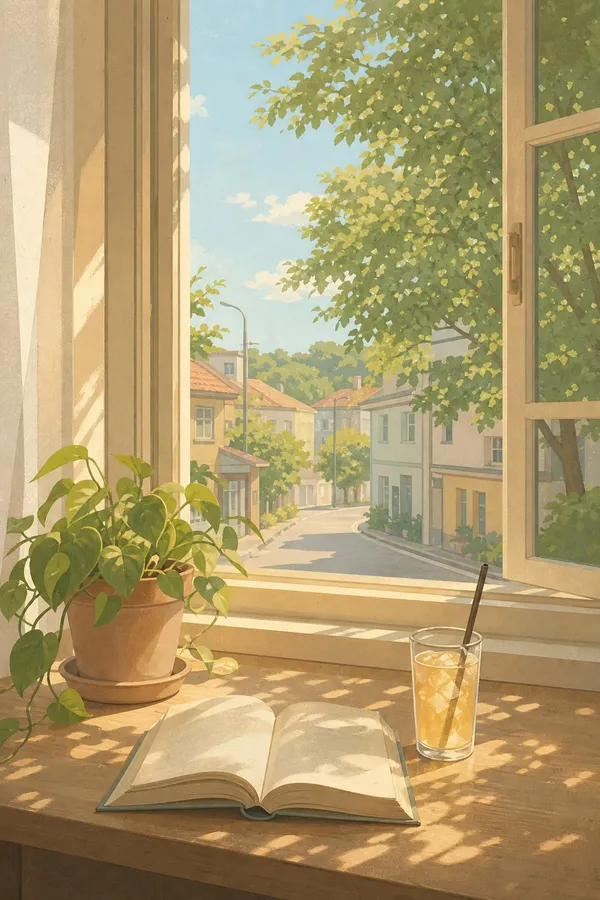
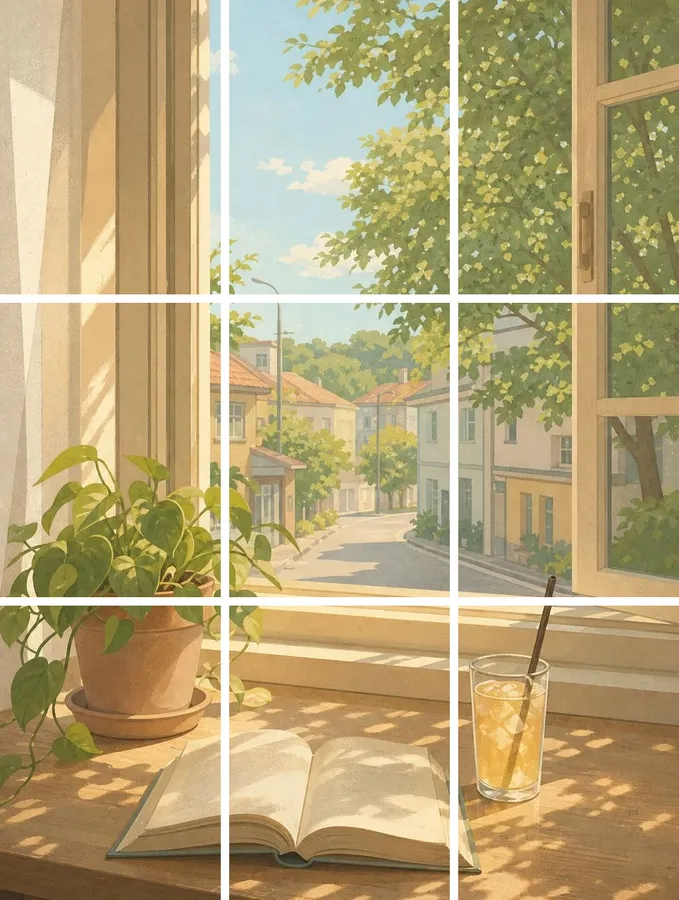
| Original image | 3×3 Instagram grid | |
|---|---|---|
| Files | One image | 3 to 12 tiles in a ZIP |
| Tile shape | Any size | 1:1, 4:5 or 3:4, center-cropped |
| Order | N/A | Numbered in posting order, bottom-right first |
| Format | JPG, PNG or WebP | JPG or PNG |
A grid post turns one big image into a mosaic across your profile: a product launch, an event poster, a panorama or a piece of art that fills one to four rows. It only works if the tiles are the right shape and you post them in the right order.
Choose 3 columns and 1 to 4 rows (1×3, 2×3, 3×3 or 4×3) and a tile shape: 1:1 square, 4:5 portrait, or 3:4 to match Instagram's current taller profile grid. The picture is center-cropped to fit. Files are numbered in posting order: file 1 is the bottom-right tile, which you post first, and the last file is the top-left tile. Post them 1, 2, 3 and so on, and the grid lines up.
Download the tiles as JPG or PNG in one ZIP. The image is cut in your browser and never uploaded. For any other grid, use the general Image Splitter.
How to use it
- 1
Add your picture
Drop a JPG, PNG or WebP onto the box, or tap to choose one.
- 2
Choose rows and tile shape
Pick 1 to 4 rows of 3 and a 1:1, 4:5 or 3:4 tile.
- 3
Download and post in order
Download the ZIP and post file 1 first, then 2, 3 and so on, until the last file, the top-left tile.
Want AI to do more?
Want a grid without a source image?
Our AI Instagram grid generator creates a full 3×3 photo dump of the same person in nine different places from one prompt.
Frequently asked questions
In what order do I post the grid tiles?
Post them in file order: 1 first, then 2, 3 and onwards. File 1 is the bottom-right tile and the last file is the top-left, because Instagram puts the newest post at the top-left of your profile.
Which tile shape should I choose: 1:1, 4:5 or 3:4?
Instagram's profile grid now shows posts as taller 3:4 tiles, so choose 3:4 if you want the grid to line up exactly on the profile. Choose 4:5 or 1:1 if you want each post to look its best when opened in the feed.
Will my grid stay lined up after I post something new?
Each new post shifts every tile one place, so a single post breaks the picture. Post in multiples of three, a whole row at a time, to keep the rows lined up.
Can I post the tiles as one carousel instead?
You can, but a carousel shows one tile per swipe rather than the full mosaic. The grid effect only appears on your profile page when each tile is a separate post.
Is my image uploaded?
No. The image is cut into tiles inside your browser and downloaded straight to your device.