
AI Image Humanizer — Make AI Images Look Real
Upload any AI-generated image. One pass removes the giveaways — waxy skin, orange glow, HDR shine, too-clean colour — and re-renders it the way a real phone camera would have caught it.
The face, the pose and the scene stay exactly as they are.
New accounts get 3 free credits — exactly enough for your first generation.

AI image humanizer examples
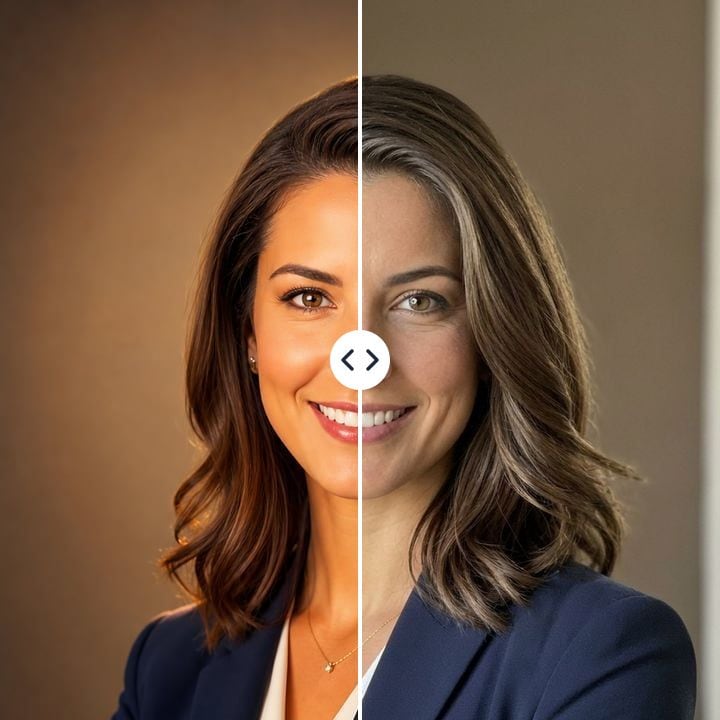
Each pair is the same image before and after one humanizer pass: AI render on the left, humanized result on the right. Nothing was retouched by hand.
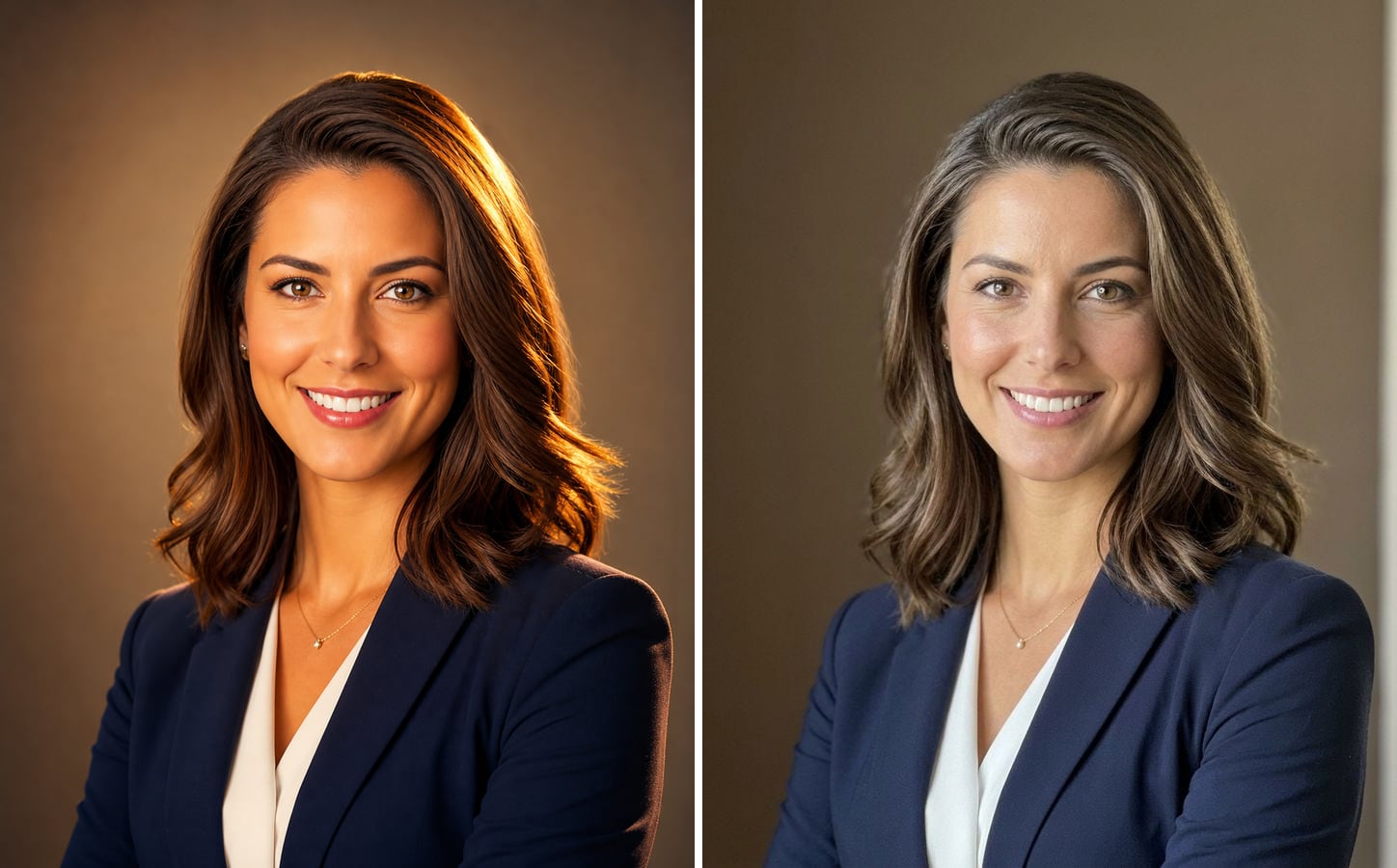
An AI headshot that is ready for LinkedIn
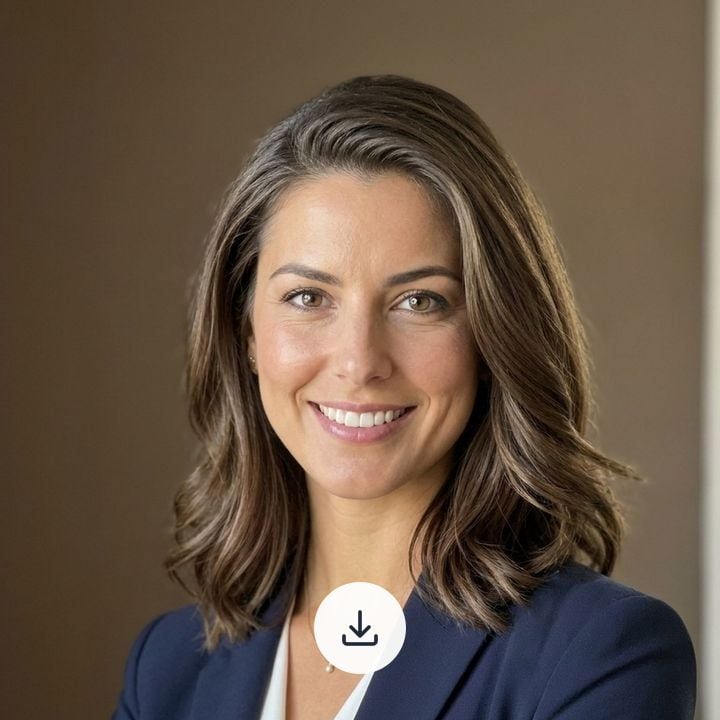
AI headshots give themselves away with airbrushed skin, a warm studio glow and hair that looks sculpted. After one pass the skin has pores and fine lines, the light is even and neutral, and the hair has loose strands again — while the face, the blazer and the framing stay put.
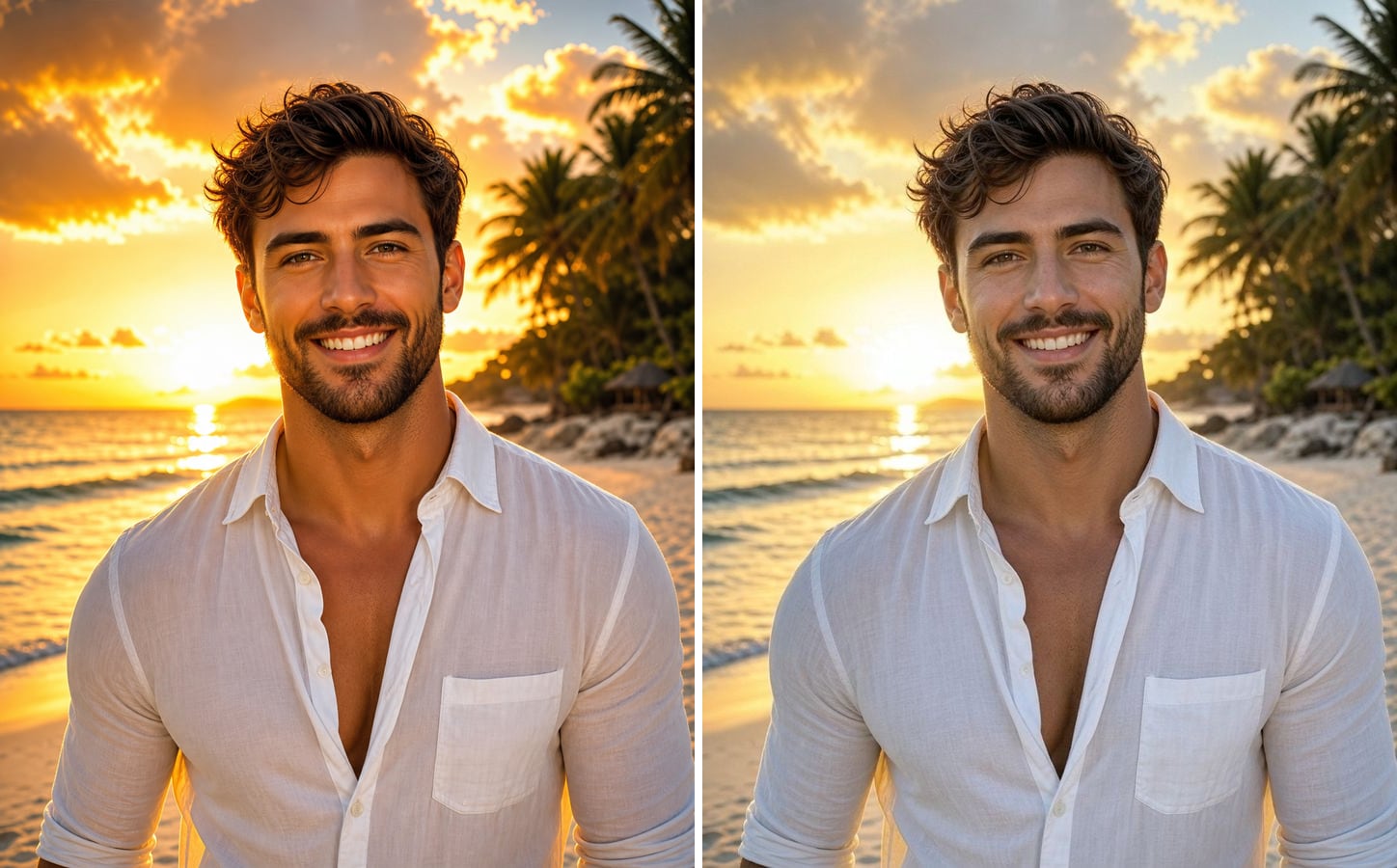
A dating profile photo that looks like a real snapshot
Sunset AI photos are almost always over-graded: glowing skin, a blown-out sky and colours too saturated to be true. The humanizer pulls the scene back to what a phone would actually record, so the photo reads as a moment, not a render.
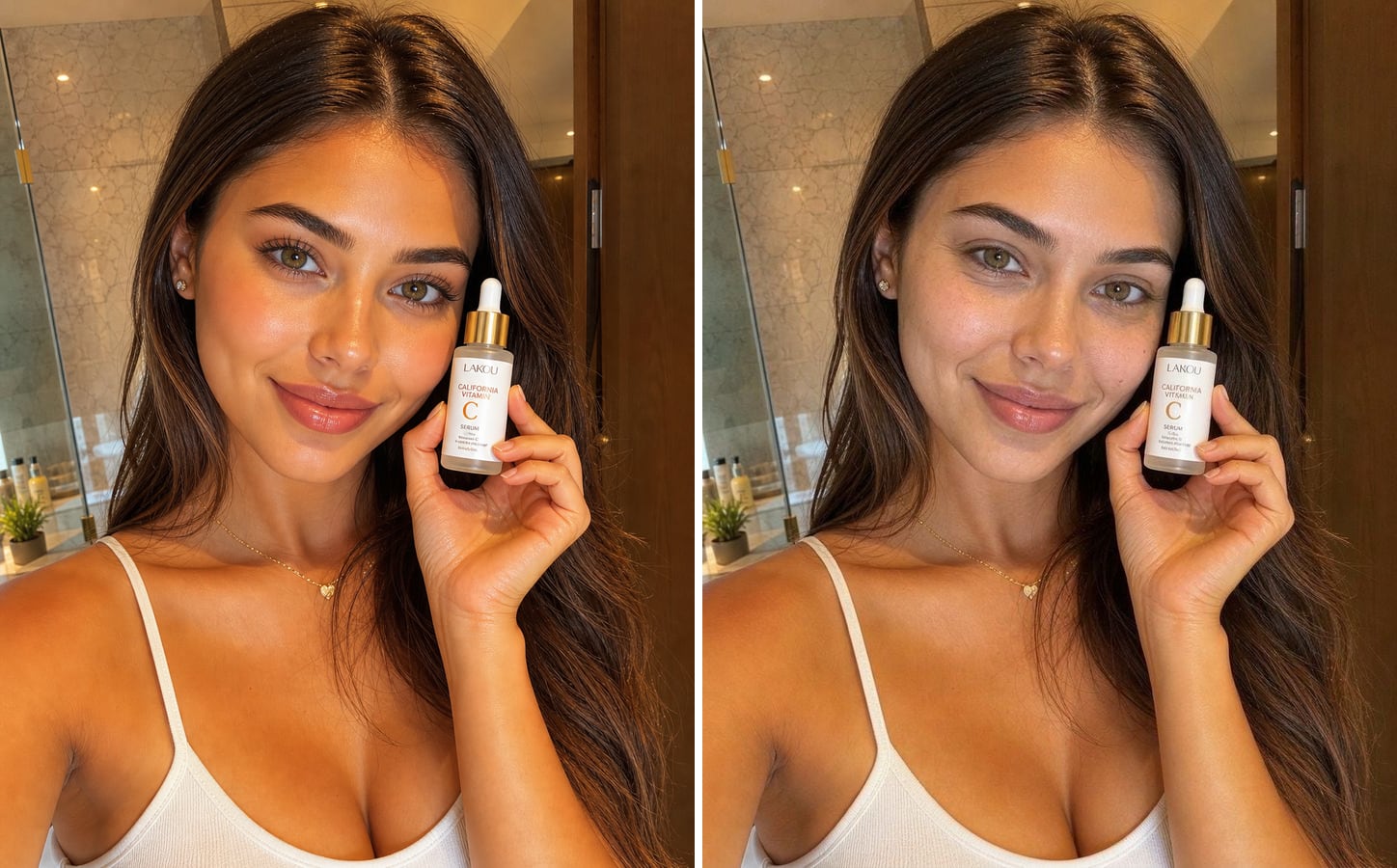
UGC-style skincare content without the plastic glow
For skincare and beauty content the AI look is the worst possible look: glassy, poreless skin undermines the product. The humanized version keeps the bottle, the bathroom and the pose, and brings back real skin with texture and a matte finish.
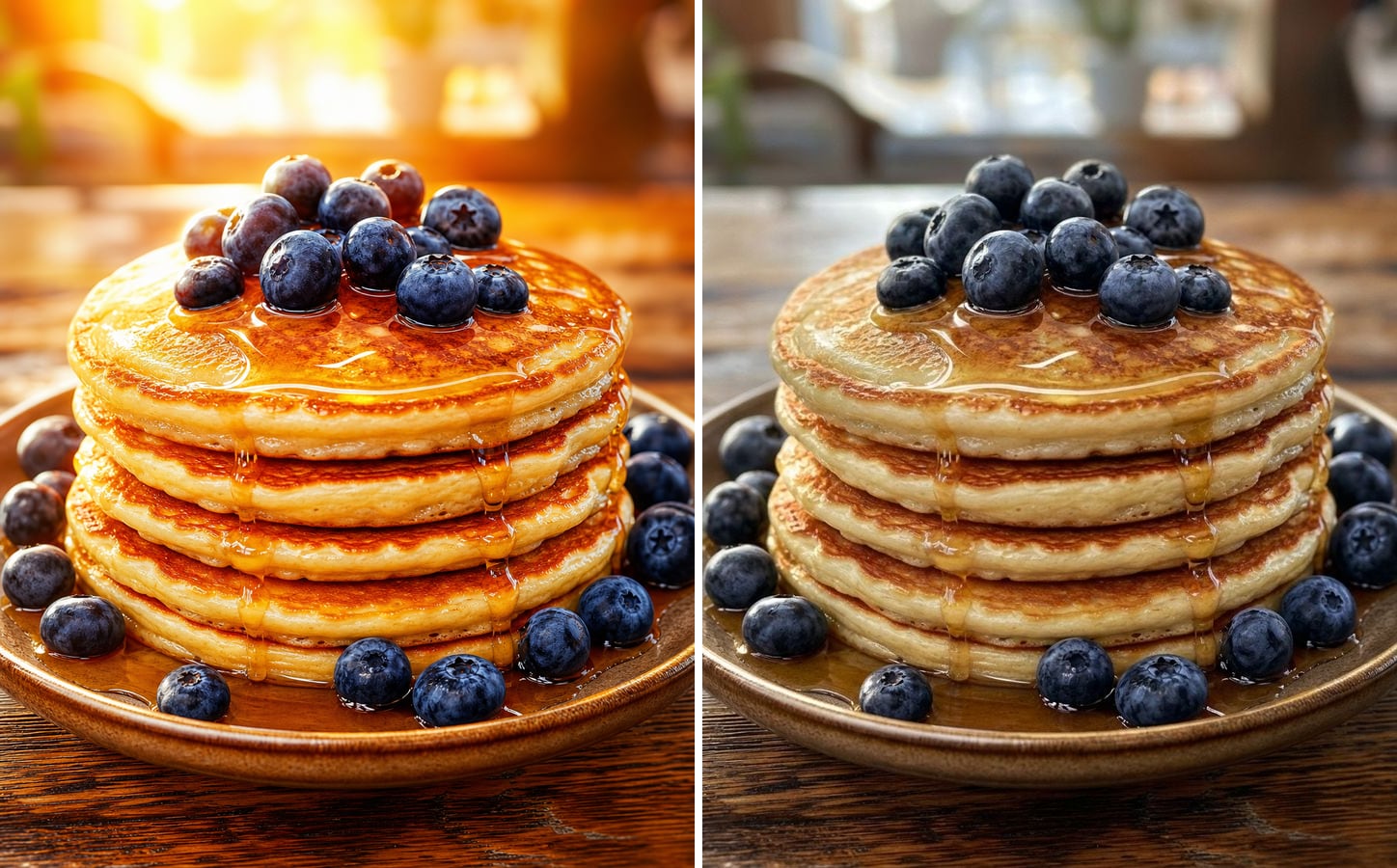
Food photos for a menu, not a poster
AI food shots glow like an ad. The humanizer removes the orange backlight and the syrup that shines like plastic, and gives you a plate that looks like it was photographed on the table — which is what a menu or a delivery listing needs.
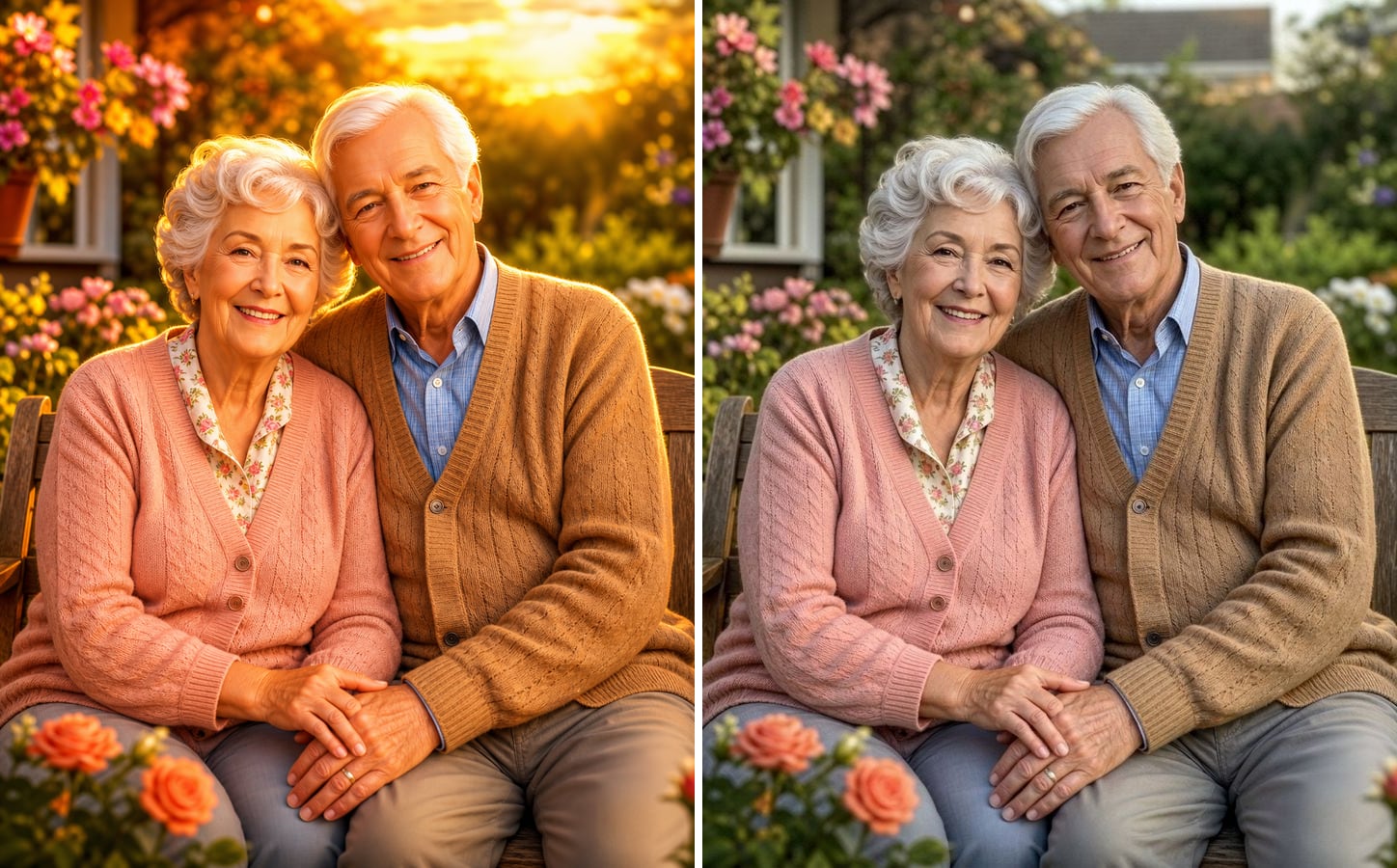
Family portraits that feel like real people
AI portraits of older people tend to erase what makes them real: wrinkles, age spots, soft grey hair. After humanizing, the couple keeps their expressions and the garden setting, with natural skin and light that looks like an ordinary afternoon.
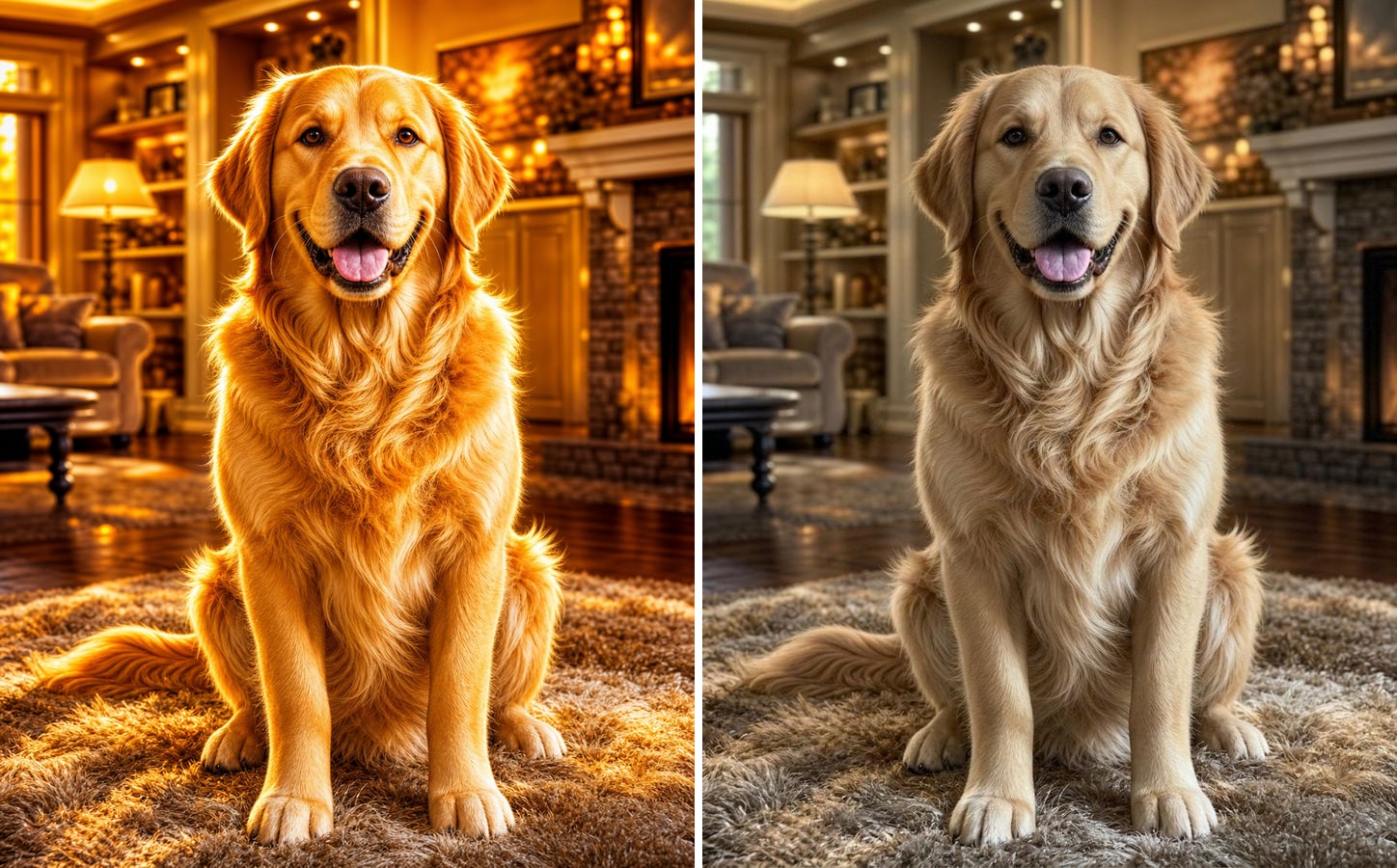
Not only people: pets and scenes too
The same pass works on animals, rooms and objects. Here the golden retriever loses the glowing fur and the fire-lit haze, and the living room becomes a living room again.
What is an AI image humanizer?
An AI image humanizer takes a picture made by an AI generator and makes it look like a real photograph. Instead of fixing flaws one by one with filters, it re-renders the whole image as if it had been taken with an ordinary phone camera — so skin, light, colour and background all change together and stay consistent. These are the six giveaways it removes:
Waxy, poreless skin
Real skin has pores, fine lines, small blemishes and uneven tone. The humanizer brings that texture back instead of the airbrushed glaze.
Light from nowhere
AI images are lit from every side at once, with glowing rim light and no real source. The result gets light that comes from somewhere and falls off naturally.
Orange grading and HDR glow
The golden-hour filter on everything is one of the clearest tells. Colours are pulled back to what a camera would record.
Too-perfect everything
Perfect symmetry, perfect hair, perfectly arranged objects. Small irregularities make a photo believable, and the humanizer allows them back in.
Over-saturated colour
Skies, food and fabrics that are brighter than life get a natural colour response instead.
No trace of a camera
Real photos carry a hint of sensor grain and lens softness. Renders are suspiciously clean; adding the camera back ties the whole image together.
How to humanize an AI image
The humanizer prompt is already filled in. Three steps:
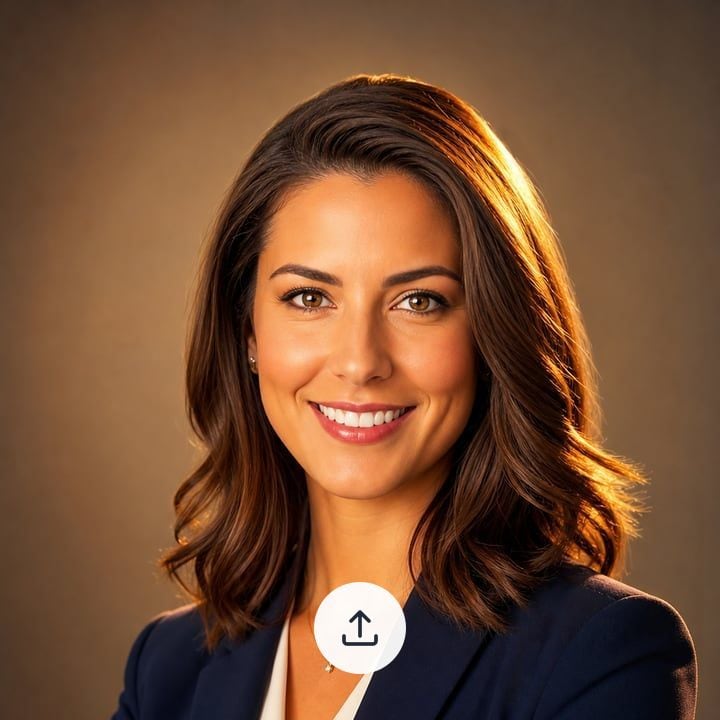
1Upload the AI image
Any image from an AI generator works — portraits, product shots, food, pets or scenes. JPG, PNG or WebP.
2Run it, or say what still looks fake
Click generate to use the default humanizer prompt. If one thing still gives it away — the skin, the lighting, the colours — add it to the prompt.
3Download the humanized photo
The result usually arrives in about 20 seconds, with the same face, pose and framing. Only the rendering changes.
Who uses an AI image humanizer
Anyone who made an image with AI and needs it to read as a real photo.
Marketers and UGC creators
AI ad creatives and UGC-style visuals convert better when they don't look generated. Humanize them before they go into a campaign.
Professionals updating a headshot
An AI headshot is a quick start; humanizing it makes it look like a photo you actually had taken.
Restaurants and online shops
Menus, delivery listings and product pages need photos that look like the real thing, not a poster.
Designers and storytellers
Mood boards, mock-ups and storyboards feel more grounded when the images look photographed.
Powered by Nano Banana 2.1
The humanizer runs on Nano Banana 2.1, an image model that is especially good at keeping a person's identity while changing how the photo is rendered.
AI Image Humanizer — FAQ
More questions? Email support@imagesv2.ai.
It is a tool that makes AI-generated images look like real photos. It removes the typical AI look — waxy skin, glowing light, orange colour grading and over-perfect details — and re-renders the image the way a phone camera would have captured it.
Yes — that is exactly what this page does. Upload the image, keep the pre-filled prompt and click generate. You get the same picture back with natural skin, real light and true-to-life colour.
No. The prompt tells the model to keep the same people, faces, expressions, pose, framing, clothing and background. Only the rendering changes: texture, light and colour.
Any of them. Images from Midjourney, Gemini, Flux, Stable Diffusion, our own GPT Image 2 generator or any other tool can be humanized the same way.
Name what still gives it away in the prompt — for example 'make the skin less smooth' or 'remove the warm glow from the background' — and run it again. Each run costs credits, so it is worth being specific.
It will not turn an illustration into a photograph. The prompt keeps the original art style, so for drawings it mainly cleans up colour and over-processed effects. If you want to turn anime into a realistic photo, write that in the prompt instead.
The humanizer is built to make images look natural, not to hide where they came from, and we make no promises about detectors. If a platform or client requires you to disclose that an image was made with AI, please keep doing so.
New users receive free credits on sign-up, so you can humanize your first image without paying. After that each image uses credits from any credit pack or subscription.
Make your AI image look real
Free credits for new users. Upload an image and click generate — the humanizer prompt is already filled in.