
Ghibli Style Portrait
Turn your photo into a hand-painted anime film still — warm sunlight, soft cel shading, the same face.
Other stylesHere's roughly what your photo will look like
Real before → after pairs. Find the one closest to your own photo and you'll know exactly where this is going.
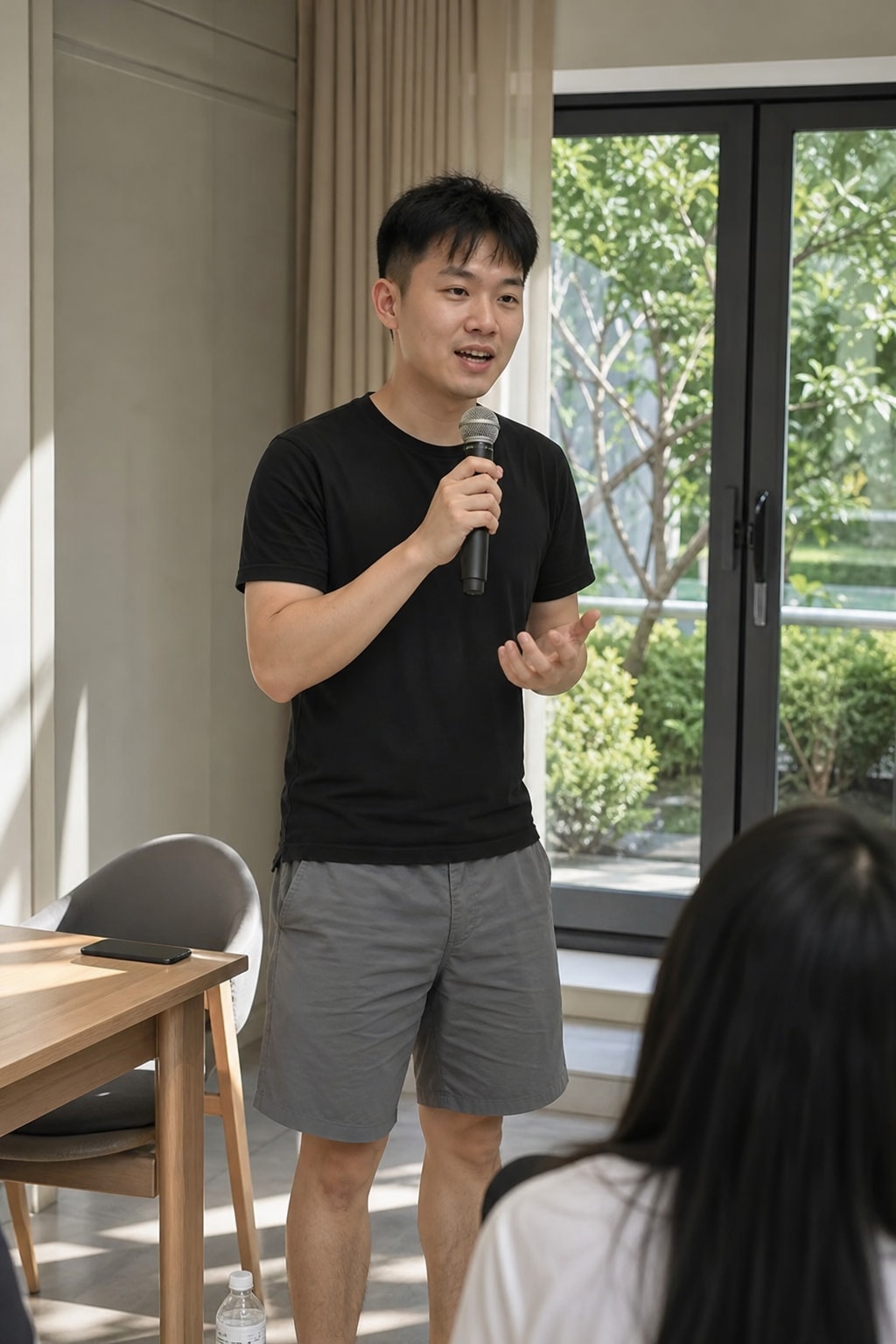 Before
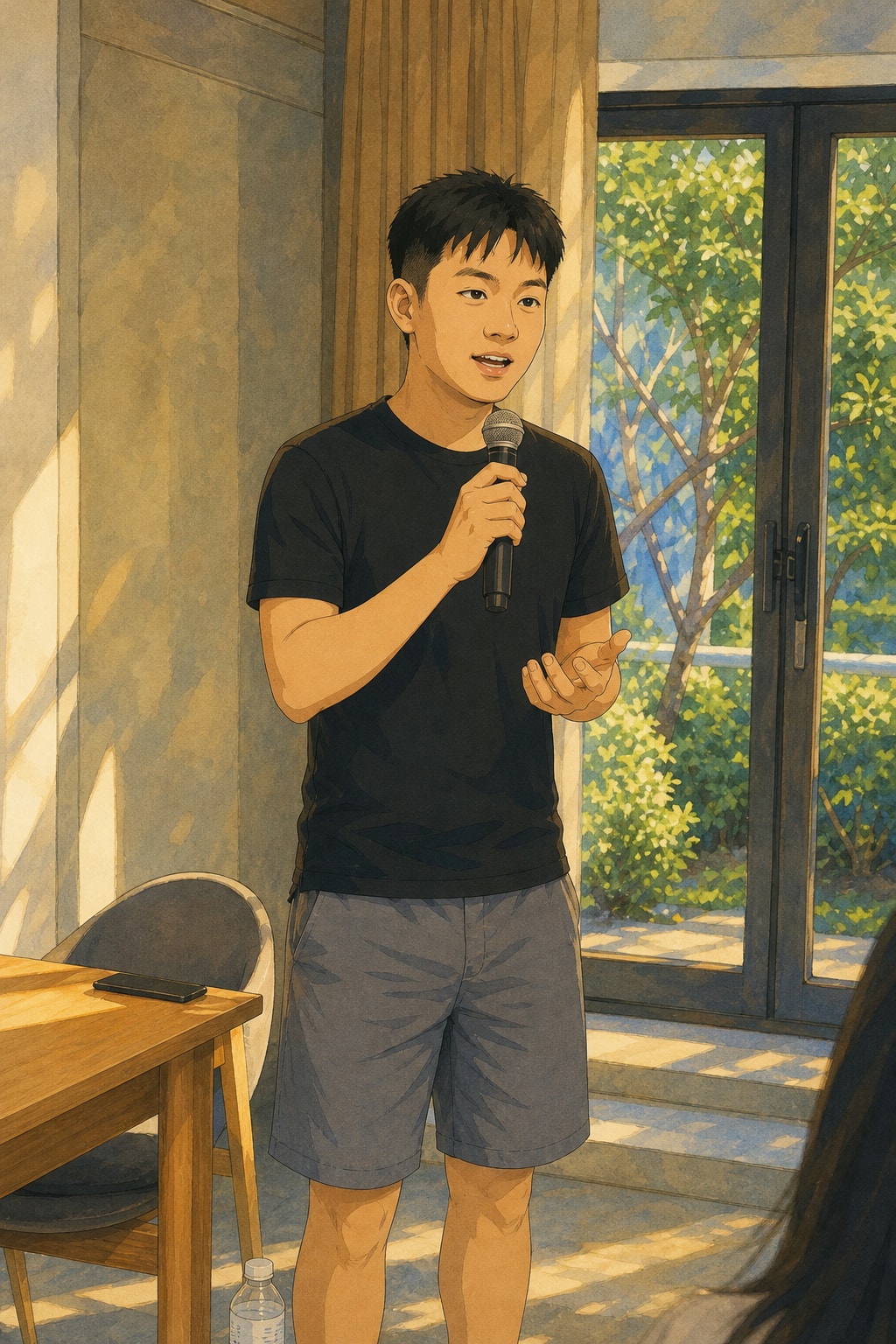 After
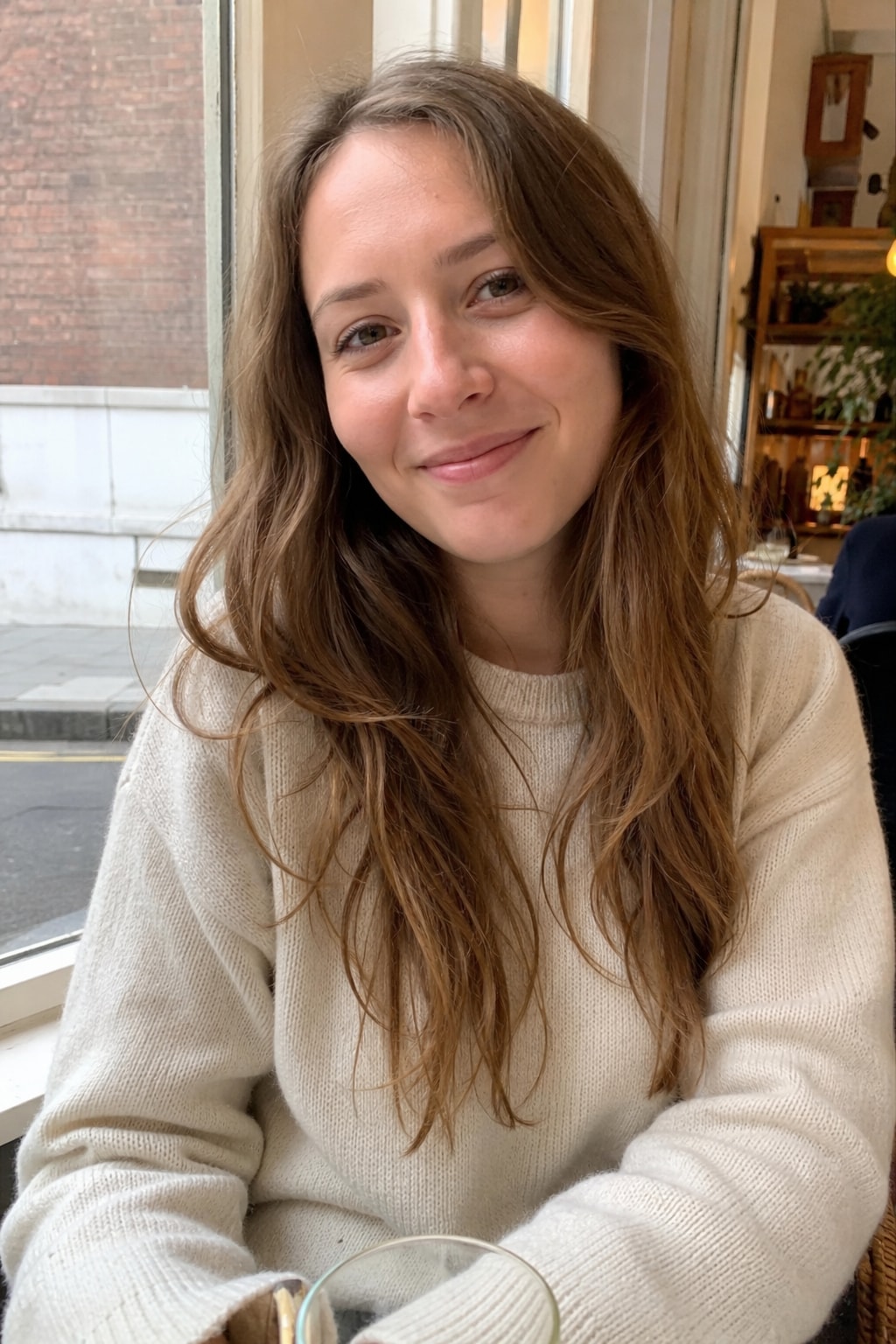 Before
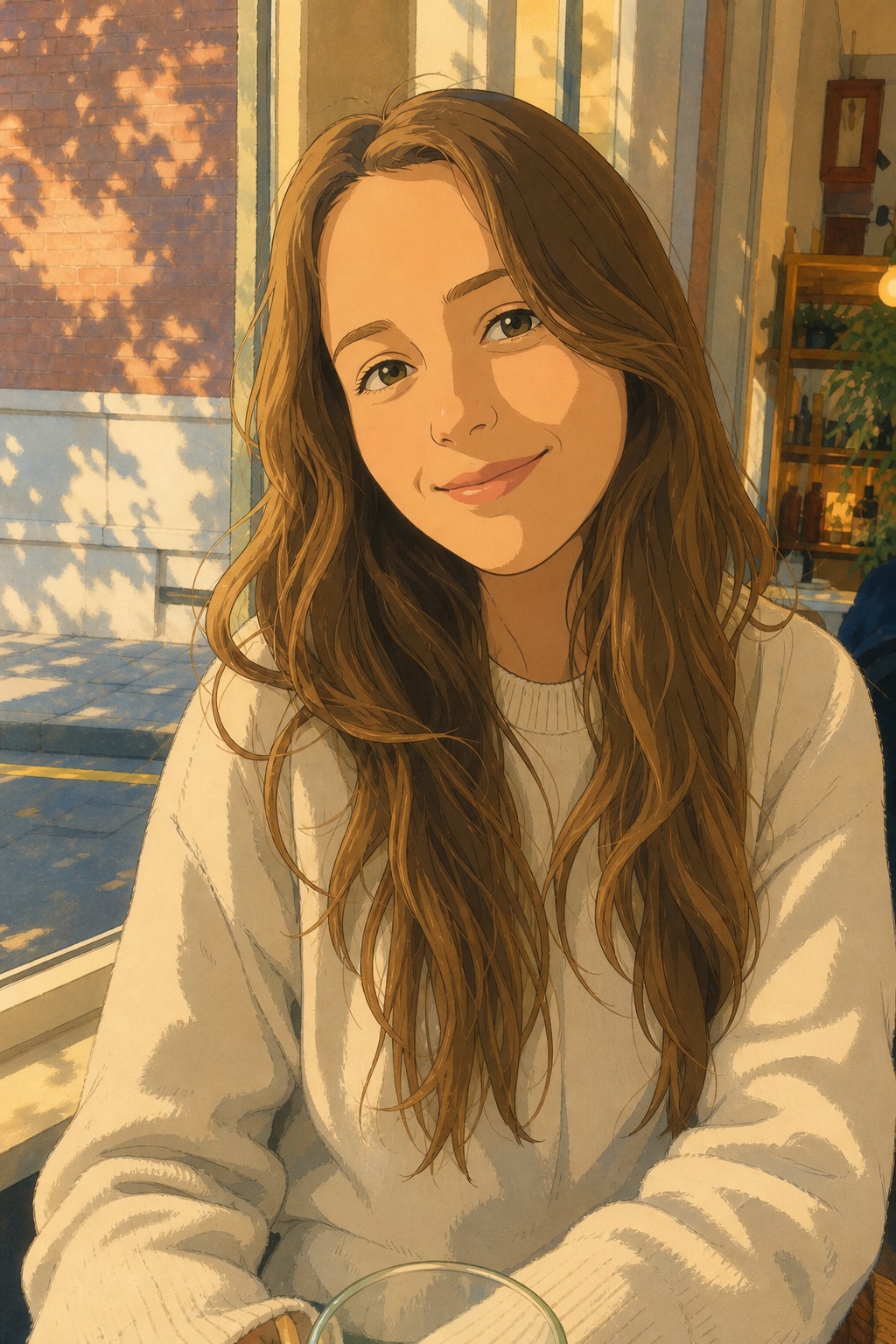 After
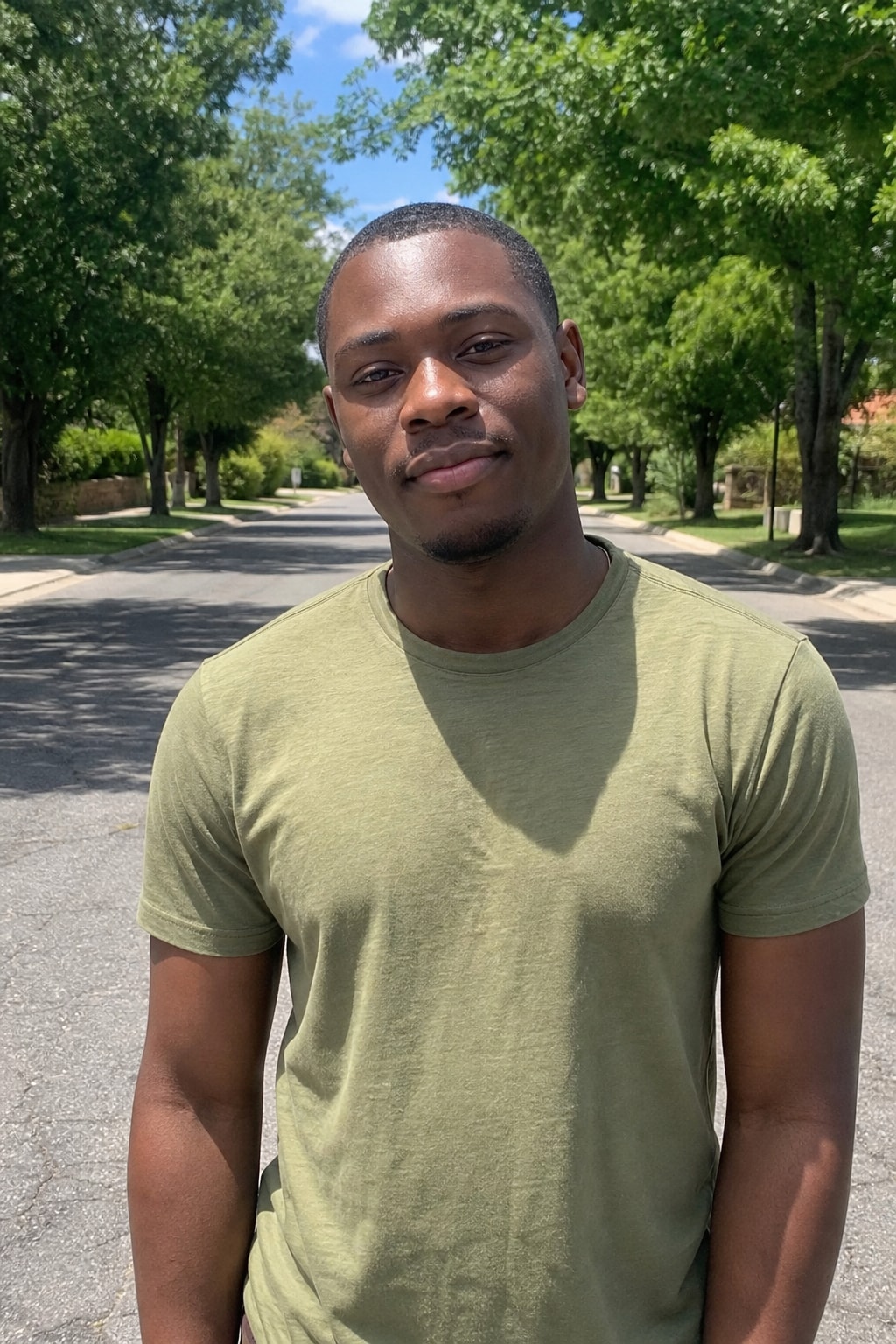 Before
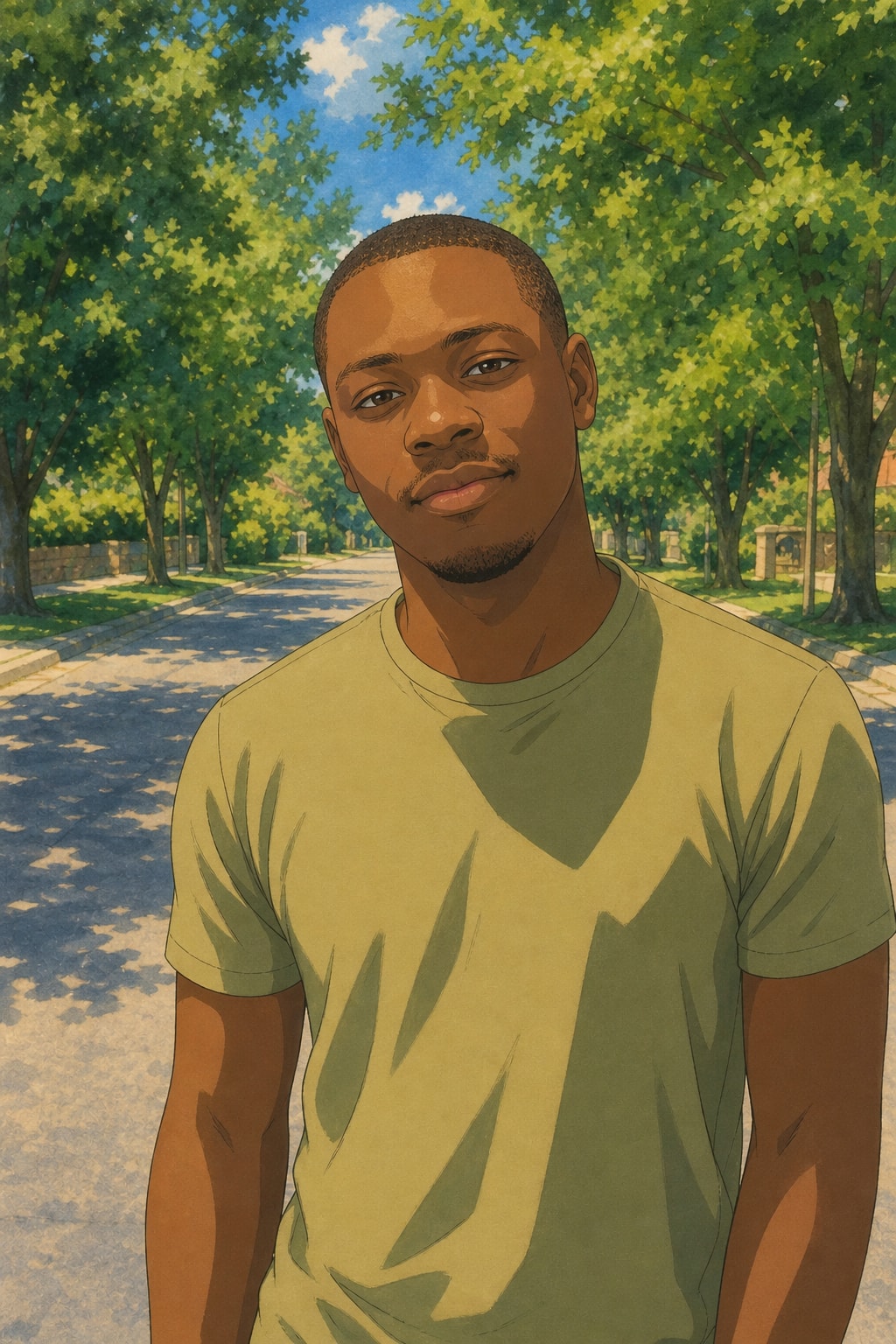 After
Three steps. No studio. No camera.
Skip the photographer, the location fee, the makeup, the retouch. AI does it all.
1. Pick a style
Browse and grab one you like — pro headshot, 3D figure, wedding portrait, film vibe, anything.
2. Upload your photo
Front-facing or 3/4 angle. AI uses your face as the anchor — you won't get a homogenized influencer face.
3. Wait under a minute
AI delivers. The free preview has a small watermark; once you buy any credit pack you can download the clean original.
Why this beats slapping a filter on it
Filters paint over your photo. We repaint the whole person — but keep the face yours.
Your face stays yours
Face shape, eyes, nose, lips, skin tone — all preserved. AI won't melt your features into the same influencer mold.
Real range
Pro headshots, AI wedding shoots, 3D figures, film portraits, fine-art monochrome, future-baby — all under one roof.
Ready to post
Studio-grade lighting, magazine framing, real color rendering. Drop it straight into Instagram or LinkedIn — no shame.
Try free first
Sign-up credits included. Test any style for free, only pay if you love it.
Your photo is safe
We use your upload only for the current generation, then it's gone. Never used to train any model. Please only upload photos of yourself or with permission.
Browser only
No app to install. Open in any browser, works on phone and desktop.
FAQ
More questions? Email support@imagesv2.ai.
Front-facing or 3/4 angle, face in focus, decent lighting, no sunglasses or mask covering most of your face. Chest-up framing works best. JPG or PNG, up to 20MB.
Yes. Each style is built to keep your face shape, eyes, nose, mouth and skin tone intact and only swap the lighting, outfit and background. AI isn't 100% perfect — treat the result as a stylized portrait, not a literal you.
No. We use uploads only for the current generation, then they're cleaned up. Never used to train any model. Don't upload someone else's photo without their permission.
The Top quality tier costs more, the Cheap tier costs less. Headshots and wedding shoots default to Top (detail matters); 3D figures and film portraits default to Recommended. The exact cost is shown before each generation.
Free previews come with a small watermark — fine for testing. Once you've bought any credit pack you can download the clean, full-resolution original.
Pick a style. Upload one photo.
Sign-up credits included. In under a minute you're looking at a new version of yourself.
