
Upscale Image to 4K with AI
Make any image 4K in one click. The AI doesn't just stretch pixels — it rebuilds hair, skin, fabric and lettering at 2160p, so the result holds up on a 4K screen, a print or a product page.

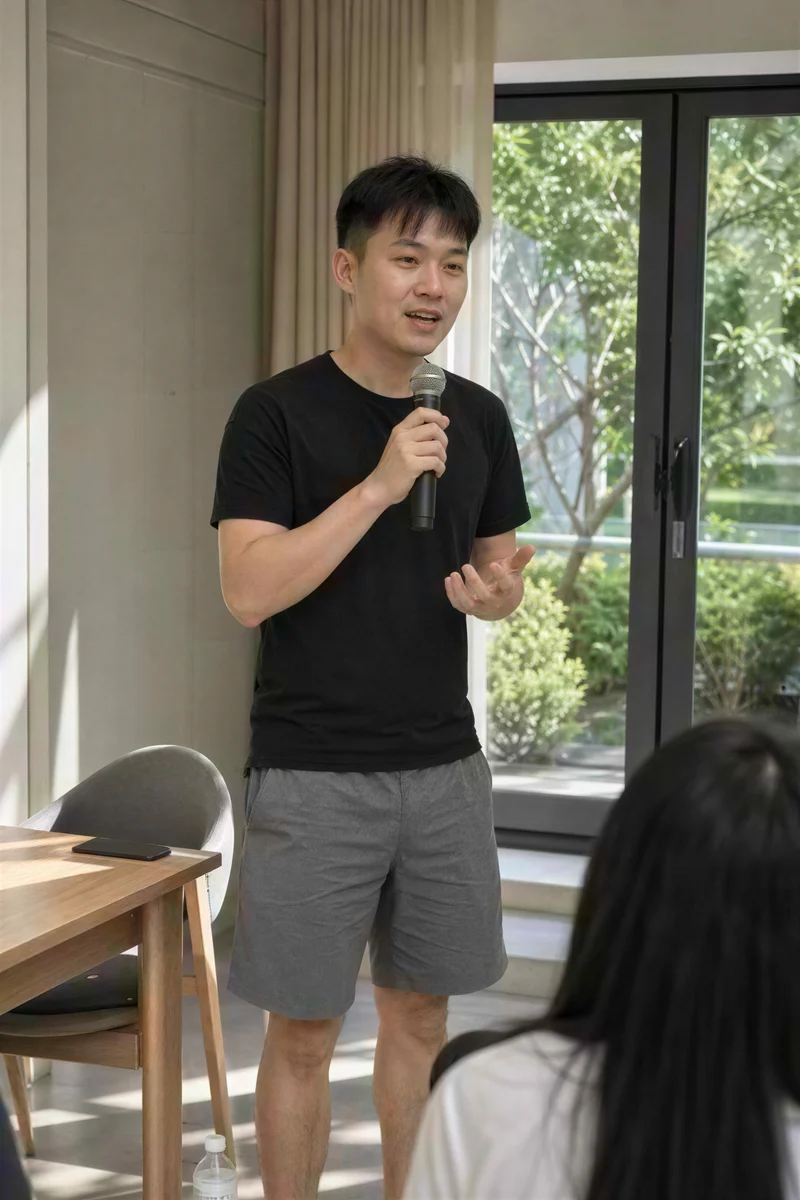
Image type
Output size
3 credits per image
New accounts get 3 free credits — exactly enough for your first generation.
Results made with the free sign-up credits carry a watermark. Any credit purchase removes it from new results.
Have many images? Upscale up to 20 at once →4K upscale examples
Crops from images upscaled to 4K: original on the left, 4K result on the right.

- Before
- Too low-res, with blocky compression; hair and microphone turn to mush.
- After
- Hair strands, skin and the microphone mesh are clear, and the blocks are gone.
A 360-pixel portrait at 4K
A small profile picture becomes a 4K portrait with natural hair strands and skin texture, sharp enough for print and large screens.
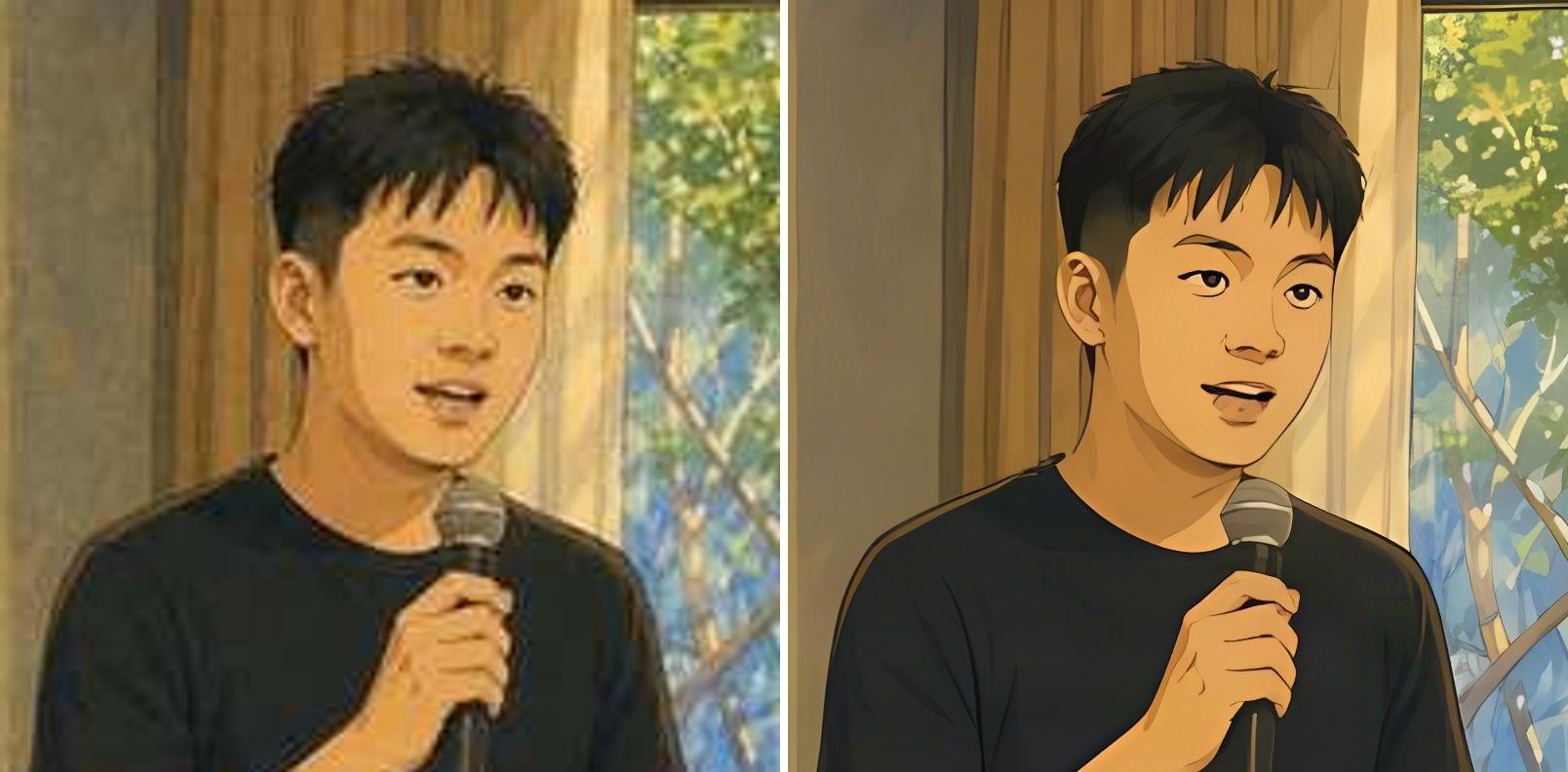
- Before
- Soft lines, fuzzy edges and muddy colour areas.
- After
- Crisp, clean lines, flat colour areas and well-defined features.
Anime screenshots as 4K wallpapers
Small anime frames and fan art become crisp 4K wallpapers with clean lines and flat colour — no smudged edges, no fake painted texture.
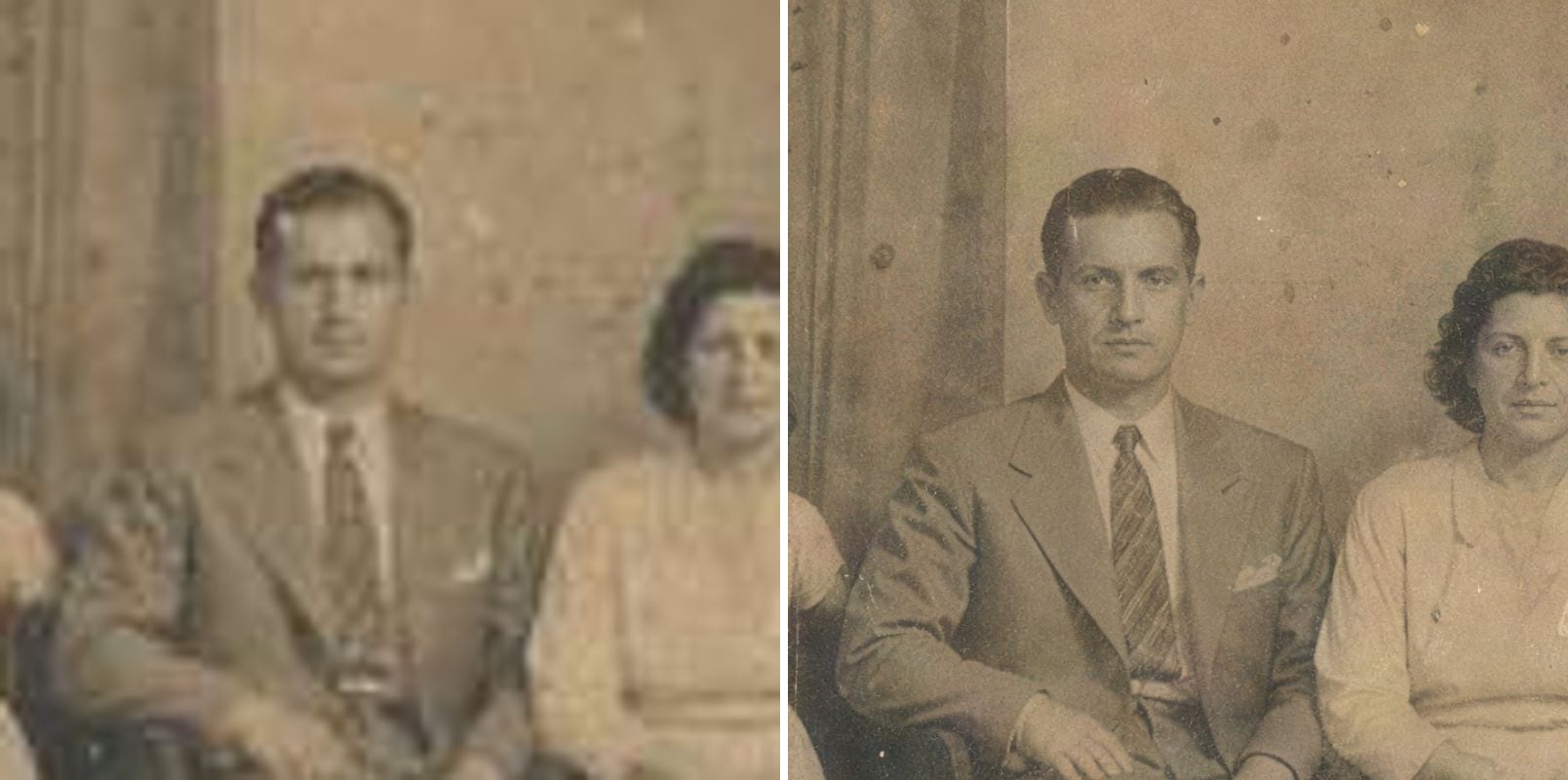
- Before
- Noise and colour blocks cover the faces; the suit and tie blur together.
- After
- Faces and hair are clear, lapels and tie stripes are distinct, and the photo’s age marks remain.
Old family photos at print size
Small scans of old prints lose everything that made them personal. Upscaling brings back the expressions and the fabric of the clothes without inventing new faces, so the photo is ready to print or frame.
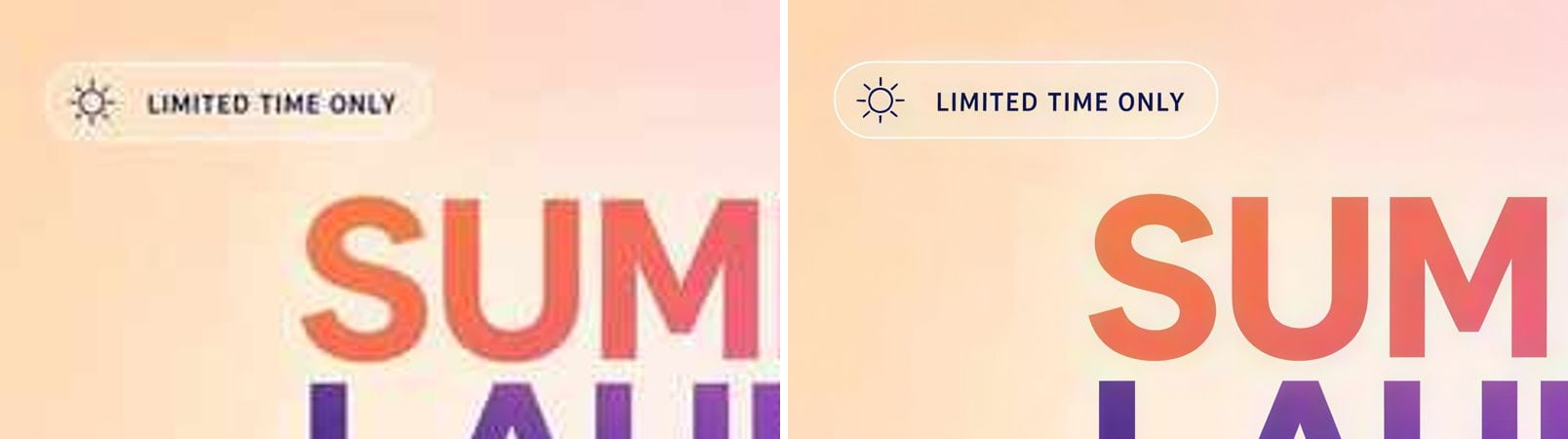
- Before
- Small text is fuzzy and speckled; icon and headline edges are jagged.
- After
- Small text is sharp and readable; the badge outline, icon and headline edges are clean.
Posters and graphics with readable text
Small text and logos stay legible and correctly shaped after upscaling, so screenshots, posters and social graphics can be reused at a larger size.
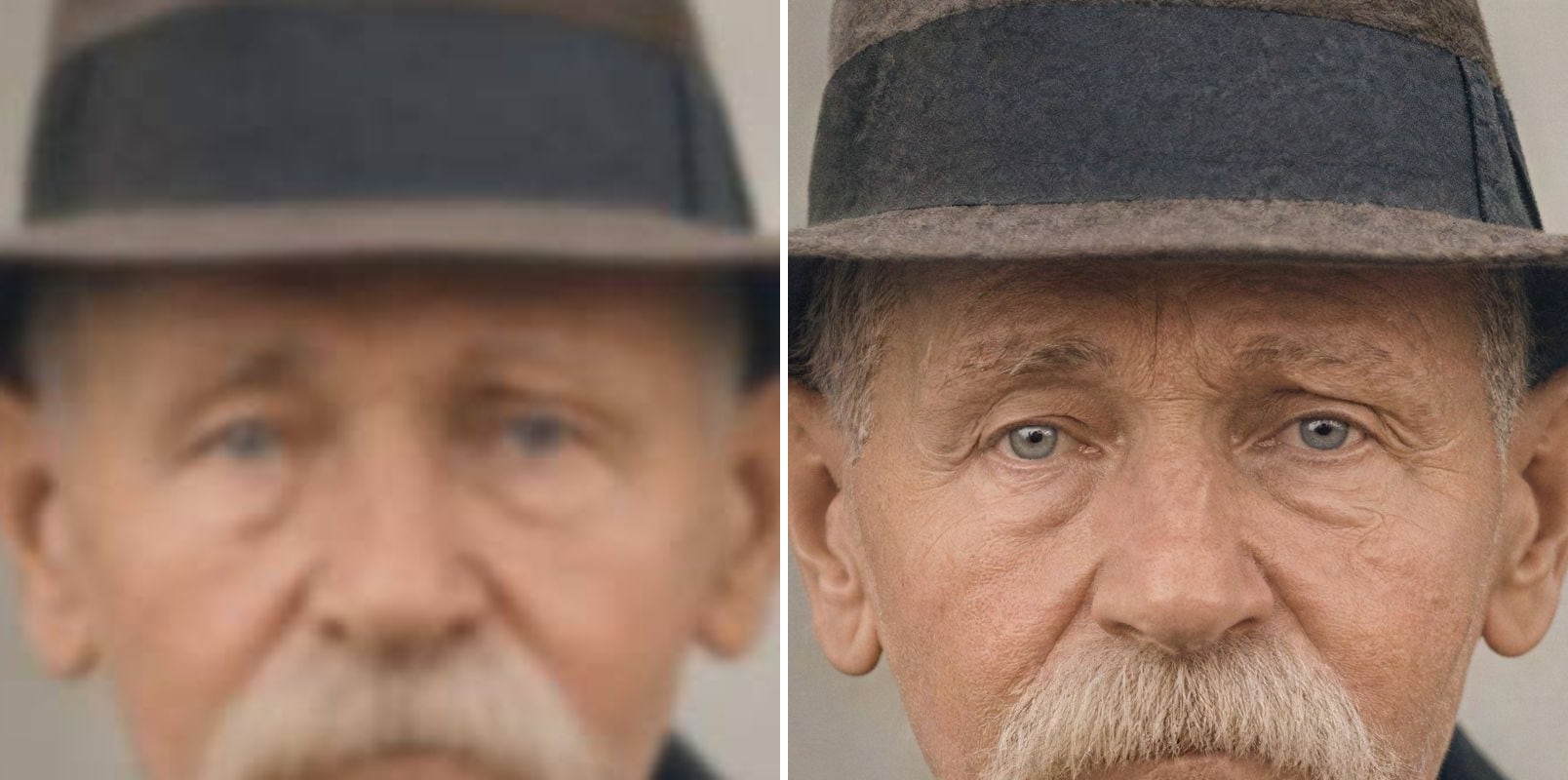
- Before
- Out of focus: eyes and wrinkles melt together, and the hat shows no texture.
- After
- Eyes, wrinkles and moustache are sharp, and the hat’s felt texture is back.
A blurry face, sharp again
Out-of-focus portraits are the hardest case for a normal resize: it only makes the blur bigger. The upscaler restores the eyes, the fine wrinkles and the felt of the hat — and it is still the same man.
What does upscaling an image to 4K mean?
4K means about 3840 × 2160 pixels — four times the pixels of Full HD. Resizing a small image to that size in an editor only produces a large, soft picture. AI 4K upscaling draws in the detail that should exist at that resolution:
True 2160p output
The short side of the result is 2160 pixels; the long side follows your image's aspect ratio.
Detail, not just pixels
Hair, skin, fabric and foliage get real texture instead of a blurry enlargement.
Prints without pixels
4K is enough for sharp A3 prints and large posters viewed at normal distance.
Wallpapers for 4K screens
Fill a 4K monitor or TV without visible softness.
Anime mode for 4K art
Illustrations keep clean lines and flat colour at 4K.
2K when 4K is too much
Need a lighter file? Choose 2K (1440p) for web and social media.
How to upscale an image to 4K
Three steps, no software to install:
Upload the image
Drop, paste or choose a JPG, PNG or WebP up to 10 MB.
Keep 4K selected
4K is selected by default. Pick Photo or Anime & art; the exact 4K pixel size is shown before you start.
Download the 4K image
Most images finish in 15–60 seconds. Compare with the slider, then download.
What people make 4K
Anyone who has the right picture at the wrong size.
Wallpapers
Phone shots, game screenshots and anime frames for 4K monitors and TVs.
Prints and posters
Photos that need to be printed large without looking soft.
Product photos
Supplier images upscaled for zoom-in views on store pages.
Video and slides
Images that sit in 4K timelines and presentations without blurring.
AI-generated images
AI images that came out at 1K, taken to 4K for print or ads.
Upscale Image to 4K — FAQ
More questions? Email support@imagesv2.ai.
Upload it above, keep 4K selected and click Upscale to 4K. The AI renders a new version with 2160 pixels on the short side and restored detail, which you can download as a JPG.
The short side is 2160 pixels and the long side follows your image's shape — 3840 × 2160 for a 16:9 image, 2160 × 2880 for a 3:4 portrait. Very wide panoramas are capped so the long side stays reasonable.
Images are enlarged up to 6× (4× in anime mode). A 360-pixel image reaches 4K on the short side; smaller images get as close as that limit allows, which is still a large improvement.
A normal resize spreads the existing pixels over a bigger area, so detail stays soft. AI upscaling predicts and draws the missing detail, so edges, textures and text look sharp at 4K.
Yes. Choose Anime & art for illustrations and anime; it keeps line art clean and colour areas flat at 4K.
A 4K upscale uses 20 credits and a 2K upscale 10 credits. New users get free credits on sign-up, and failed upscales are refunded automatically. Your first upscale costs just 3 credits.
Results made with the free sign-up credits carry a watermark. After any credit purchase, new results come without one.
Make your image 4K
Free credits for new users. Upload an image and download the 4K version in seconds.