
Make AI Photo Realistic in One Click
Already have an AI image that looks a little too AI? Upload it and one pass removes plastic skin, orange grading and HDR halos, so it looks like a photo someone actually took.
No new generation — the person, the pose and the scene stay the same.
New accounts get 3 free credits — exactly enough for your first generation.

Realistic AI image examples
Each pair is the same AI image before and after one pass with the built-in instruction: AI render on the left, realistic result on the right.
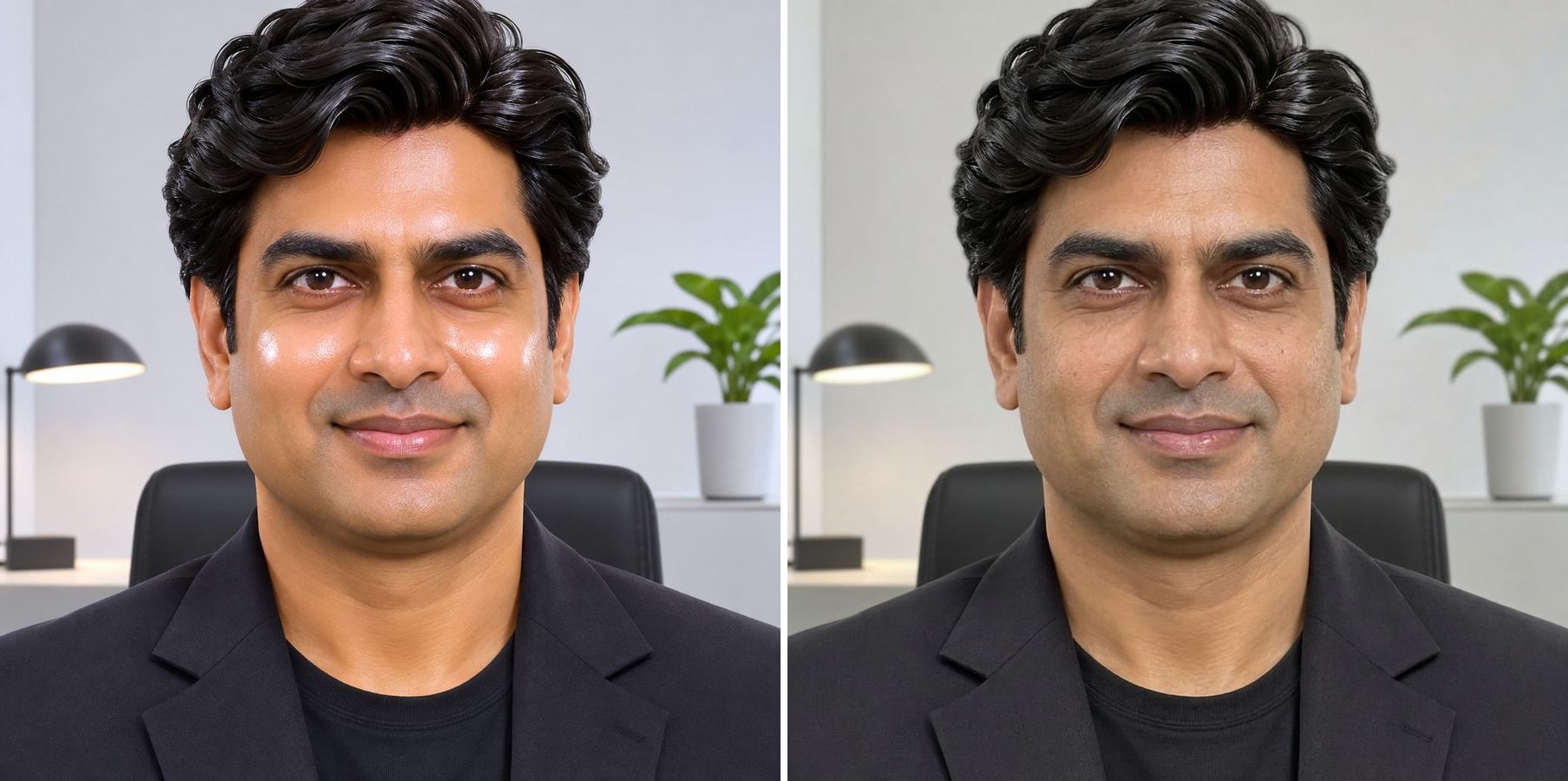
A plastic-looking headshot made believable
Glossy cheeks, poreless skin and CGI hair are the classic tells of an AI portrait. After one pass the skin has texture, the hair has loose strands and the office light looks ordinary — same man, same blazer, same framing.
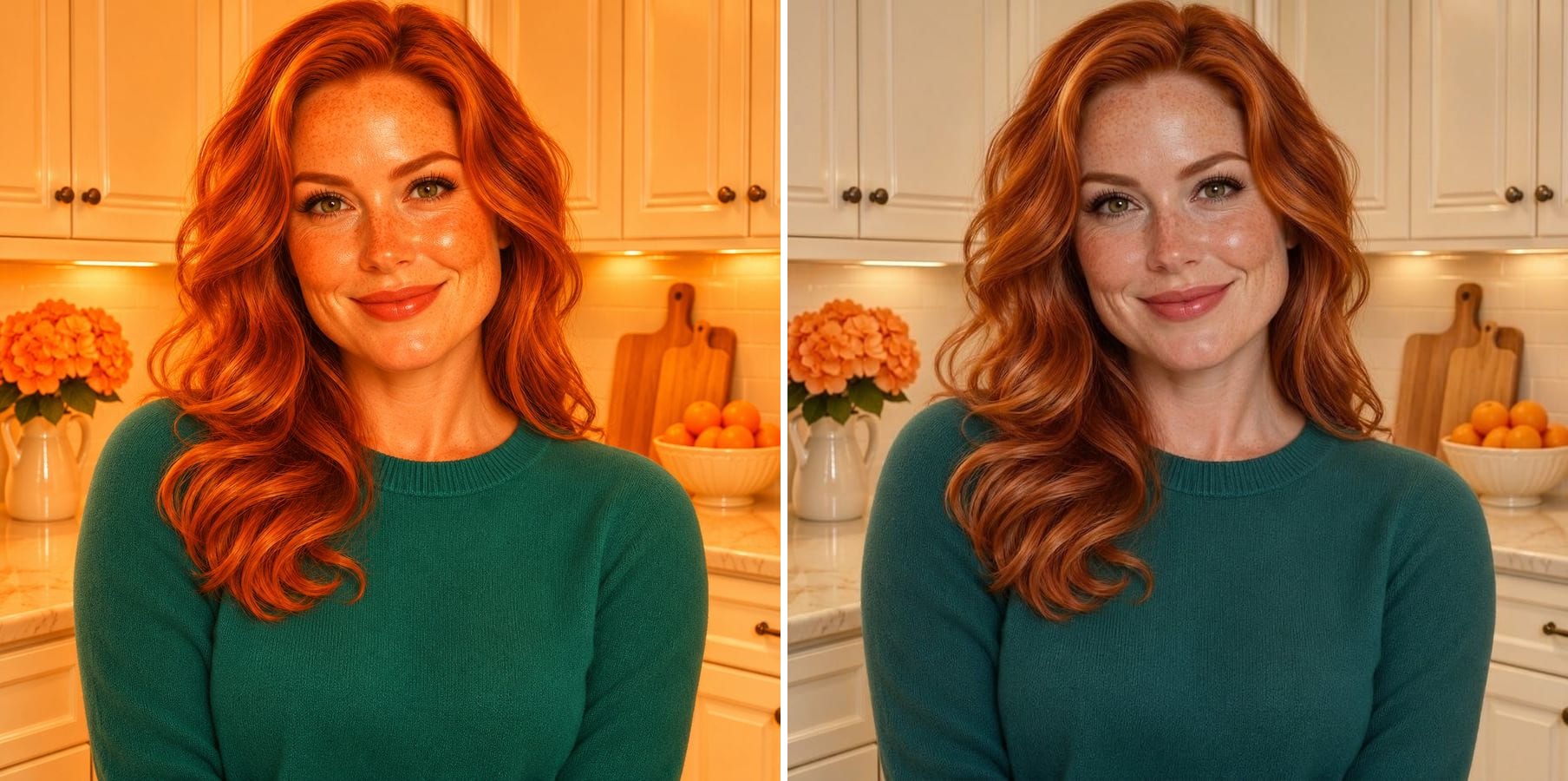
Orange AI grading pulled back
The kitchen render was soaked in burnt-orange light. The result has balanced white balance, believable skin tones and cabinets that look like paint, while her freckles, sweater and pose stay put.
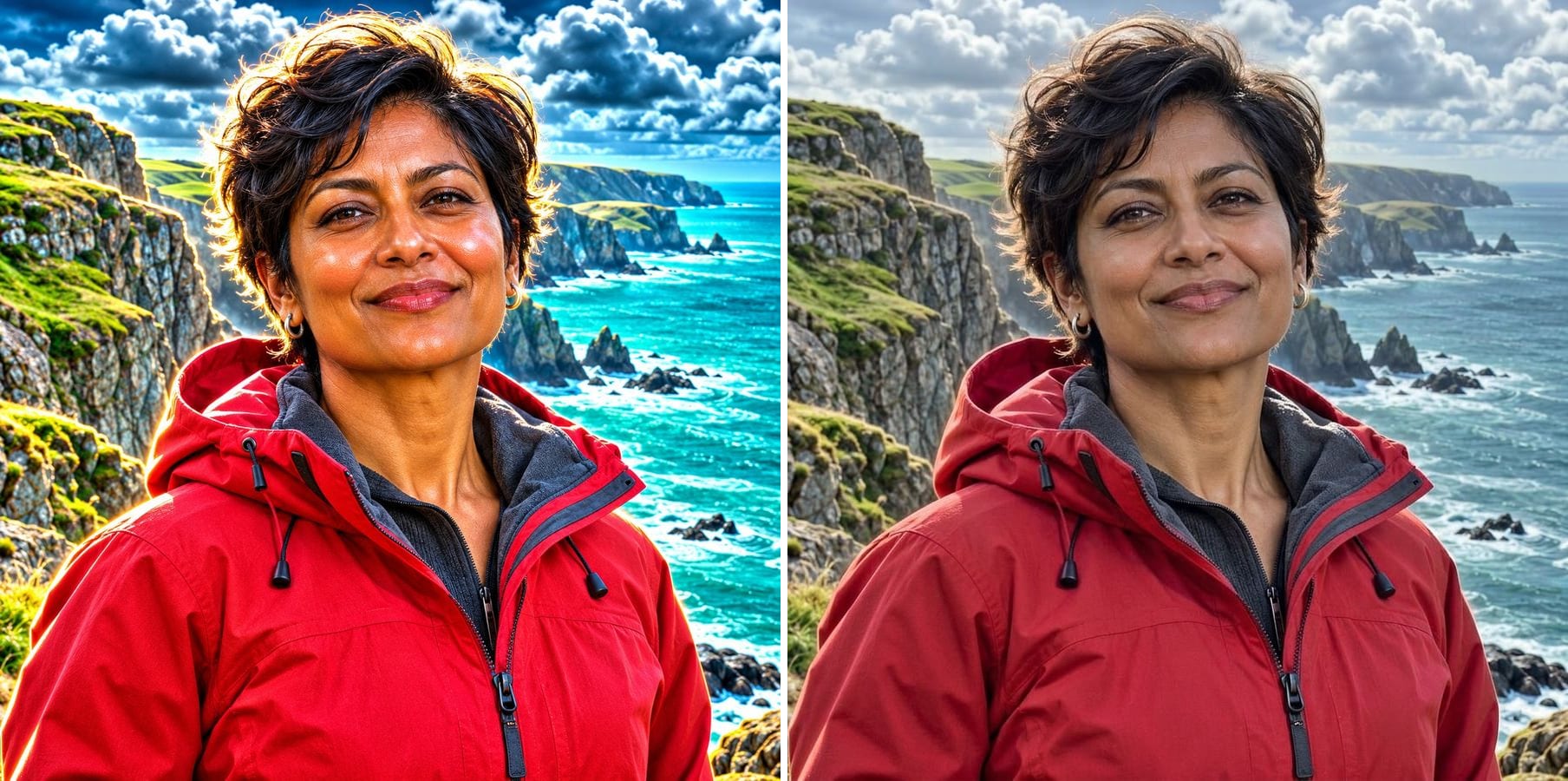
HDR halos gone from a travel shot
Bright halos around the hair and cliffs, crunchy clouds and an unreal cyan sea make a travel photo look generated. The realistic version calms the contrast and colour so it reads like a phone photo from the trip.
Why AI images don't look realistic — and how this fixes it
Even the best generators leave the same fingerprints: skin that is too smooth, light that comes from everywhere and colour that is graded like an ad. Instead of fixing these one by one, this tool re-renders the whole image as if it had been taken with an ordinary phone camera. It removes:
Plastic skin
Poreless, glossy skin gets pores, fine lines and uneven tone back.
Orange grading
The golden filter on everything is replaced by neutral, true-to-life colour.
HDR halos
Glowing edges and crunchy local contrast are calmed down.
Perfect everything
Over-symmetrical hair and over-arranged scenes get small, believable irregularities.
Over-saturated colour
Skies, seas and food return to colours a camera would record.
No camera at all
A hint of sensor grain and lens softness ties the image together.
How to make an AI photo realistic
The realism instruction is already filled in. Three steps:
Upload the AI image
Portraits, lifestyle shots, products, food or travel scenes from any AI generator. JPG, PNG or WebP.
Click generate
The built-in instruction removes the AI look in one pass. If one thing still looks fake, click Customize and name it.
Download the realistic photo
Same face, pose and composition — only skin, light and colour change.
Who needs realistic AI images
Anyone who made an image with AI and wants it to look like a photo.
Marketers and UGC creators
Ad creatives and UGC-style visuals work better when they don't look generated.
Professionals with AI headshots
Turn an AI headshot into something that looks like a photo you had taken.
Online shops and restaurants
Product and food images that look like the real thing, not a poster.
Designers and storytellers
Mood boards and storyboards feel grounded when the images look photographed.
Powered by Nano Banana 2.1
The realism pass runs on Nano Banana 2.1, an image model that is especially good at keeping a person's identity while changing only what you ask for.
Related photo tools
Other one-click fixes for the same photo.
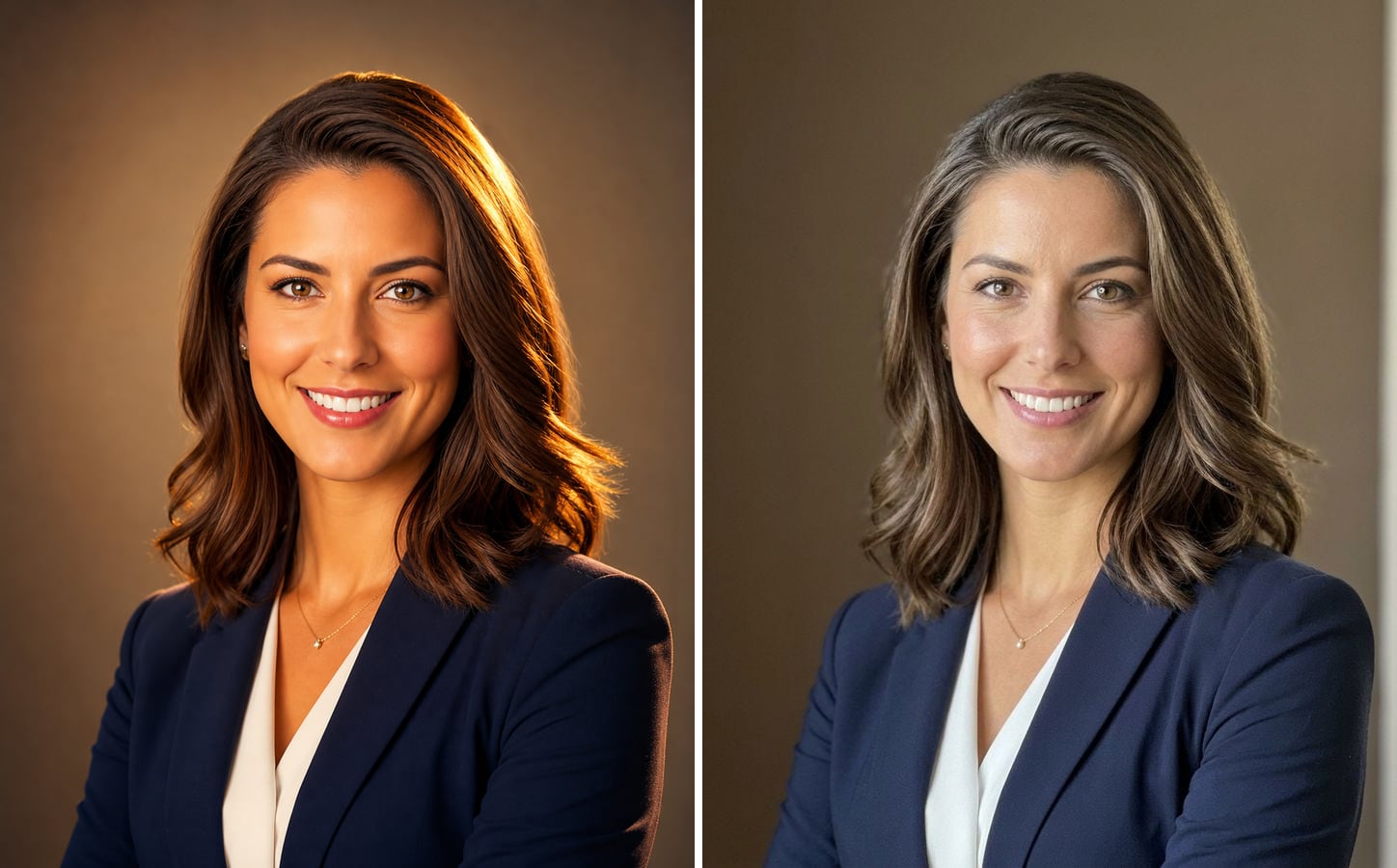
AI Image Humanizer
Upload an AI-generated image and get it back looking like a real phone photo — natural skin, real light, same face and pose.
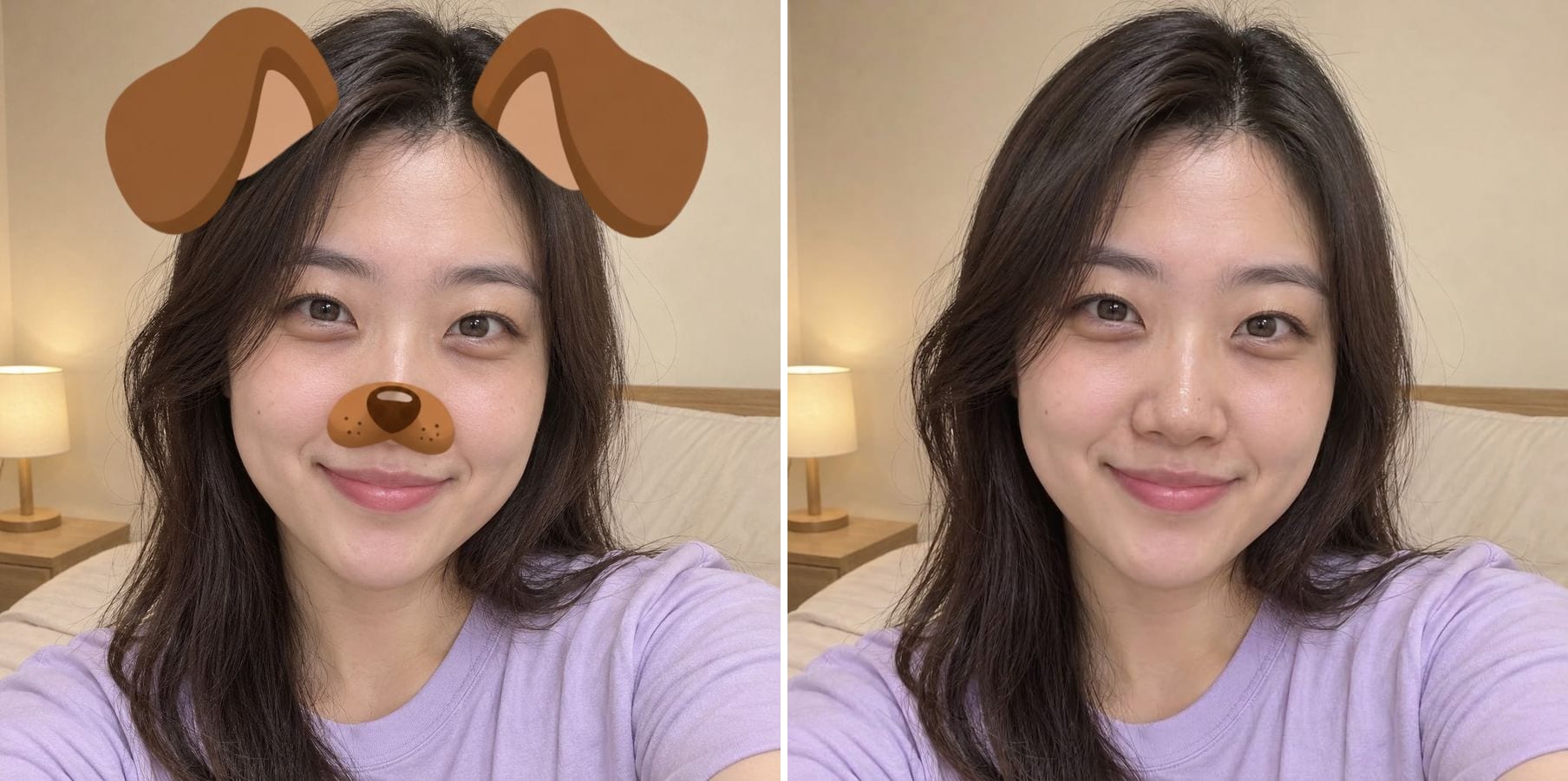
Remove Filter
Take Snapchat stickers, beauty smoothing and colour filters off a saved photo.
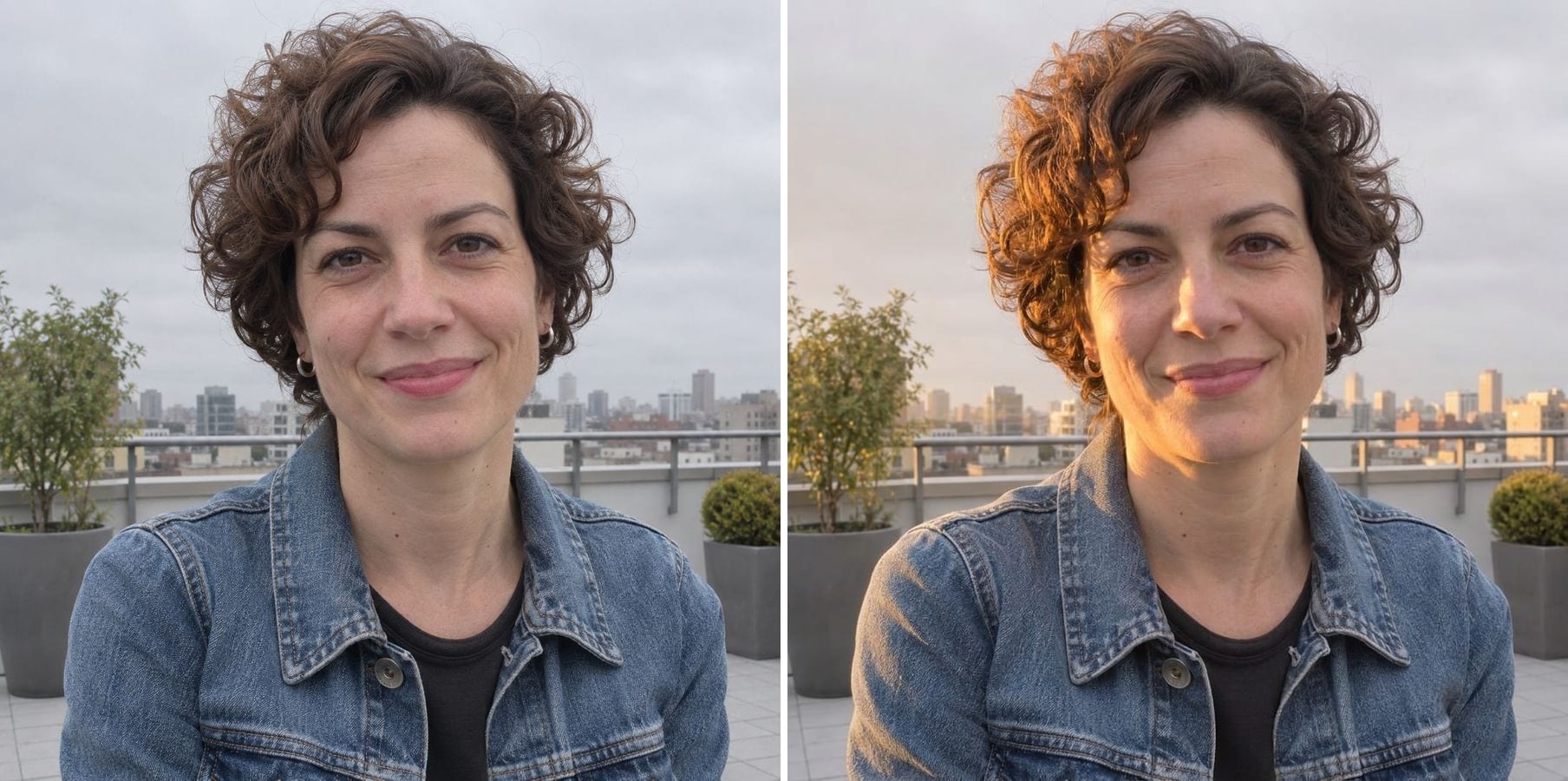
Relight Photo
Describe new light — golden hour, studio side light, evening glow — and relight the whole photo.
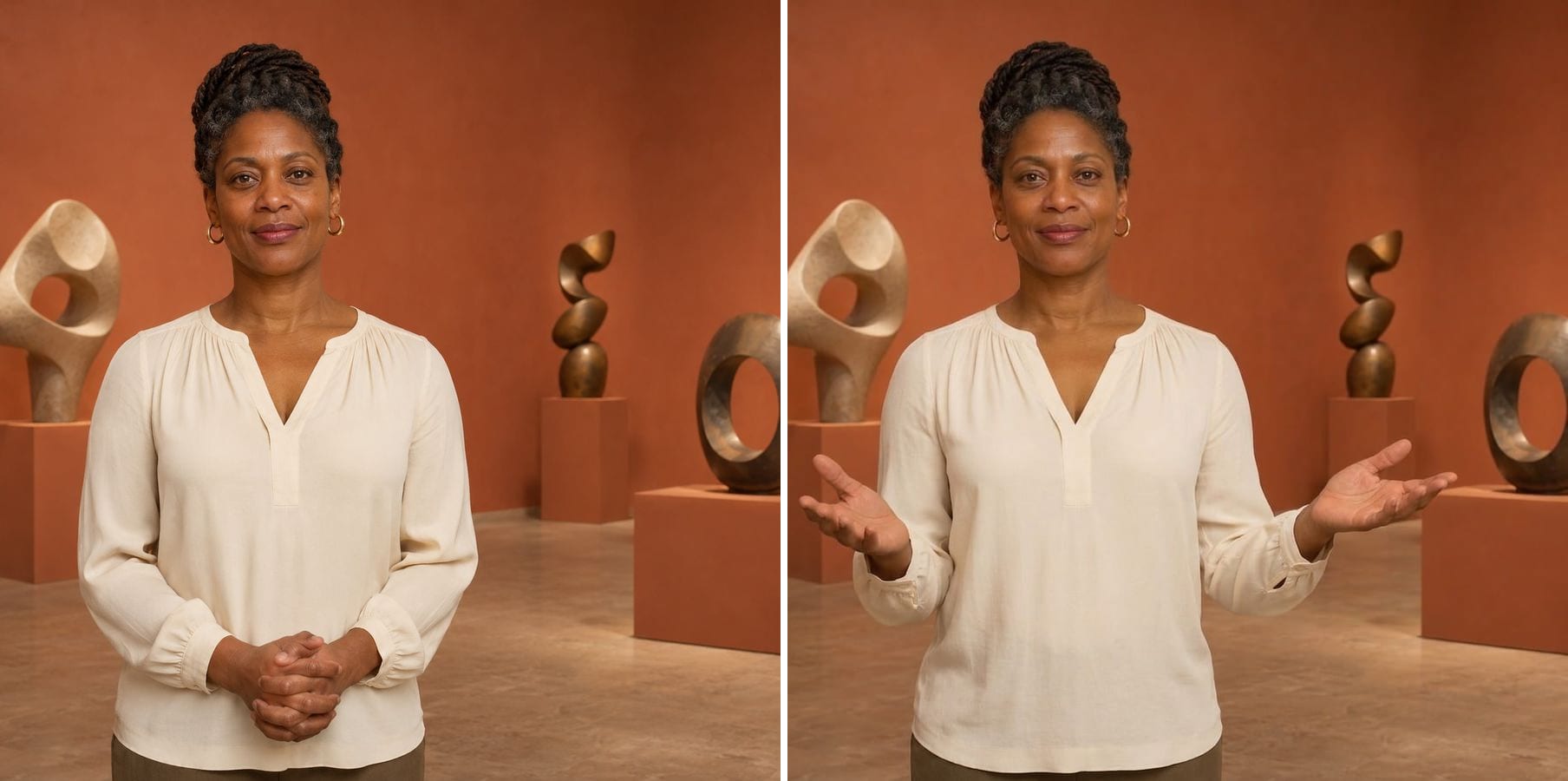
AI Pose Changer
Describe a new pose and get the same person, outfit and background in that pose.
Make AI Photo Realistic — FAQ
More questions? Email support@imagesv2.ai.
Upload it above and click generate. The built-in instruction removes plastic skin, orange grading, HDR glow and over-perfect details, and re-renders the image like an ordinary phone photo.
No — it edits an image you already have. To create a new image from text, use the GPT Image 2 generator on our home page, then bring the result here if it still looks too polished.
Most generators favour flawless skin, dramatic light and saturated colour because that looks impressive at a glance. Real photos have texture, a single light source and more modest colour, which is what this pass brings back.
The instruction tells the model to keep the same people, faces, expressions, pose, framing, clothing and background. The model keeps identity well, but it can change small details, so compare the result with your photo before you use it.
Both pages run the same realism instruction. Use whichever you found first — the result is the same.
It keeps illustrations as illustrations and mainly cleans up colour and over-processed effects. To turn a drawing into a photo, click Customize and say so.
The tool is built to make images look natural, not to hide where they came from, and we make no promises about detectors. If a platform or client asks you to disclose AI use, please keep doing so.
A standard edit uses 60 credits. New users receive free credits on sign-up, and a brand-new account's first generation costs just 3 credits, so the bonus covers your first try. After that, each image uses credits from any credit pack or subscription.
Results made with the free sign-up credits carry a watermark. After any credit purchase, new results come without one.
Make your AI image realistic
Free credits for new users. Upload an AI image and click generate — the realism instruction is already built in.