
Remove Filter from Photo with AI
Upload a saved selfie or photo with a filter baked in — dog ears, a flower crown, beauty smoothing, a purple tint. One pass takes the filter off and rebuilds natural skin and colour underneath.
The face, the pose and the background stay as they are.
New accounts get 3 free credits — exactly enough for your first generation.

Remove filter from photo: examples
Each pair is the same photo before and after one pass with the built-in instruction: filtered photo on the left, result on the right.
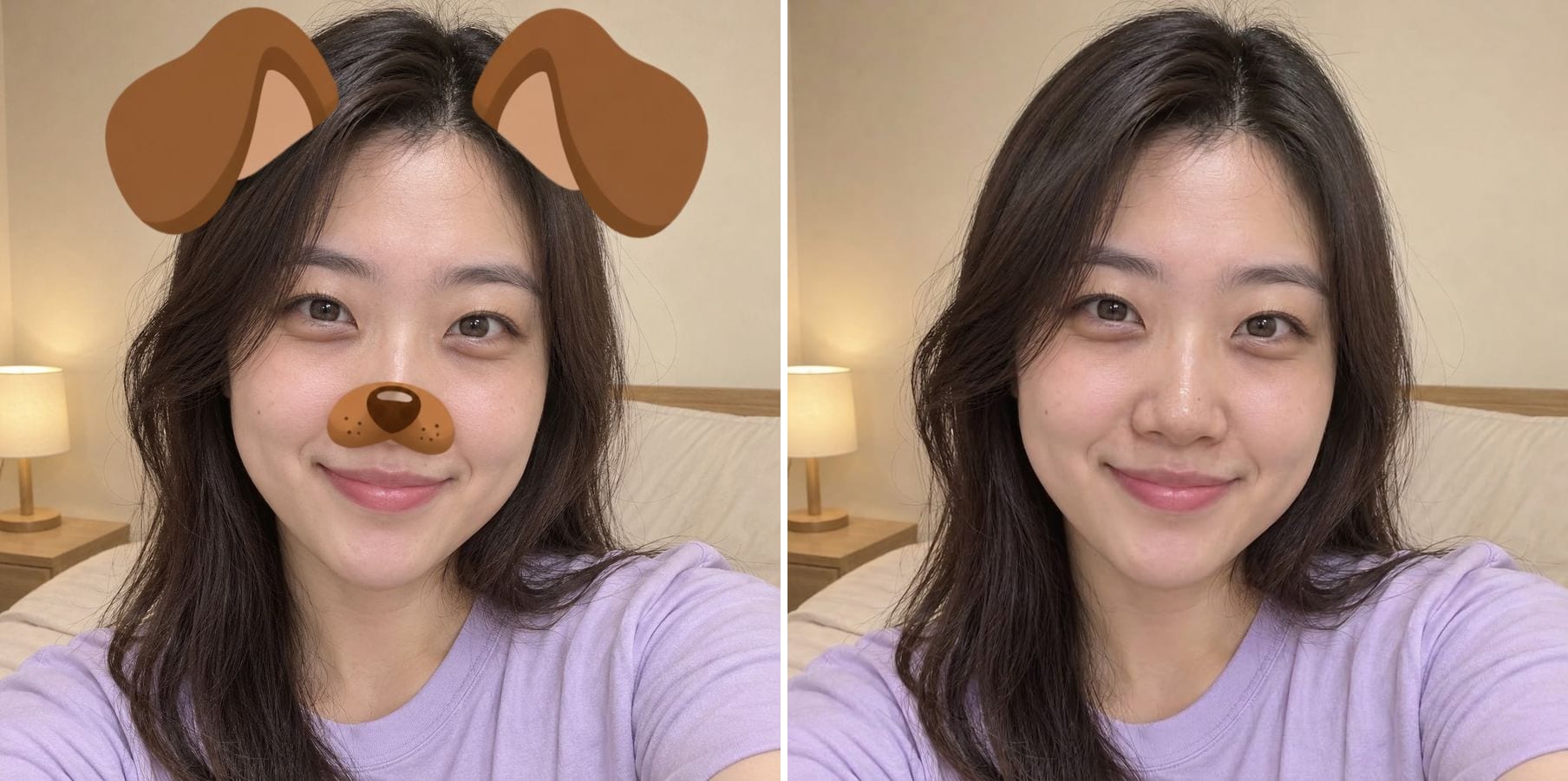
Dog-ear stickers off a saved selfie
The cartoon ears and nose sat on top of her hair and face. After one pass they are gone, and the hair and the nose that were under the stickers are redrawn to match the rest of the photo — it looks like the selfie was taken without the lens.

Heavy beauty smoothing toned down
Strong smoothing turns skin into plastic. The result brings back natural skin texture and highlights while keeping her face shape, age and complexion. The texture is a realistic reconstruction, not the exact pores the filter erased.
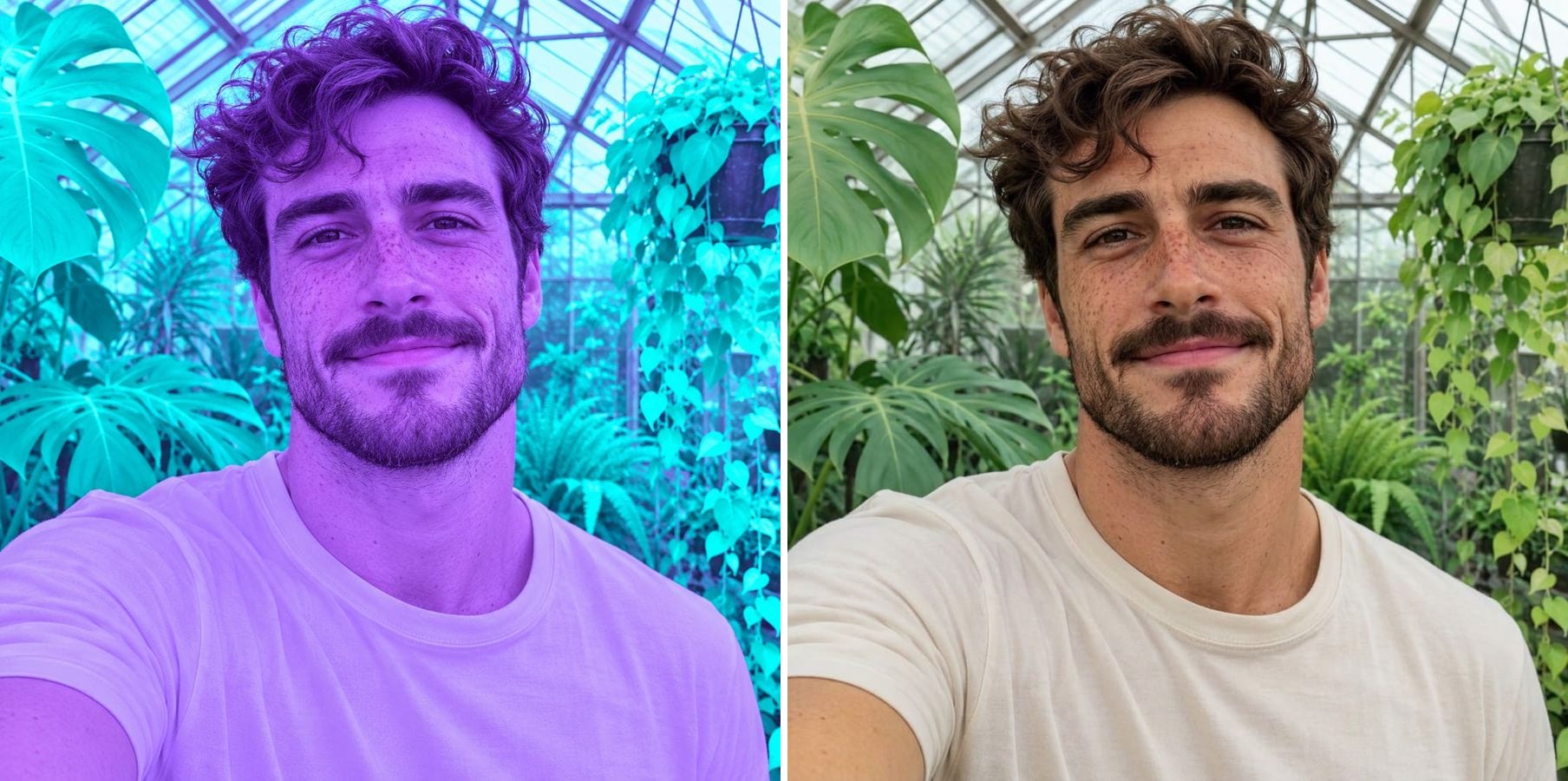
A purple colour filter removed
A strong purple-cyan filter tinted his skin, his shirt and every plant in the greenhouse. The result returns a natural complexion, a white shirt and green leaves in daylight, with his freckles and smile unchanged.
What does removing a filter from a photo mean?
Once a filtered photo is saved, the filter is part of the pixels — there is no layer to switch off. An AI filter remover works out what the photo would look like without the effect and redraws those areas, while leaving the person and the scene alone. It handles:
AR stickers and lenses
Animal ears and noses, flower crowns, sparkles and other overlays drawn on top of the face.
Beauty smoothing
Airbrushed, poreless skin gets natural texture and fine lines back.
Face reshaping
The instruction also asks the model to undo slimmed jaws and enlarged eyes, back toward natural proportions.
Virtual makeup
Filter lipstick, blush and lashes are taken off.
Colour tints
Purple, orange, teal or vintage tints return to true-to-life colour.
An ordinary camera look
The result looks like a normal phone photo, not a photo that was edited twice.
How to remove a filter from a photo
The filter-removal instruction is already built in. Three steps:
Upload the filtered photo
A saved photo or screenshot from Snapchat, Instagram, TikTok or any camera app. JPG, PNG or WebP.
Click generate
The built-in instruction removes stickers, smoothing, filter makeup and tints in one pass — no brushing or masking. Use Customize if you only want one effect removed.
Compare and download
Check the face and the areas that were covered, then download the unfiltered photo.
Who removes filters from photos
Anyone with a good photo that has the wrong filter on it.
People updating a profile photo
Dating, LinkedIn and ID-style pictures should look like you, not like a lens.
Anyone with saved snaps
Saved a great moment with a silly filter on it? Get a clean version for the album or for print.
Creators and social media managers
Reuse filtered content in places where an unfiltered look fits better.
Families sharing photos
Send the group selfie to the grandparents without the bunny ears.
Powered by Nano Banana 2.1
The filter remover runs on Nano Banana 2.1, an image model that is especially good at keeping a person's identity while changing only what you ask for.
Related photo tools
Other one-click fixes for the same photo.
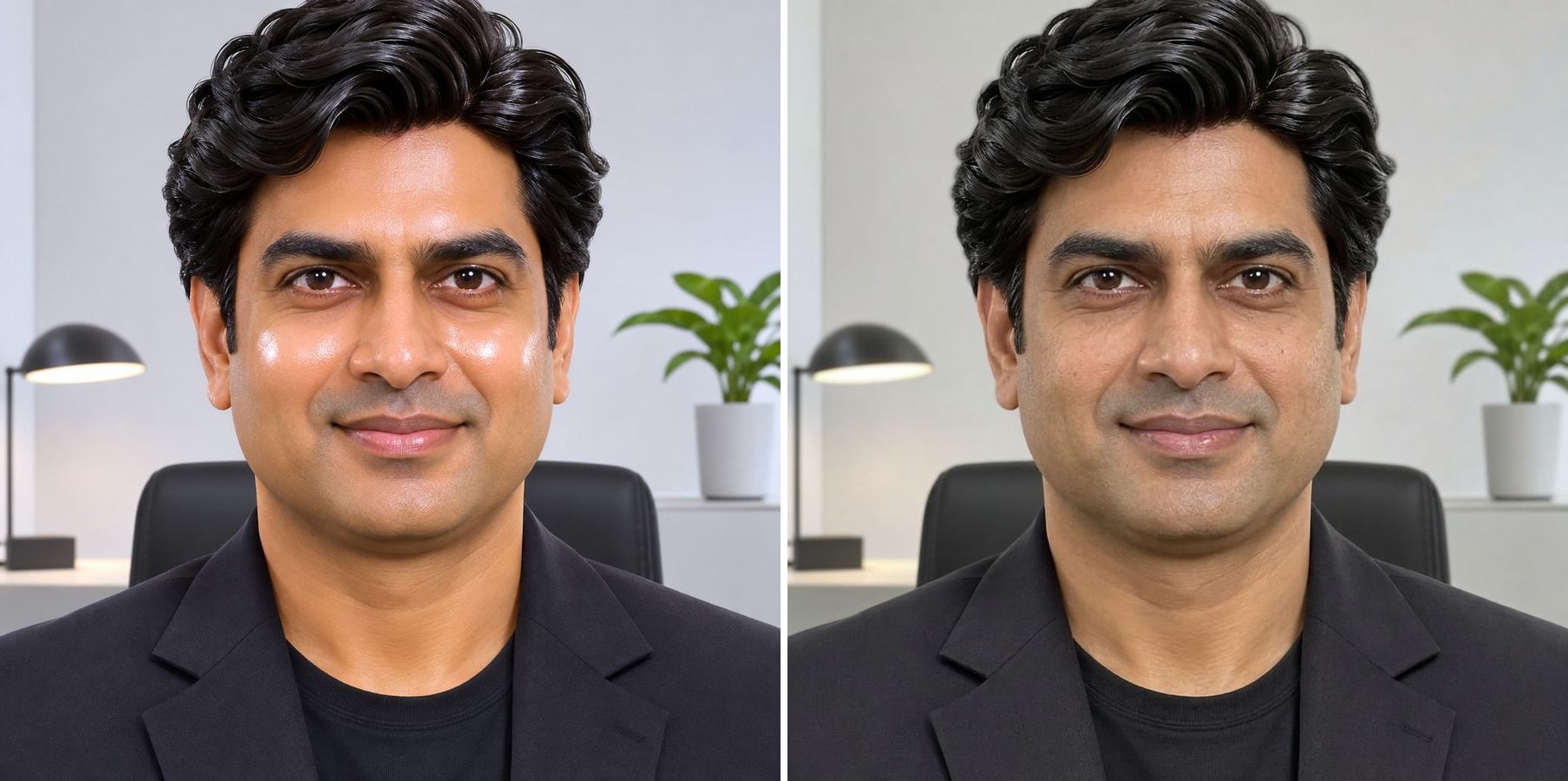
Make AI Photo Realistic
Remove plastic skin, orange grading and HDR glow so an AI image looks like a real photo.

AI Image Humanizer
Upload an AI-generated image and get it back looking like a real phone photo — natural skin, real light, same face and pose.
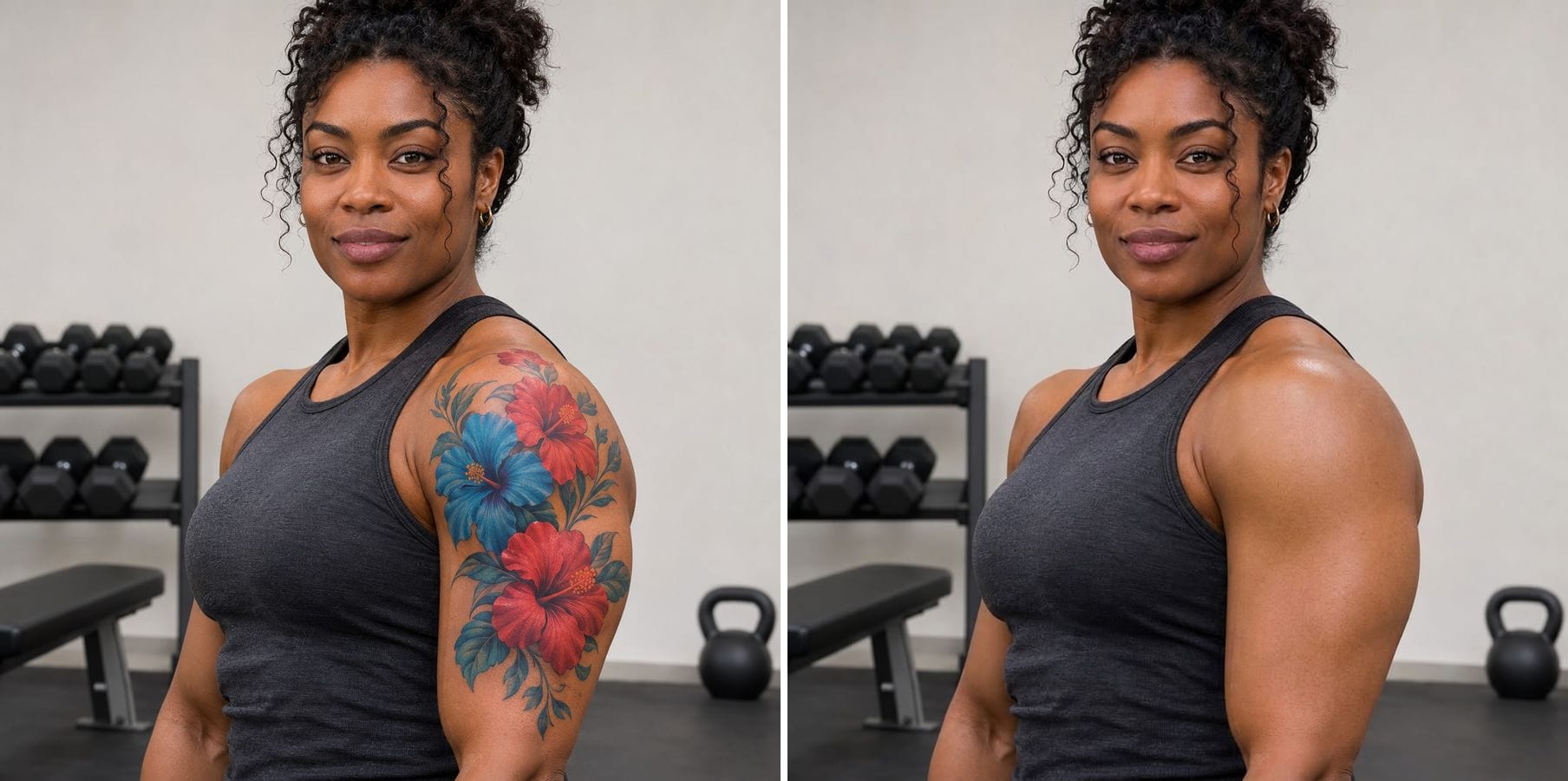
Remove Tattoo
Erase tattoos from a photo and get natural skin that matches tone, texture and light.

Relight Photo
Describe new light — golden hour, studio side light, evening glow — and relight the whole photo.
Remove Filter from Photo — FAQ
More questions? Email support@imagesv2.ai.
Upload the photo above and click generate. The built-in instruction removes AR stickers, beauty smoothing, virtual makeup and colour tints, and gives you the same photo back with natural skin and colour.
Yes. Once a snap is saved with a lens, Snapchat does not keep an unfiltered copy, but you can upload the saved photo here. The AI removes the lens and redraws what was underneath.
Not pixel for pixel. Whatever a sticker covered or a filter smoothed away is no longer in the file, so the AI reconstructs it to match the rest of the photo. It looks natural, but it is a careful reconstruction, not a recovered original.
The instruction tells the model to keep the same person, expression, pose, clothing and background. The model keeps identity well, but it can change small details, so compare the result with your photo before you use it.
Yes. Click Customize and write what to remove — for example 'remove only the dog-ear stickers and keep the colours as they are'.
Results come back at about 1K resolution, which is plenty for profiles, social media and messages. For prints or a bigger file, run the result through the AI Image Upscaler to take it to 2K or 4K.
A standard edit uses 60 credits. New users receive free credits on sign-up, and a brand-new account's first generation costs just 3 credits, so the bonus covers your first try. After that, each image uses credits from any credit pack or subscription.
Results made with the free sign-up credits carry a watermark. After any credit purchase, new results come without one.
Take the filter off your photo
Free credits for new users. Upload a photo and click generate — the filter-removal instruction is already built in.