
Remove Person from Photo with AI
A stranger walked into your shot? Upload the photo, type who should go — 'the tourist in the red shirt on the right' — and the AI removes them and fills in the paving, water or garden behind.
You stay exactly as you were.
New accounts get 3 free credits — exactly enough for your first generation.

Remove person from photo: examples
Each pair is the same photo before and after one pass: original on the left, result on the right. The instruction named who to remove.
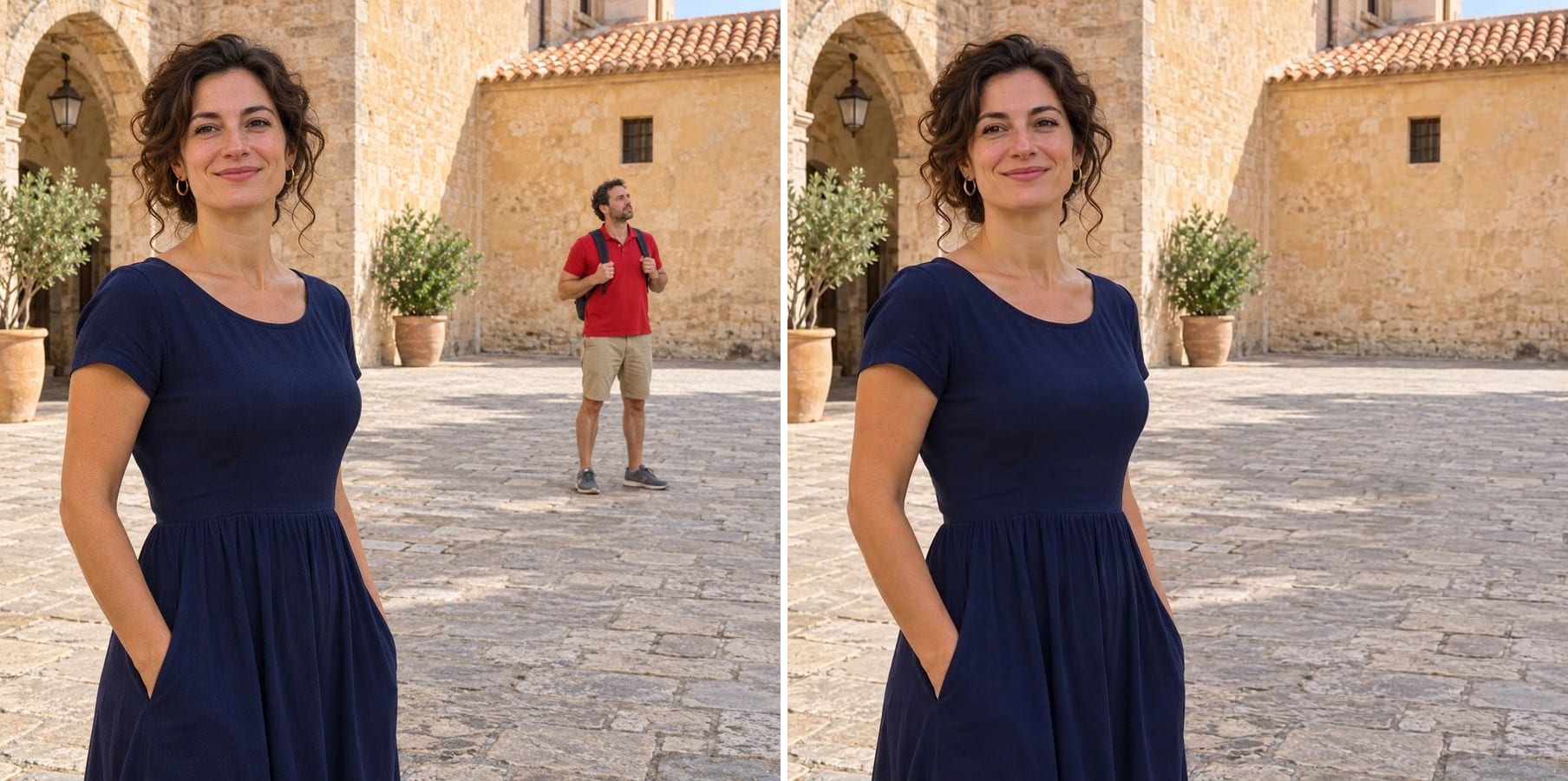
The tourist in red, gone from the plaza
Instruction: remove the background tourist in the red shirt on the right and their shadow. The paving stones continue where he stood, and the woman in the foreground is unchanged.
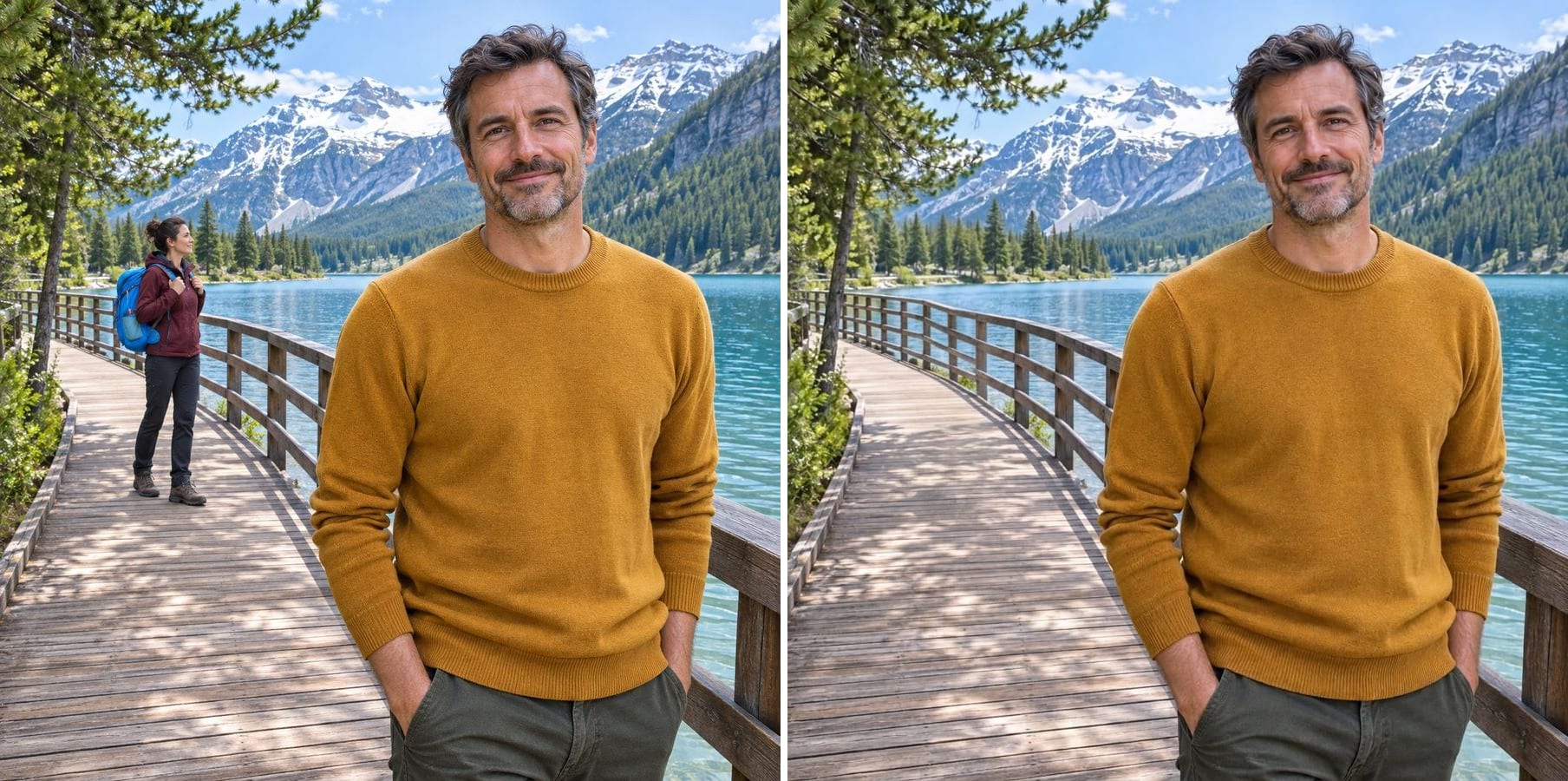
A passer-by removed from a lake boardwalk
Instruction: remove the passer-by with the blue backpack on the left. The railing and the boards are rebuilt in a straight line, and the lake and mountains behind stay the same.
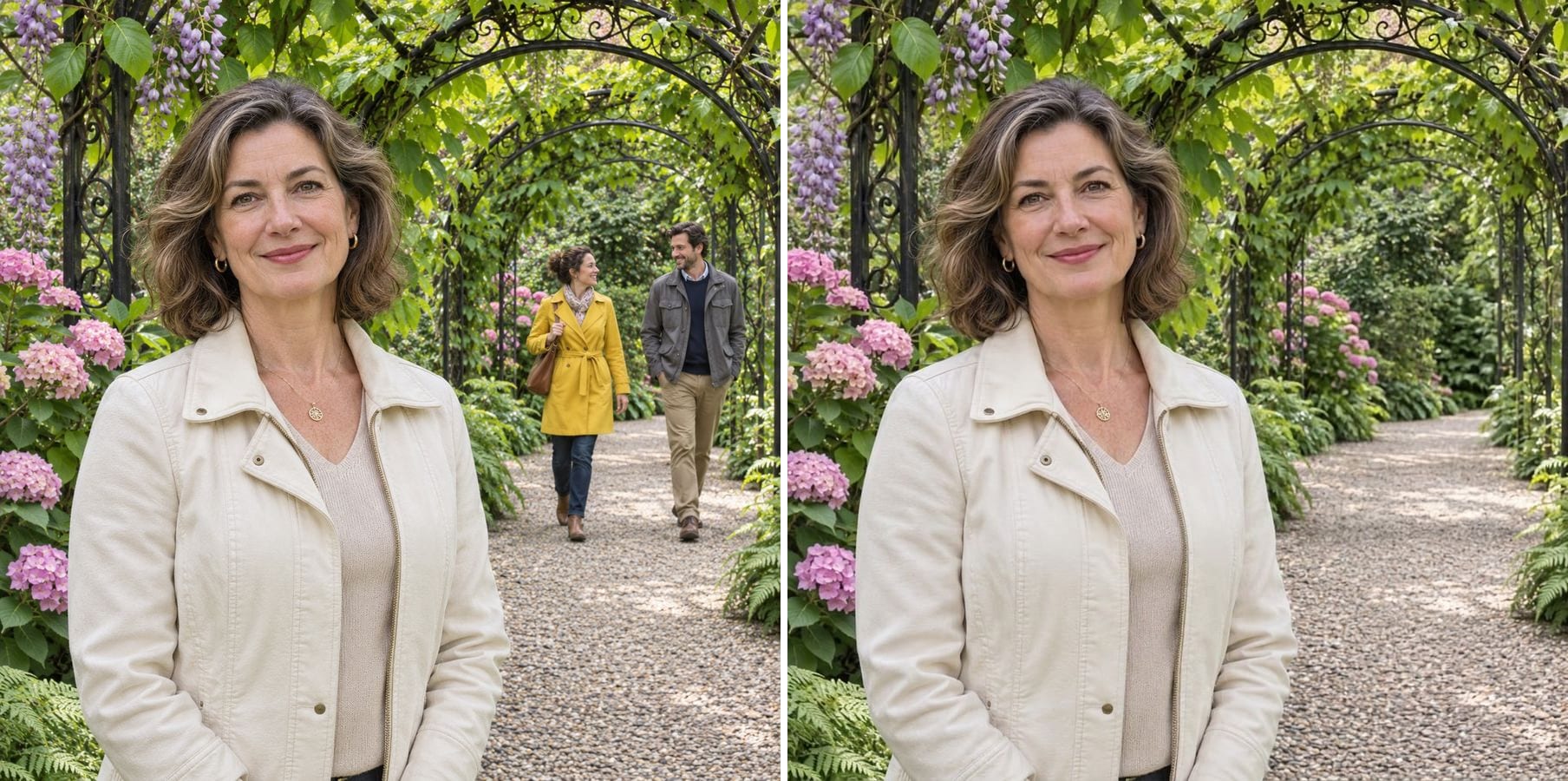
Two visitors cleared from a garden path
Instruction: remove the two visitors on the right in yellow and grey. The gravel path and the flowering arch fill the space, so the portrait looks like it was taken on a quiet morning.
How to remove people from a photo without Photoshop
Classic tools make you paint over each person and clone the background by hand. Here you describe who should go, and the AI removes them and redraws what would have been behind them — ground, walls, water or plants — in the same light and perspective. It works for:
Tourists and passers-by
People who walked through the background of a travel photo.
Photobombers
Someone pulling a face behind you at the party.
Several people at once
Name them all in one instruction: 'the two people on the right'.
Shadows and reflections
Ask for their shadow or reflection to go as well.
Natural fill
Paving, boardwalks, paths and foliage continue in the right perspective.
You stay the same
The main subject, the light and the framing are kept.
How to remove a person from a photo
The editor opens with an example instruction. Three steps:
Upload the photo
Any photo with someone you want gone. JPG, PNG or WebP.
Type who to remove
Edit the example instruction: say where the person is and what they wear, e.g. 'remove the man in the blue jacket on the left and his shadow'.
Generate and download
Check that the right person is gone and the background is continuous, then download.
Who removes people from photos
Anyone whose best shot has someone else in it.
Travellers
Landmark photos without the crowd that was there that day.
Couples and families
Holiday and wedding photos without strangers in the frame.
Real estate and hosts
Listing photos without passers-by in front of the building.
Creators
Clean backgrounds for thumbnails, posts and portfolios.
Powered by Nano Banana 2.1
The people remover runs on Nano Banana 2.1, an image model that is especially good at keeping a person's identity while changing only what you ask for.
Related photo tools
Other one-click fixes for the same photo.
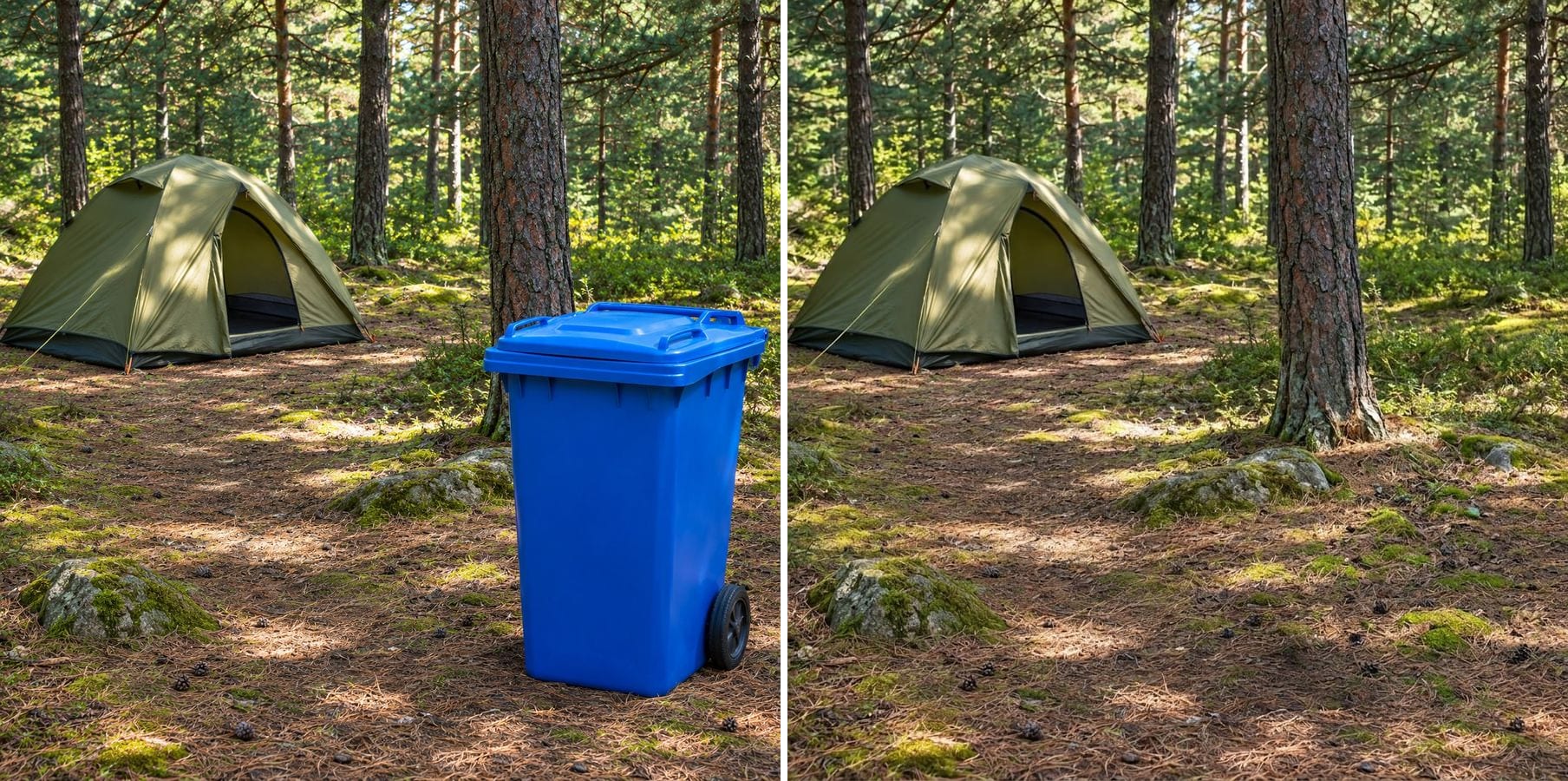
Object Remover
Type what to remove — a cable, a bottle, a bin — and the scene is filled in without masking.

Remove Text
Erase captions, overlaid words, subtitles and date stamps and rebuild what was behind them.
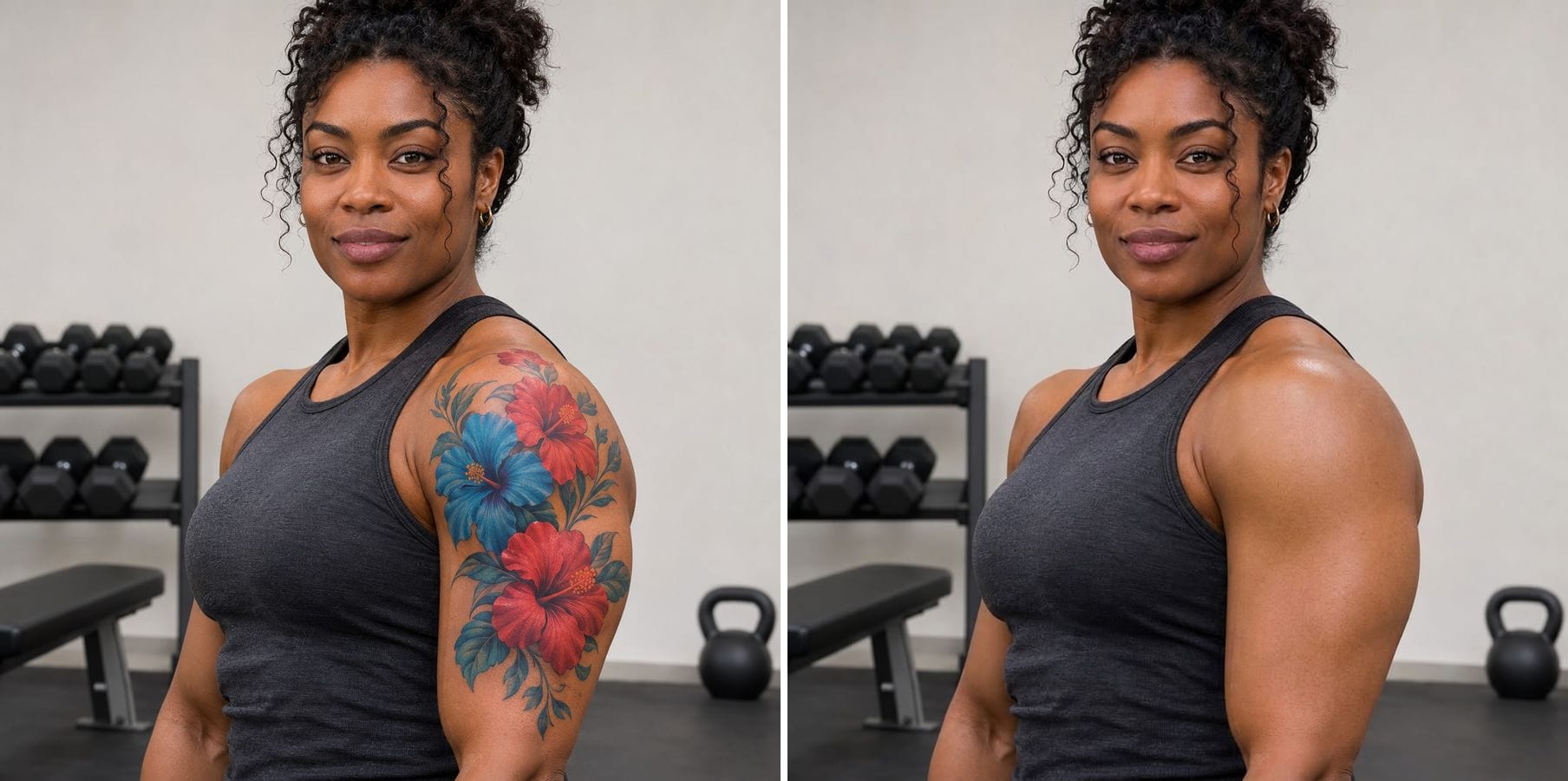
Remove Tattoo
Erase tattoos from a photo and get natural skin that matches tone, texture and light.

AI Pose Changer
Describe a new pose and get the same person, outfit and background in that pose.
Remove Person from Photo — FAQ
More questions? Email support@imagesv2.ai.
Upload the photo above, edit the instruction to describe who should go — where they are and what they wear — and click generate. The AI removes them and fills in the background.
Use position and clothing: 'the woman in the yellow coat on the right', 'the two people behind me'. The clearer the description, the more reliable the result. There is no brush or mask; the instruction is how you point.
Yes. Name them all in one instruction, or say 'remove all the people in the background and keep the woman in the foreground'.
It can still work, but the AI has to redraw whatever they covered, such as an arm or a shoulder. Check those edges closely and re-run with a more specific instruction if needed.
The instruction keeps the main subject, the lighting and the framing. The model keeps identity well, but it can change small details, so compare the result with your photo before you use it.
Results come back at about 1K resolution, which is plenty for profiles, social media and messages. For prints or a bigger file, run the result through the AI Image Upscaler to take it to 2K or 4K.
A standard edit uses 60 credits. New users receive free credits on sign-up, and a brand-new account's first generation costs just 3 credits, so the bonus covers your first try. After that, each image uses credits from any credit pack or subscription.
Results made with the free sign-up credits carry a watermark. After any credit purchase, new results come without one.
Remove someone from your photo
Free credits for new users. Upload a photo, say who should go and click generate.