
Relight Photo with AI
Shot on a grey day or under flat office light? Upload the photo and describe the light you wish you'd had — golden-hour sun from the left, a moody studio side light, warm lamps and blue dusk.
The AI relights the face, clothes and scene together, and keeps everything else the same.
New accounts get 3 free credits — exactly enough for your first generation.

Relight photo examples
Each pair is the same photo before and after one pass: original light on the left, relit result on the right. The instruction described the new light.
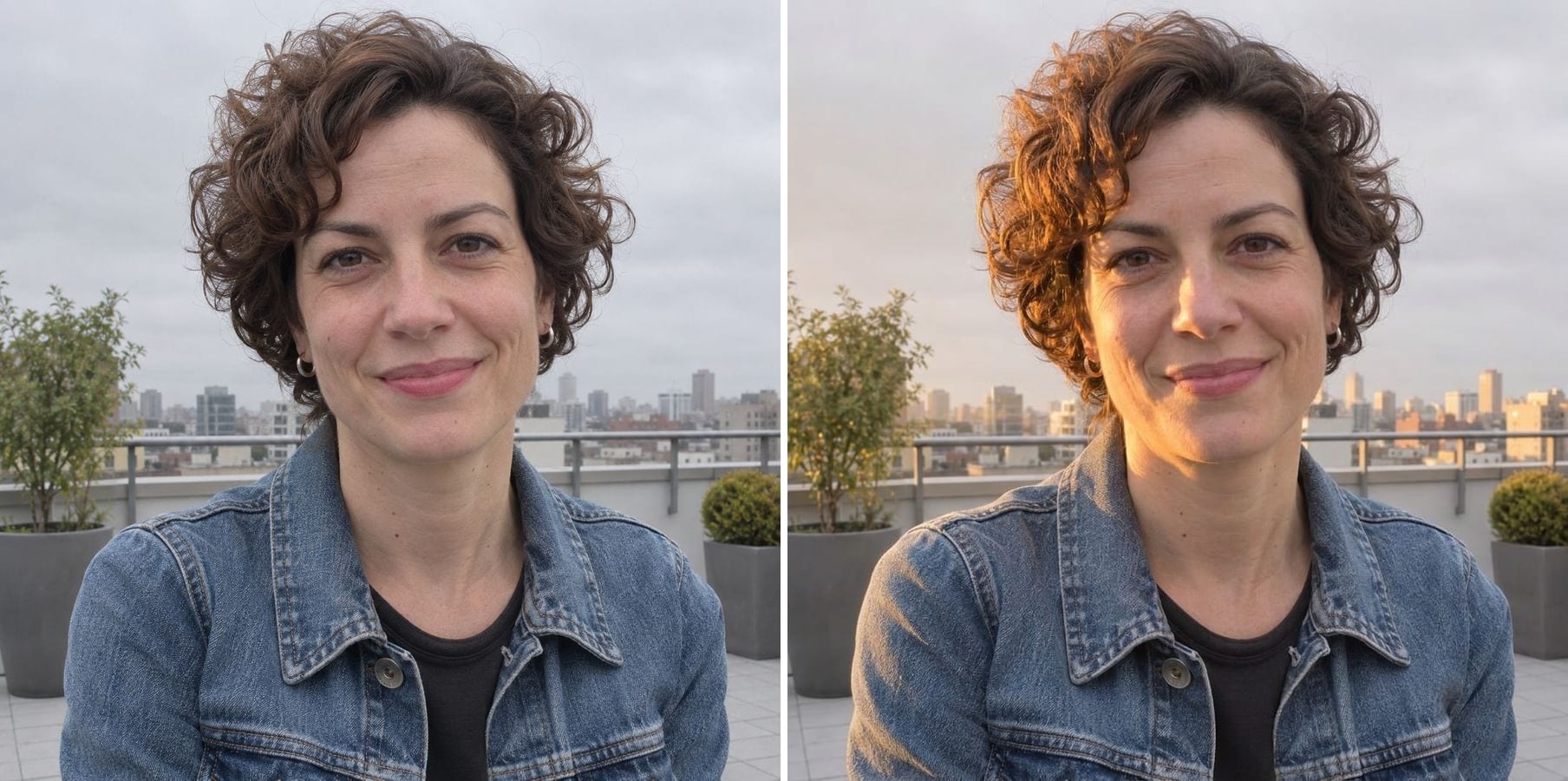
Overcast to golden hour
Instruction: warm golden-hour sun from camera left with soft side shadows and a light rim on the hair. The flat grey rooftop portrait turns into a late-afternoon shot, with the same woman and the same city behind her.
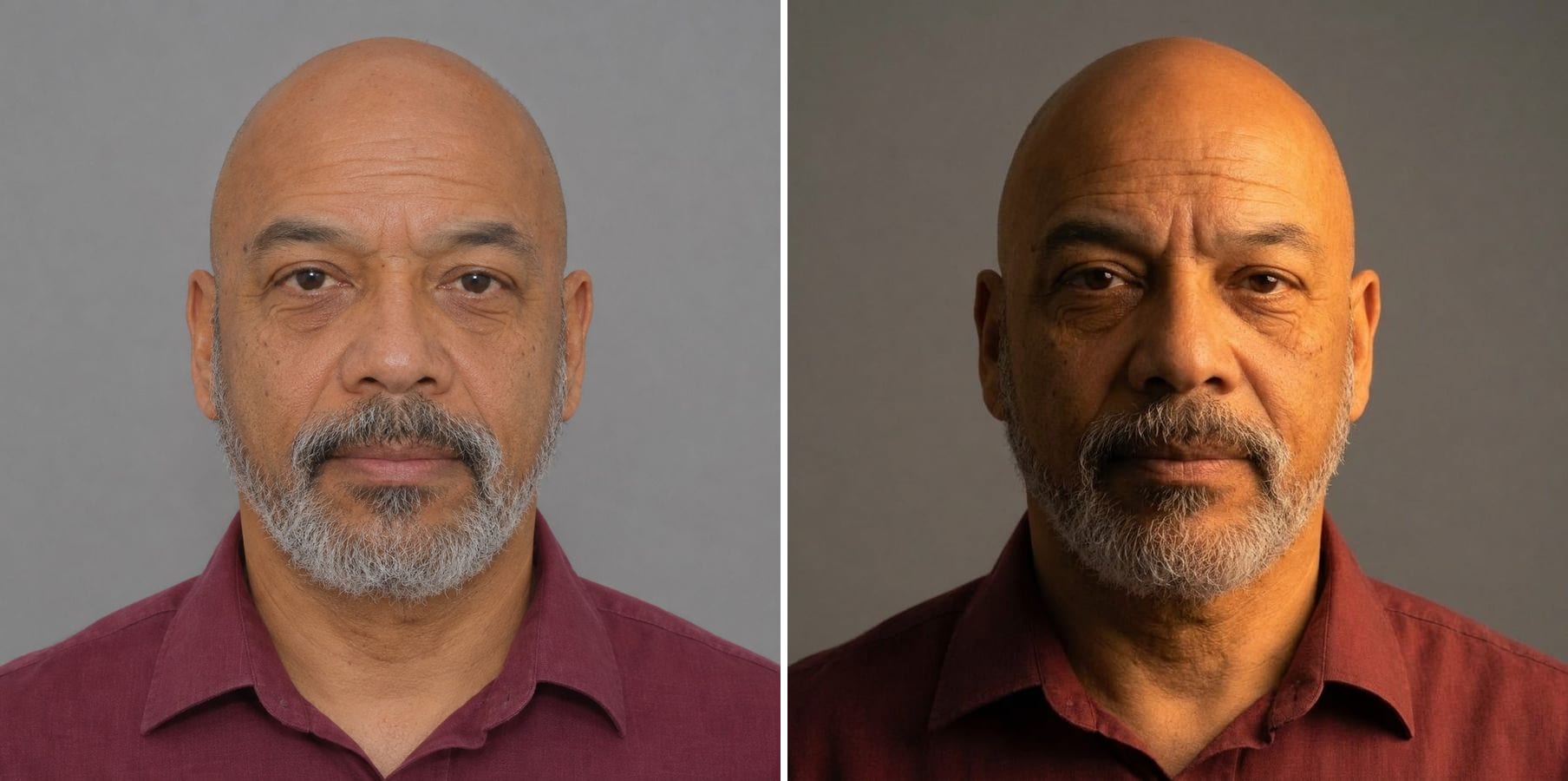
Flat light to a studio side light
Instruction: one strong warm studio light from the upper right with deep soft shadows on the left. The plain headshot becomes a dramatic portrait; his features and grey beard are unchanged.
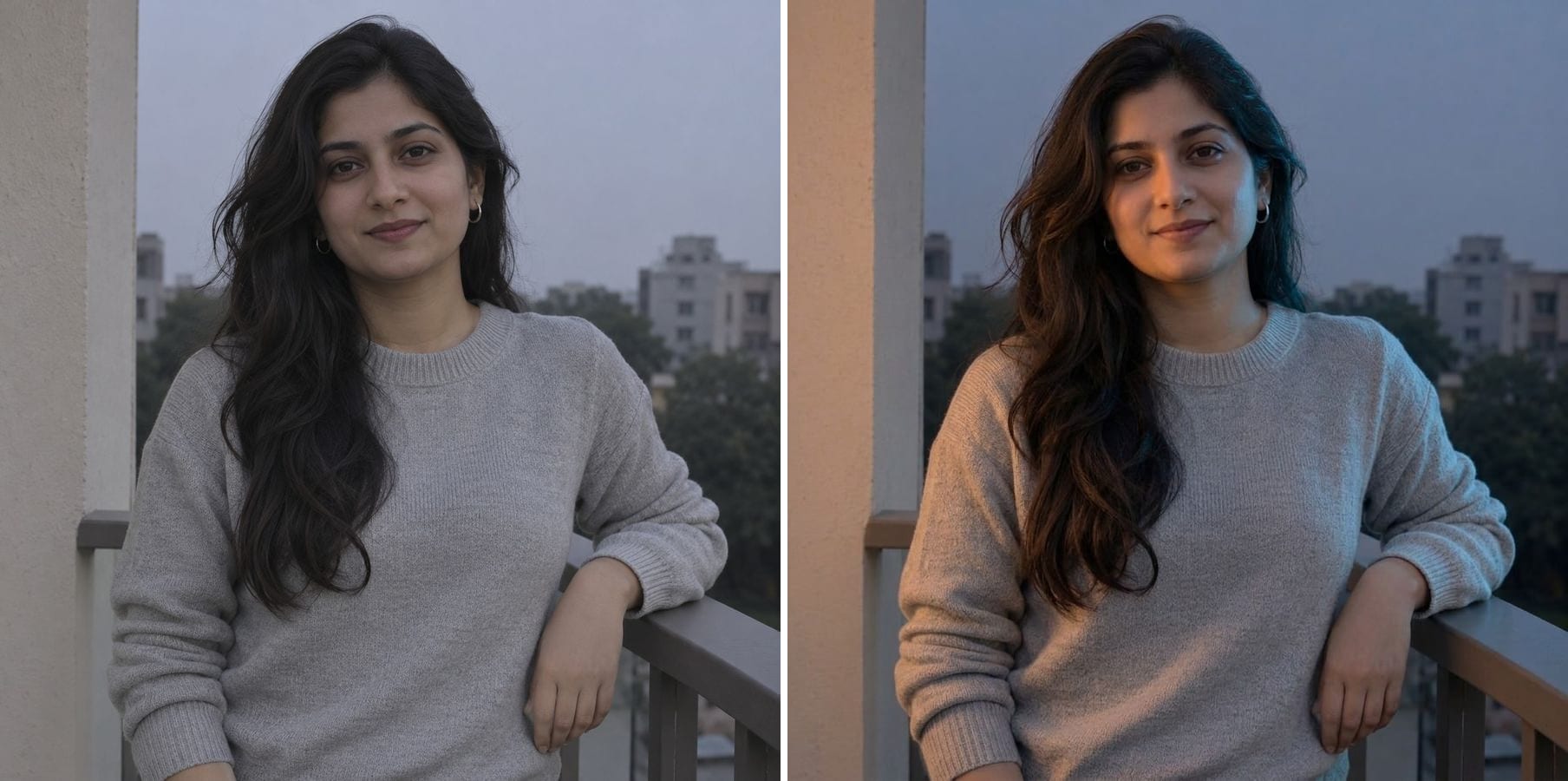
A dull evening to warm-and-cool light
Instruction: soft warm light from the left and a cool blue evening rim from the right. Her skin sits naturally between the two colours, and the balcony and sweater stay the same.
What does relighting a photo mean?
Brightening a photo makes everything lighter; relighting changes where the light comes from. The AI works out the shape of the face and the scene, then redraws highlights, shadows and colour as if a new light source had been there when the photo was taken. You can describe:
Direction
From the left, the right, above or behind — shadows follow.
Time of day
Golden hour, midday sun, blue hour or night.
Studio setups
Side light, rim light, soft box or dramatic low-key.
Colour of light
Warm tungsten, cool daylight or mixed warm-and-cool.
Consistent shadows
Face, clothes and background are lit by the same light.
Same person and scene
Faces, pose, clothes and background are kept.
How to relight a photo with AI
The editor opens with an example instruction. Three steps:
Upload the photo
Portraits work best, but rooms and products work too. JPG, PNG or WebP.
Describe the light
Edit the example instruction: say where the light comes from, its colour and how strong the shadows should be, e.g. 'soft window light from the right, gentle shadows'.
Generate and download
Check that the shadows make sense and the face looks right, then download.
Who relights photos
Anyone with a good photo taken in bad light.
Portrait and headshot owners
Give a flat office headshot real studio light.
Creators and marketers
Match the light of a photo to a campaign's mood.
Photographers
Try a lighting idea before the reshoot.
Product and interior shots
Warm up a room or add directional light to a product.
Powered by Nano Banana 2.1
The relighting tool runs on Nano Banana 2.1, an image model that is especially good at keeping a person's identity while changing only what you ask for.
Related photo tools
Other one-click fixes for the same photo.

AI Pose Changer
Describe a new pose and get the same person, outfit and background in that pose.
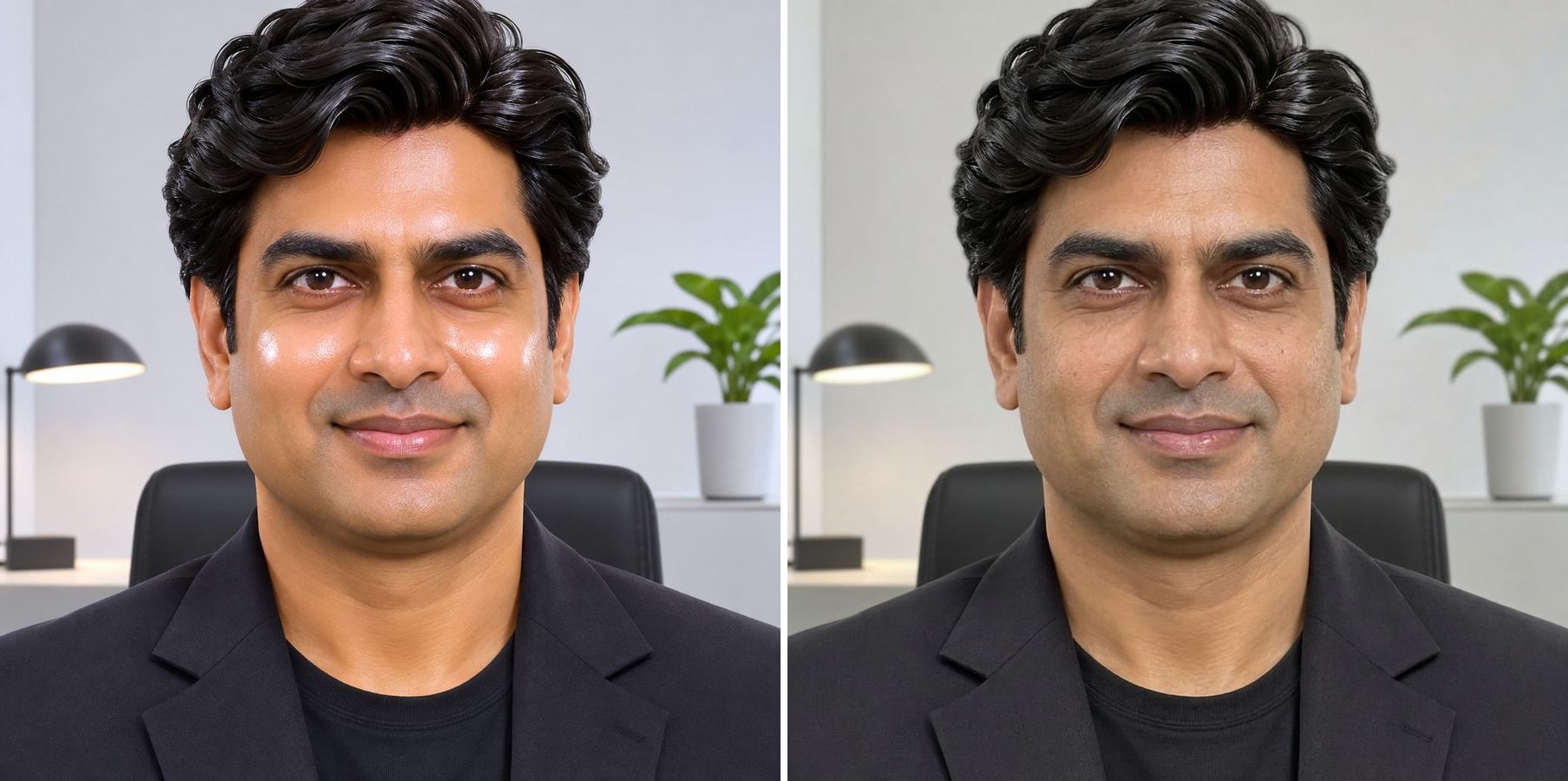
Make AI Photo Realistic
Remove plastic skin, orange grading and HDR glow so an AI image looks like a real photo.
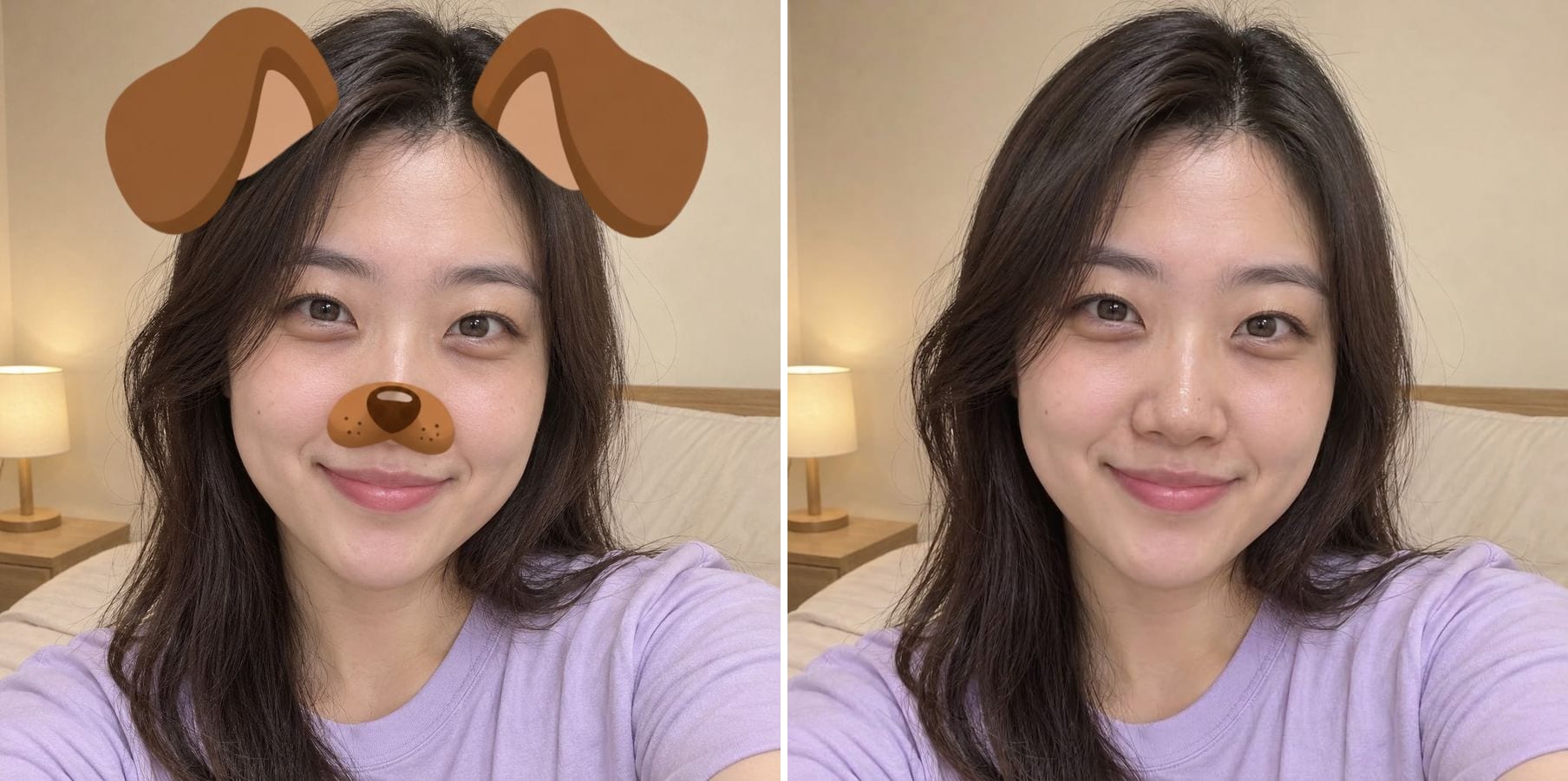
Remove Filter
Take Snapchat stickers, beauty smoothing and colour filters off a saved photo.
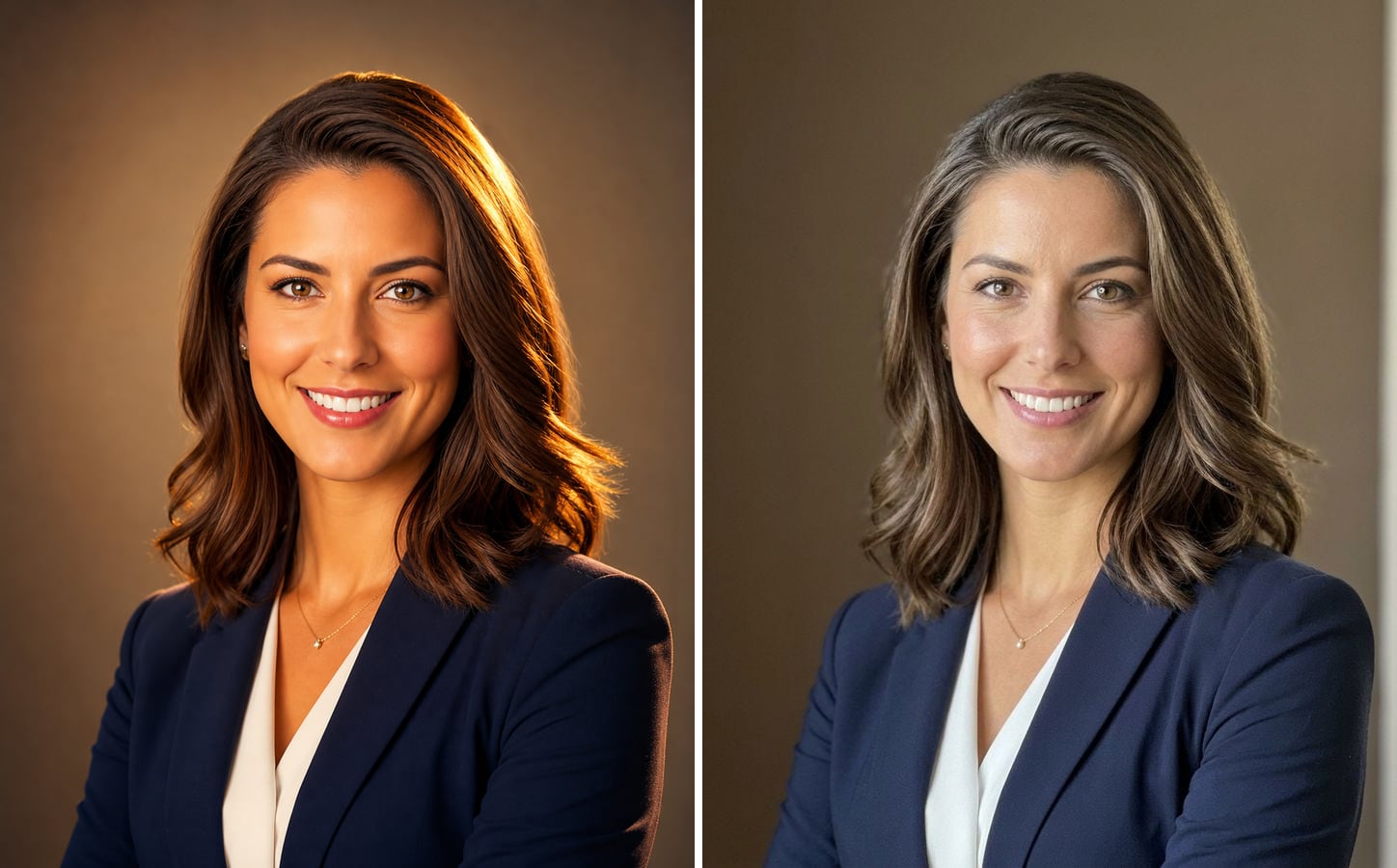
AI Image Humanizer
Upload an AI-generated image and get it back looking like a real phone photo — natural skin, real light, same face and pose.
Relight Photo with AI — FAQ
More questions? Email support@imagesv2.ai.
Upload the photo above, edit the instruction to describe the light — direction, colour, mood — and click generate. The AI relights the whole image with matching shadows.
Brightness lifts every pixel equally. Relighting adds light from one direction, so one side of the face gets brighter, the other side gets shadow, and the background changes to match.
No. You describe the light in words — 'from the upper left', 'behind her, as a rim light'. There are no on-screen light controls.
The instruction keeps the same people, faces, expressions, pose, clothing, background and framing. The model keeps identity well, but it can change small details, so compare the result with your photo before you use it.
They are drawn to be consistent and believable, not calculated like a 3D render. Strong reflections and complex scenes may need a second try.
Results come back at about 1K resolution, which is plenty for profiles, social media and messages. For prints or a bigger file, run the result through the AI Image Upscaler to take it to 2K or 4K.
A standard edit uses 60 credits. New users receive free credits on sign-up, and a brand-new account's first generation costs just 3 credits, so the bonus covers your first try. After that, each image uses credits from any credit pack or subscription.
Results made with the free sign-up credits carry a watermark. After any credit purchase, new results come without one.
Give your photo better light
Free credits for new users. Upload a photo, describe the light and click generate.