Sketch to Image AI
Draw a rough layout right here or upload a line drawing, add a product photo if you have one, and say what it should become. The sketch sets the composition; the prompt sets materials, light and style.
Draw the layout, get the finished image in one sentence
You can picture it but can't put it into words, so draw it. Boxes, lines and a few labels tell the model where things go; one sentence tells it what they should look like.
- 01Sketch the layoutClick Draw in the generator and sketch with brush, boxes, colour blocks, arrows and text, or upload a photo of a paper sketch.
- 02Describe the styleSay what it should become: materials, light, colours, any text. Add a product photo or a style reference if needed.
- 03Get the resultThe image follows your sketch's composition. Sketch lines, boxes, arrows and labels stay out of it.
A few boxes set the layout, your product photo fills it
Box out where the title, product and tagline go, then upload the real product photo as image 2. The layout follows the sketch, the bottle matches the photo, and the boxes and labels are gone.
- Handwritten labels in boxes become real content: title, product, tagline
- Keep the sketch, swap the product photo or the copy, and you have a matching ad series
- Sketch + 1 product photo at 1024² low: 50 credits
Make a premium vertical skincare ad. Put the serum bottle from image 2 into the PRODUCT area exactly as it looks (same bottle, colour and dropper). Title "LUMEN", tagline "Glow, slowly" at the bottom left, a few soft peach petals as decoration, warm ivory background, soft studio light.
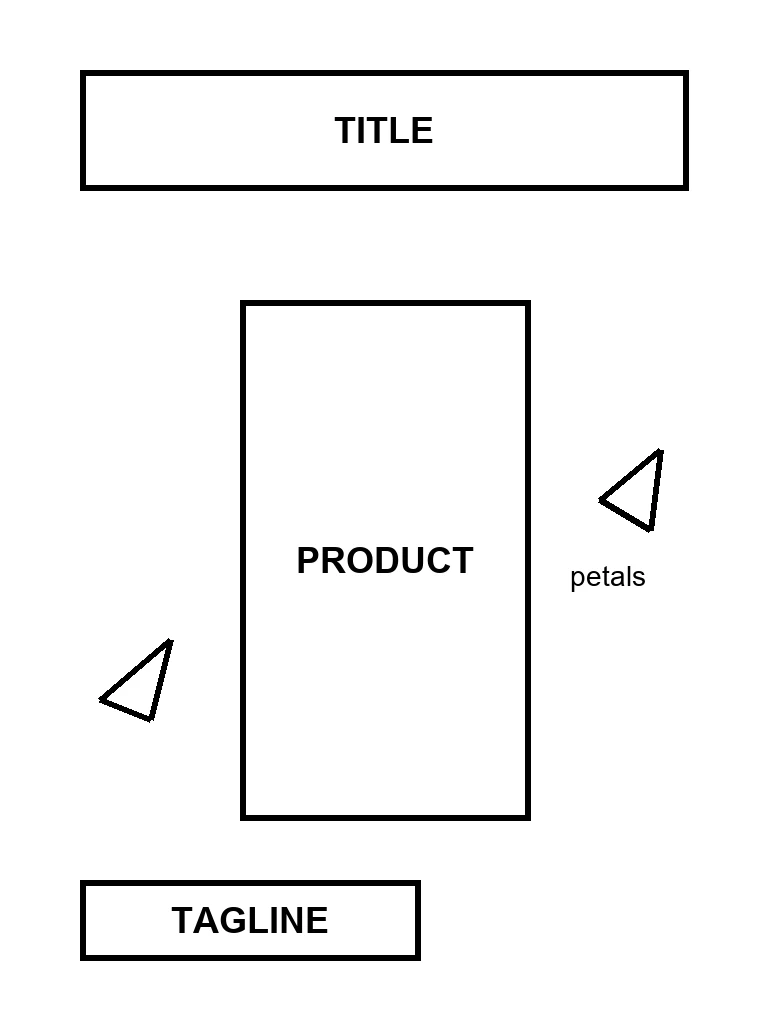
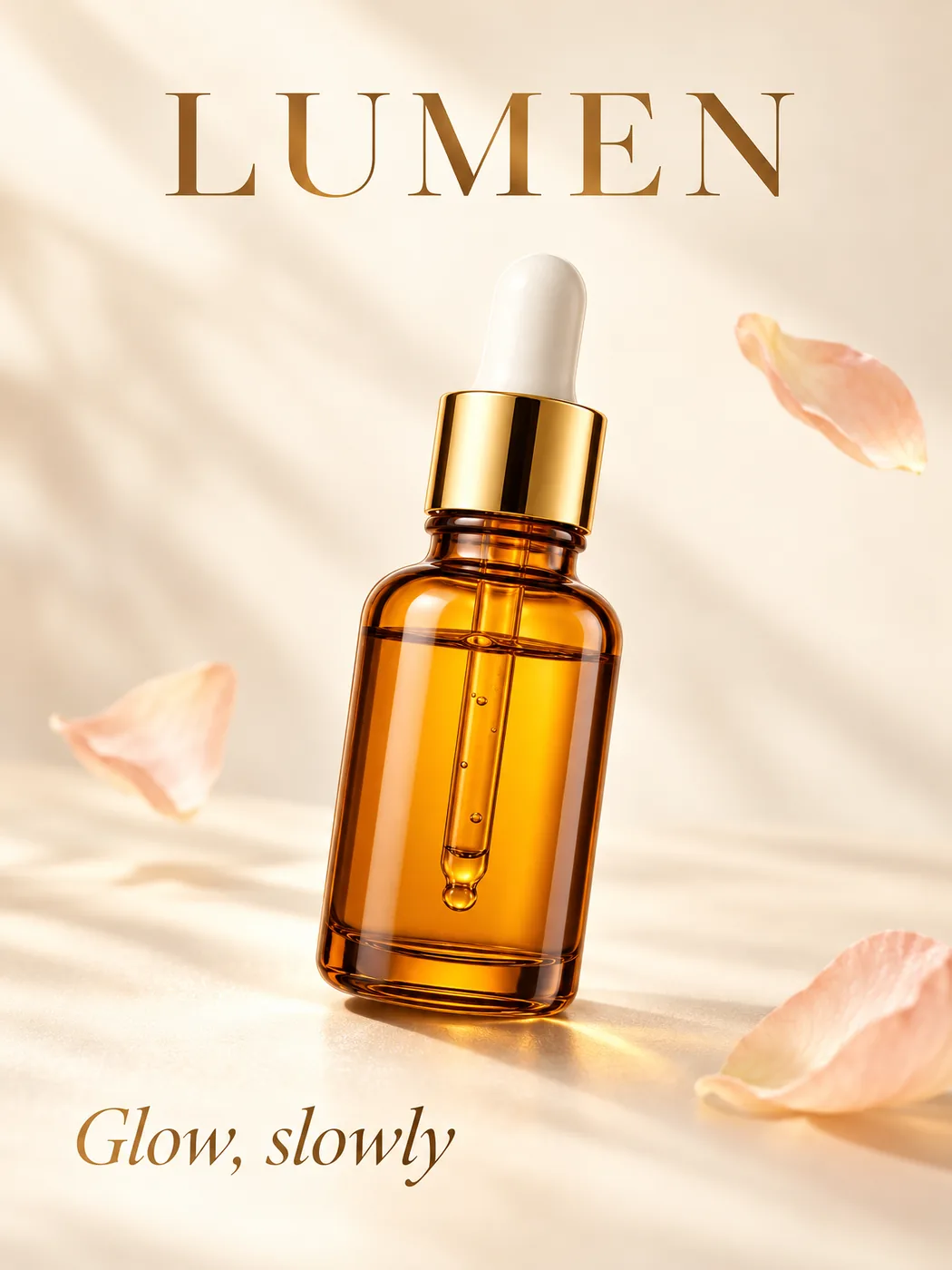
Switches to Edit and opens a blank board in your chosen aspect ratio. Draw, save, then write the prompt.
A sketch guides composition, not exact dimensions: small shapes, proportions and text may be reinterpreted. Good for concepts and visual drafts, not a replacement for CAD or construction drawings. Example sketches are test drawings; results are untouched GPT Image 2.5 Sunburst outputs from imagesv2.
Four marks the model understands
You don't need to draw well. The board gives you four kinds of marks, and each one tells the model something different.
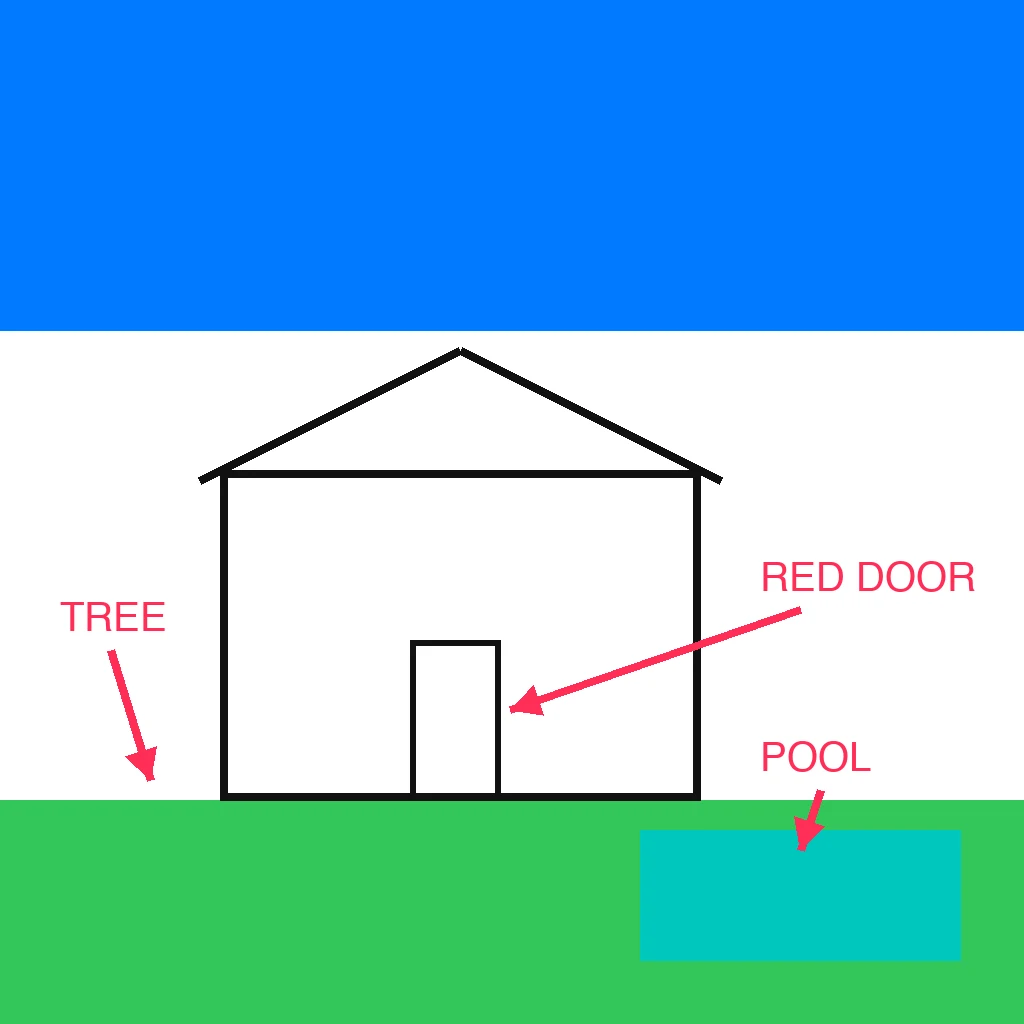
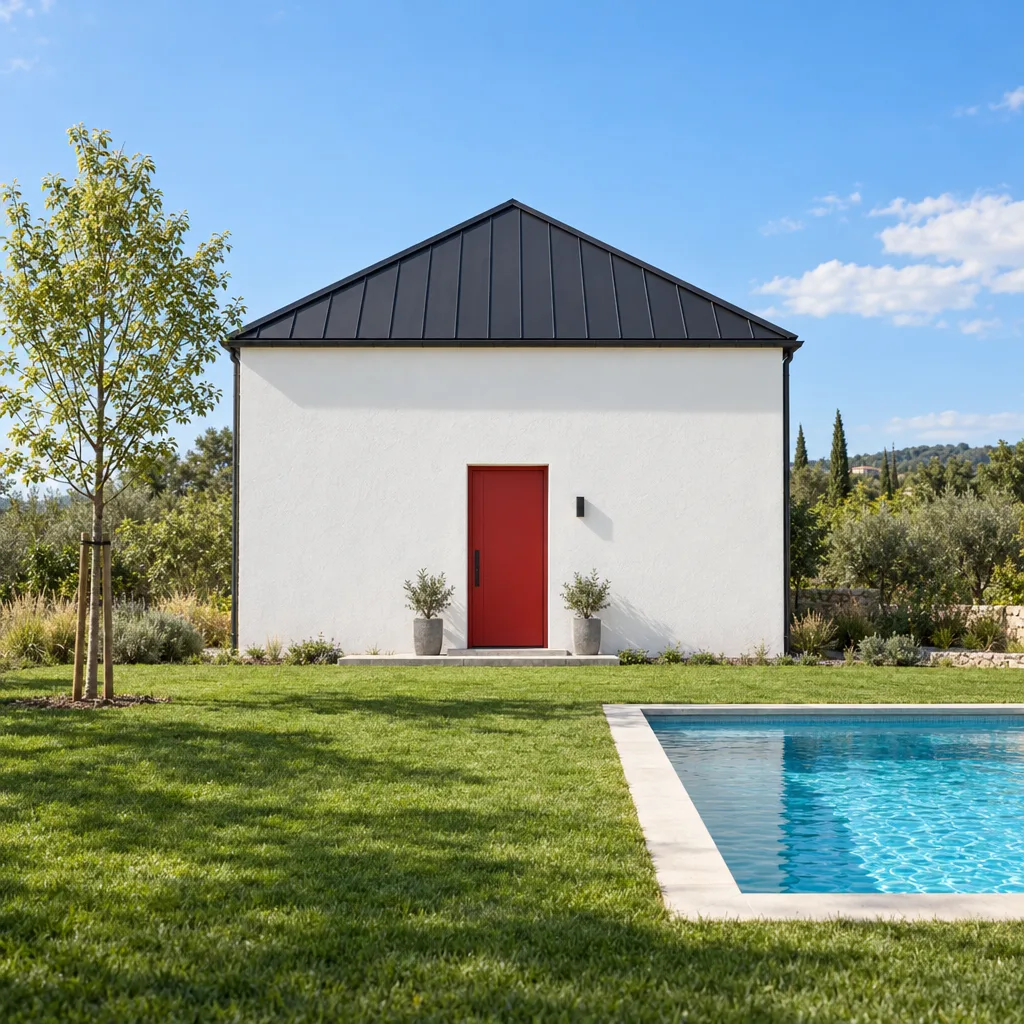
- Outline box: what goes hereWrite the object's name inside (PRODUCT, SOFA, TITLE). The box becomes that object; the outline is not drawn.
- Colour block: this area, this colourFill a rectangle to mark a sky, a wall, a lawn or a pool. Position and rough colour carry over.
- Arrow: this label means that spotPoint from a word to the place it describes, such as "RED DOOR" or "TREE". Shift keeps arrows at 45° steps.
- Text: name it, but say colours in the promptLabels say what something is. For exact colours or materials, repeat them in the prompt; the prompt wins when the two disagree.
The sketch sets the layout, your photo sets the product
Upload up to 16 images in one request. Keep the sketch as image 1 and your real product, logo or style reference after it; say in the prompt which image does what.


- Write "put the bottle from image 2 into the PRODUCT box exactly as it looks"
- The product keeps its shape, colour and label; only the scene is new
- Each extra image adds 20 credits; the price shows before you generate
What works well and what to watch
Based on our own runs with GPT Image 2.5. Check the result with the compare slider before you use it.
Your first image as a new user costs 3 credits at low quality. After that, a 1024² image from one sketch costs 30 credits at low, 60 at medium and 80 at high, and each extra reference image adds 20. The exact price shows before you generate, and failed generations are refunded.
No. Boxes with labels, a few colour blocks and arrows are enough. The model follows where things are and what you called them; the prompt decides how they look.
Both. Click Draw in the generator for a blank board with brush, rectangle (outline or filled), arrow, text and eraser, or upload a photo or scan of a paper sketch.
Positions, proportions and outlines are followed closely. Small details and exact sizes may be reinterpreted, so it suits concepts and drafts rather than technical drawings.
Yes. Upload the sketch first and your product photo second, then write something like "put the bottle from image 2 into the PRODUCT box exactly as it looks". Up to 16 reference images per request.
Use colour blocks for areas and say the colours in the prompt as well. When a label and the prompt disagree, the prompt usually wins.
No. Images drawn on the board, or loaded from a sketch example, are sent as sketches, and the model is told to leave out lines, boxes, arrows and label words.
Yes, images you generate can be used for personal and commercial projects. Check product details and any text before printing.
Got a rough idea? Draw it and see it finished
Open the board, draw boxes and blocks, say what you want. Your first image costs 3 credits.
Free credits on sign-up · No card required


Looking for a different tool?
Browse every AI image generator, model, converter, and photo tool in one place.